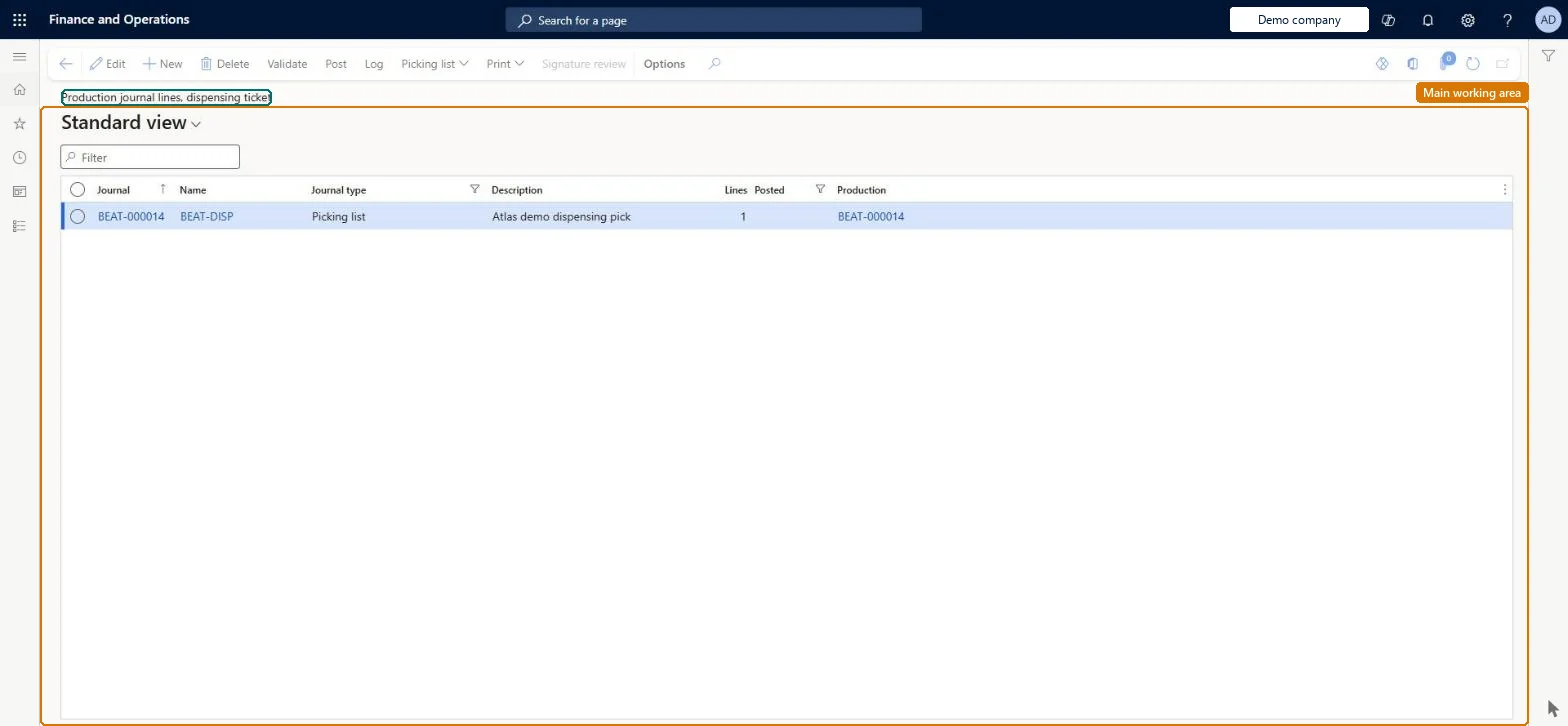
A production journal that registers, as consumed, the quantities of dispensing-controlled materials that were confirmed on a dispensing ticket for a production or batch order.
Chief executive officer, Machine operator, Shop supervisor and 4 more roles
Business process
Pick dispensed production material through the production dispensing ticket in Dynamics 365 Supply Chain Management
Menu item
QMSDispensingJournal
Main table
ProdJournalTable
Data entity
ProdProductionPickingListJournalEntryEntity
Show what matters for
PAGE GUIDEWhat the page does and how to use it7 sections. Choose a role to highlight what matters to you.
Everyone
1What it is and why
What it is
A production journal that registers, as consumed, the quantities of dispensing-controlled materials that were confirmed on a dispensing ticket for a production or batch order.
What you do here
Use this page to open, adjust and post the dispensing pick journal created when a production or batch order with dispensing-controlled materials is released, instead of posting it from the dispensing ticket.
Example
For example, a worker stages a full bag of a material to the dispensing area, raises the Consumption on the journal line to the staged quantity and, after dispensing, posts the journal so the remainder is reversed back to inventory.
The page in Dynamics 365. page title tab to open what to set or check
About the examples: Examples and screenshots in this guide use BEAT, a demo company in a Dynamics 365 test environment. Use your own company's codes and values instead of copying them.
Steps from Microsoft
Go to Production control > Adjustments > Dispensing pick journal.
Select the journal created when the production or batch order was released.
In Journal lines, review the Consumption for each dispensed material (the Dispensed value confirmed on the dispensing ticket).
Select Post to register the dispensed quantity as consumed in inventory.
Posting the journal consumes the dispensed quantity from inventory; where over-dispensing with reverse pick is enabled, a 'Dispensing adjustment' journal with a negative quantity is generated to return the over-picked remainder. Microsoft Learn
Technical architect
5Technical
Menu item
QMSDispensingJournalChecked in Dynamics 365
Form
ProdJournalTransBOMChecked in Dynamics 365
Table
ProdJournalTableShown as “PRODUCTION JOURNAL TABLE” in Record infoChecked in Dynamics 365
Data entities
ProdProductionPickingListJournalEntryEntityProduction picking list journal entries Checked in Dynamics 365
Who can open it
PrivilegesMaintain production journals QMSProdJournalTableMaintainView production journals QMSProdJournalTableViewDutiesMaintain production order completion ProdProductionOrderCompletionMaintainMaintain production order feedback ProdProductionOrderFeedbackMaintainInquire into production orders ProdProductionOrderProgressInquireReview production process ProdProductionProcessPerformanceReview7 security rolesChief executive officer CompanyChiefExecutiveOfficerMachine operator JmgMachineOperatorShop supervisor JmgShopSupervisorProduction manager ProdProductionManagerProduction supervisor ProdProductionSupervisorProject manager ProjProjectManagerProduction planner ReqProductionPlannerChecked in Dynamics 365
Roles to set it up and use it
To set it up or change itProduction supervisor ProdProductionSupervisorShop supervisor JmgShopSupervisorMachine operator JmgMachineOperatorTo use itProduction manager ProdProductionManagerProduction planner ReqProductionPlannerProject manager ProjProjectManagerChief executive officer CompanyChiefExecutiveOfficerGive people one of these roles. On this system, 7 roles can open this page.Checked in Dynamics 365
Actions on the page
(Action Pane without tabs): Validate, Post, Log, Picking list, Print, Signature reviewChecked in Dynamics 365