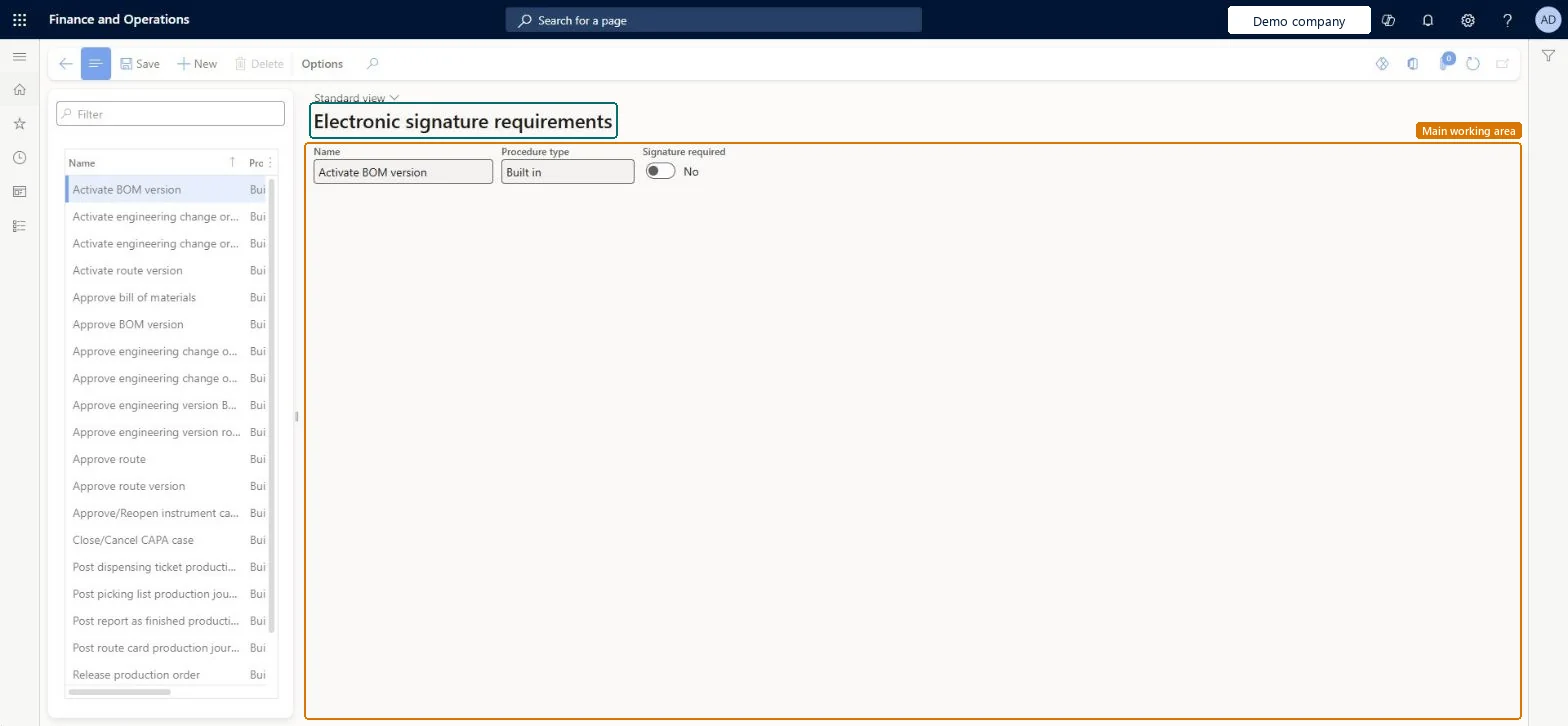
A setup page that lists the processes that can require an electronic signature, where you turn signing on or off and add your own requirements for any table and field.
PAGE GUIDEWhat the page does and how to use it8 sections. Choose a role to highlight what matters to you.
Everyone
1What it is and why
What it is
A setup page that lists the processes that can require an electronic signature, where you turn signing on or off and add your own requirements for any table and field.
What you do here
Use this page to choose which built-in processes need a signature and to create custom signature requirements for changes to specific data.
Example
For example, companies in regulated industries such as pharmaceuticals or food and beverage use signature requirements to meet rules like 21 CFR Part 11.
The page in Dynamics 365. page title tab to open what to set or check
About the examples: Examples and screenshots in this guide use BEAT, a demo company in a Dynamics 365 test environment. Use your own company's codes and values instead of copying them.
Step by step, with screenshots
Set up Electronic signature requirements1 screen
Use this page to choose which built-in processes need a signature and to create custom signature requirements for changes to specific data.
Screen 1
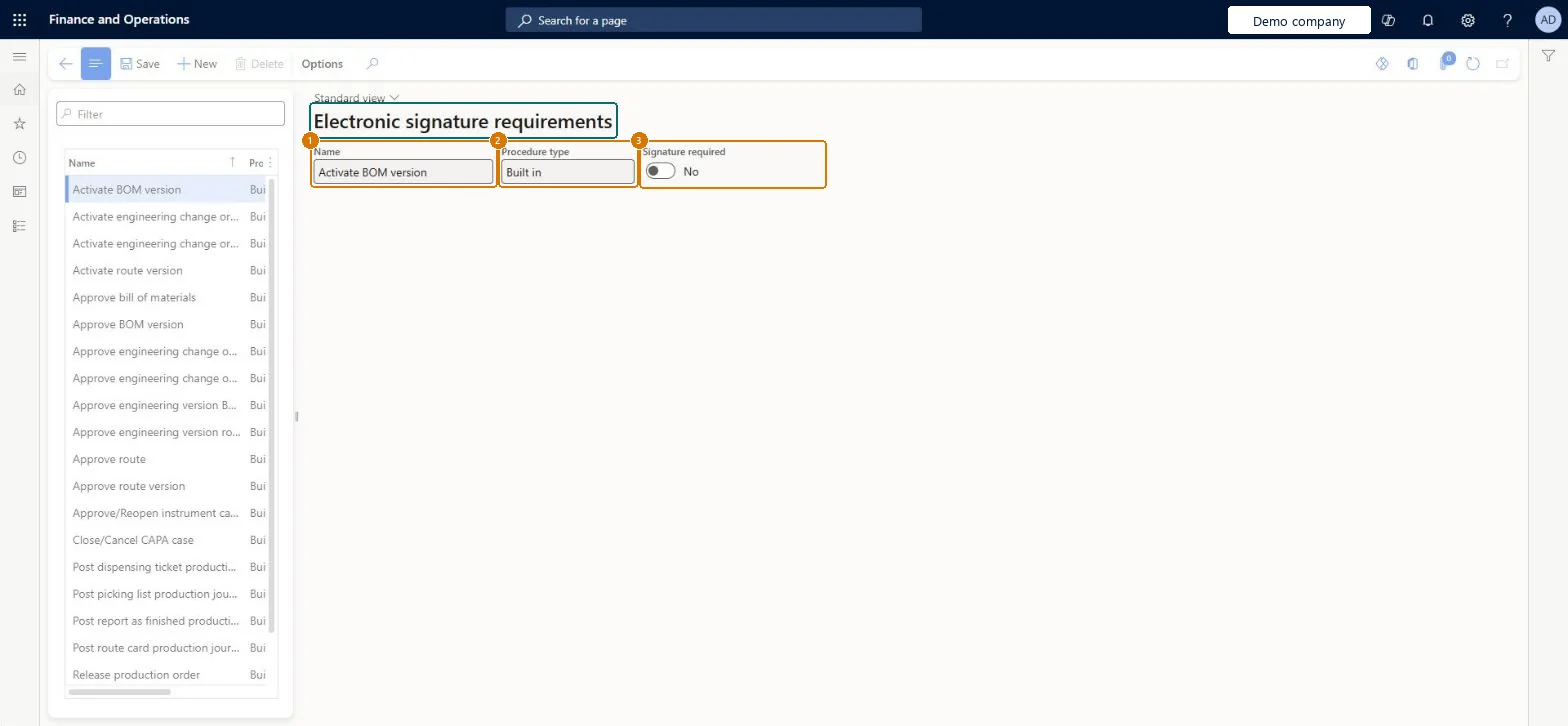
Check an electronic signature requirement
Go to Organization administration > Setup > Electronic signature > Electronic signature requirements
Select the procedure in the list
Check whether Signature required is turned on for it
1Name
Activate BOM version
2Procedure type
Built in
3Signature required
No
Show the full screen page title tab to open what to set or check
Steps from Microsoft
Go to Organization administration > Setup > Electronic signature > Electronic signature requirements.
To change a built-in process, select it, select or clear the Signature required checkbox, and then select Save.
To add your own requirement, select New.
Select or clear the Signature required checkbox.
In the Name field, enter a name for the process that needs signatures.
In the Table name field, select the table that stores the data to sign.
In the Field name field, select the field to monitor.
Choose Always, or choose Only and then whether it applies when a record is inserted, updated or deleted.
Signature required only on the critical processes your regulations demand (for example 21 CFR Part 11), with custom requirements set to Only and the specific insert, update or delete event where a signature isn't needed on every changeElectronic signatures are a compliance requirement for regulated industries and are meant for critical business processes. Only lets you limit the signature to inserts, updates or deletes instead of every change.
Turning on requirements before reason codes exist. A valid reason code is required whenever a document is signed, so set up Electronic signature reason codes first.Test: Custom signature requirement fires only on update
Electronic signature configuration key (System administration > Setup > License configuration > Administration); select it in maintenance mode. The preview feature is needed only for passphrase constraints and required comments (version 10.0.44 or later).
Reversible: Requirements are switched on and off with the Signature required checkbox. Changing the Electronic signature configuration key needs maintenance mode. Microsoft Learn
Technical architect
6Technical
Menu item
SIGProcSetupChecked in Dynamics 365
Form
SIGProcSetupChecked in Dynamics 365
Roles to set it up and use it
To set it up or change itInformation technology manager SysServerITManagerGive people one of these roles. On this system, 1 role can open this page.Checked in Dynamics 365
Checked in a working Dynamics 365 system, version 10.0.49: the menu item, form, table and security, the page, the demo records and the values in the screenshots.