About the examples: Examples and screenshots in this guide use BEAT, a demo company in a Dynamics 365 test environment. Use your own company's codes and values instead of copying them.
Step by step, with screenshots
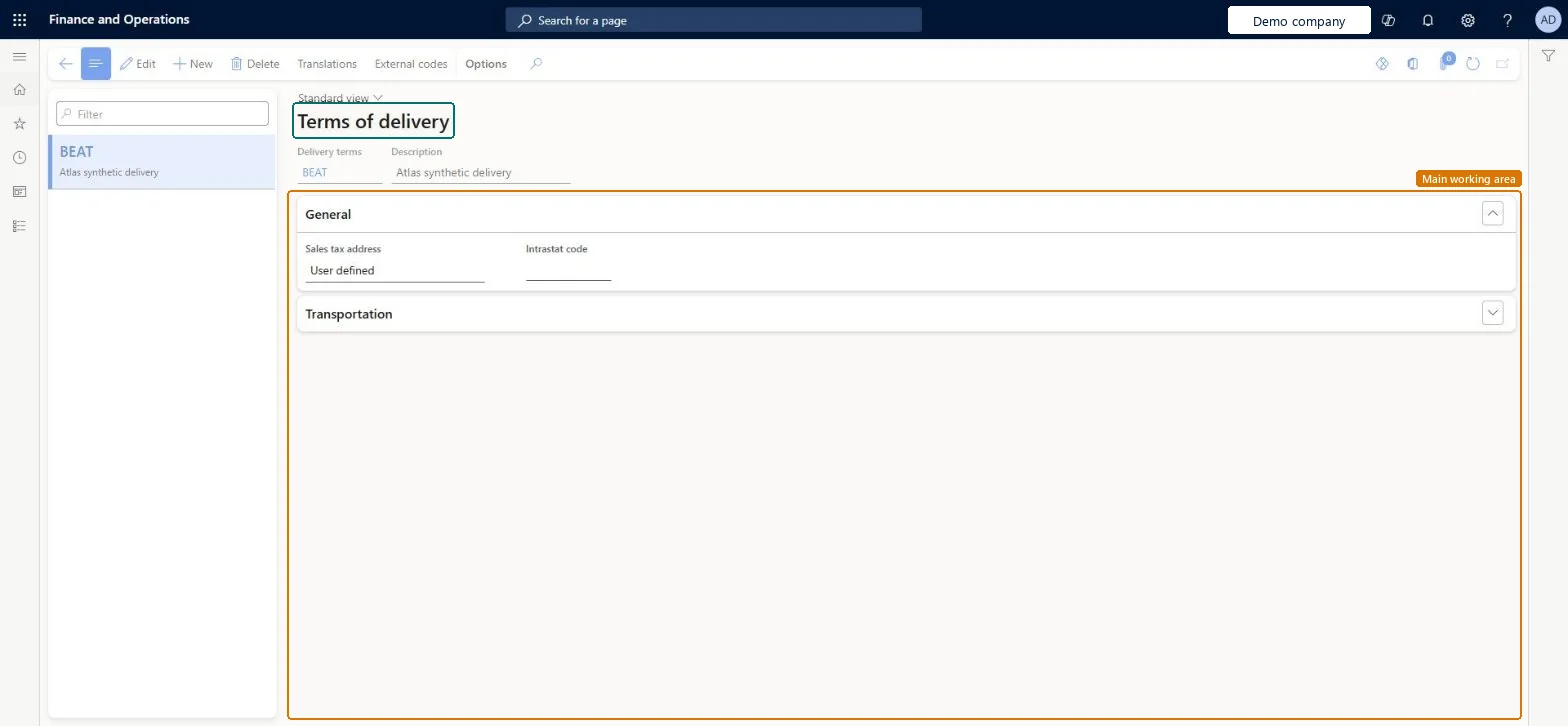
Set up Terms of delivery1 screen
Create and maintain the conditions under which an item is transferred from the seller to the buyer.
Screen 1
Create the terms of delivery
Go to Accounts payable > Setup > Terms of delivery
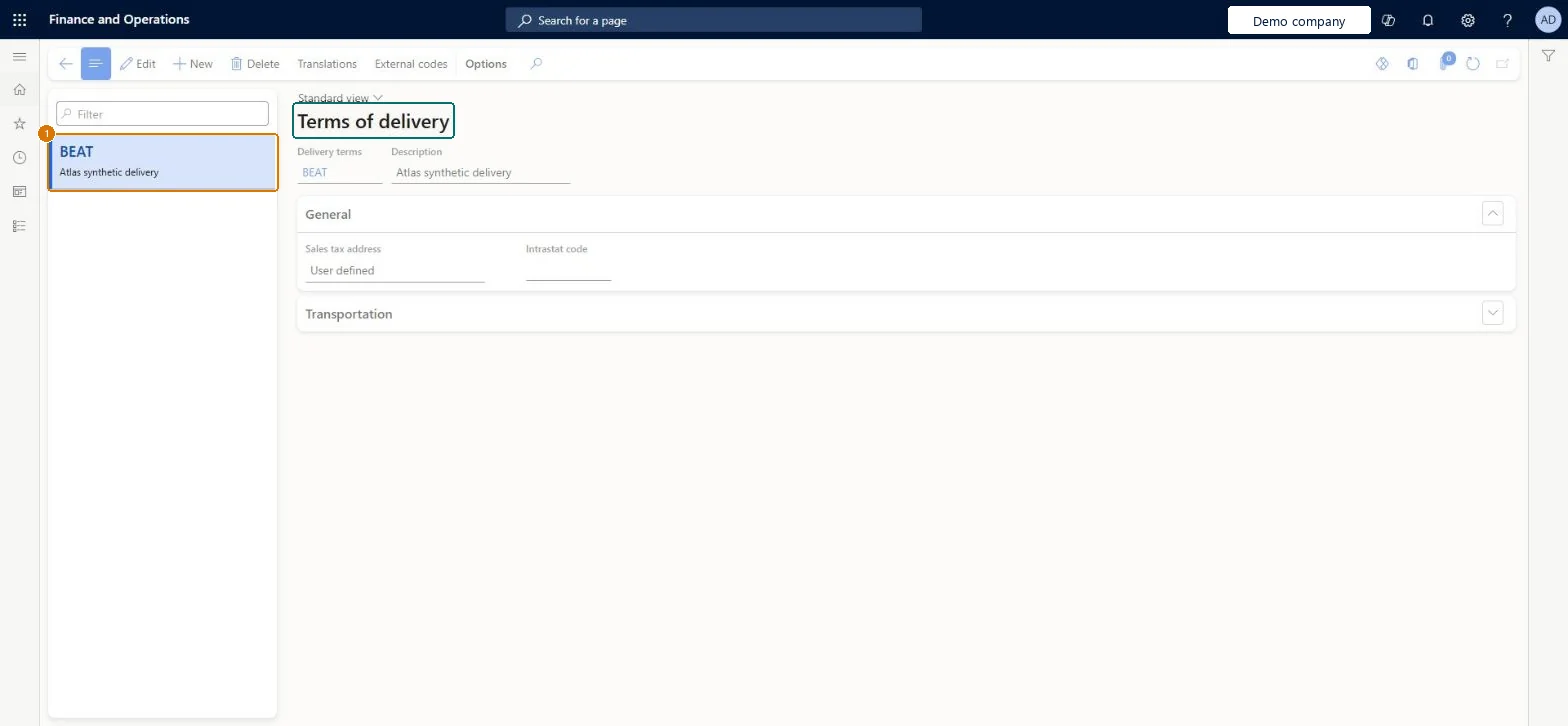
Select New and enter the delivery terms and description
On the General FastTab, set Sales tax address and leave Intrastat code blank
1Delivery terms
BEAT
Description
Delivery
Sales tax address
User defined
Show the full screen page title tab to open what to set or check
How to use it
Go to Procurement and sourcing > Setup > Distribution > Terms of delivery.
Select New to add delivery terms.
Enter the Delivery terms code and a Description.
Open the General section to set the Sales tax address and the Intrastat code, and open the Transportation section for transport details.
Select Translations or External codes on the Action Pane to add those for the selected terms.
Source: Checked in Dynamics 365
Fields on the page
Field
What it means
Example
Table column
Delivery terms
A short code for the terms of delivery, such as FOB or CIF.Microsoft Learn
FOB
Code
Description
The full description, printed on documents such as orders and invoices.Microsoft Learn
Delivery
Txt
Sales tax address
The address where ownership of the goods changes, used for tax.Microsoft Learn
User defined
TaxLocationRole
Intrastat code
The code used when reporting trade to the authorities.Microsoft Learn
IntrastatCode
Test checklist
Select a delivery term (for example CIF) and, if you report Intrastat, enter its Intrastat code on the General FastTab.
Open a vendor and set Delivery terms on the Invoice and delivery FastTab.
Create a purchase order for that vendor.
On the Header view, Delivery FastTab, check that Delivery terms shows the vendor default.
For EU legal entities, fill the Intrastat code on every terms of delivery used with EU vendorsIntrastat setup in Learn assigns the Intrastat code on Terms of delivery, and the terms default from the vendor's Invoice and delivery FastTab onto orders.
Leaving the Intrastat code blank, so arrivals for those terms reach the Intrastat declaration without the delivery terms code the authority expects.
Reversible: Terms of delivery default onto the purchase order header and lines. You can change them on an existing order, and the Update order lines setting in Procurement and sourcing parameters (Never, Always or Prompt) decides whether a header change is pushed to the lines. Microsoft Learn
Technical architect
6Technical
Menu item
VendDeliveryTermsChecked in Dynamics 365
Form
DeliveryTermsChecked in Dynamics 365
Table
DlvTermShown as “Terms of delivery” in Record infoKey field: CodeChecked in Dynamics 365
PrivilegesMaintain terms of delivery DeliveryTermsMaintainView terms of delivery DeliveryTermsViewDutiesEnable purchase order to invoice process PurchOrderToInvoiceProcessEnableEnable quotation to sales order process RentalSalesQuotationToSlsOrdProcessEnableInquire into quotation to sales order reference data SalesQuotationToSalesOrderRefDataInquir9 security rolesAccounts receivable clerk CustInvoiceAccountsReceivableClerkAccounts receivable centralized payments clerk PaymAccountsReceivableCentralPaymClerkAccounts receivable payments clerk PaymAccountsReceivablePaymentsClerkRental coordinator agent RentalCoordinatorAgentRental manager RentalManagerRental sales manager RentalSalesManagerRetail service RetailServicePurchasing manager TradePurchasingManagerAccounts payable manager VendInvoiceAccountsPayableManagerChecked in Dynamics 365
Roles to set it up and use it
To set it up or change itPurchasing manager TradePurchasingManagerAccounts payable manager VendInvoiceAccountsPayableManagerRental manager RentalManagerRental coordinator agent RentalCoordinatorAgentRental sales manager RentalSalesManagerTo use itRetail service RetailServiceAccounts receivable centralized payments clerk PaymAccountsReceivableCentralPaymClerkAccounts receivable payments clerk PaymAccountsReceivablePaymentsClerkAccounts receivable clerk CustInvoiceAccountsReceivableClerkGive people one of these roles. On this system, 9 roles can open this page.Checked in Dynamics 365
Actions on the page
Buttons: Translations, External codesChecked in Dynamics 365
DeliveryTermsEntity (Terms of delivery): loaded for each company, in Microsoft's default template 120 - Accounts payable.Load order: Microsoft's default template 120 - Accounts payable loads Terms of delivery at execution unit 1, level 30, sequence 10. Lower levels load first, and entities at the same level load in sequence order.Load first: the default templates at lower levels (System setup to General ledger)Microsoft Learn
Checked in a working Dynamics 365 system, version 10.0.49: the menu item, form, table and security, the page, the demo records and the values in the screenshots.