PAGE GUIDEWhat the page does and how to use it7 sections. Choose a role to highlight what matters to you.
Everyone
1What it is and why
What it is
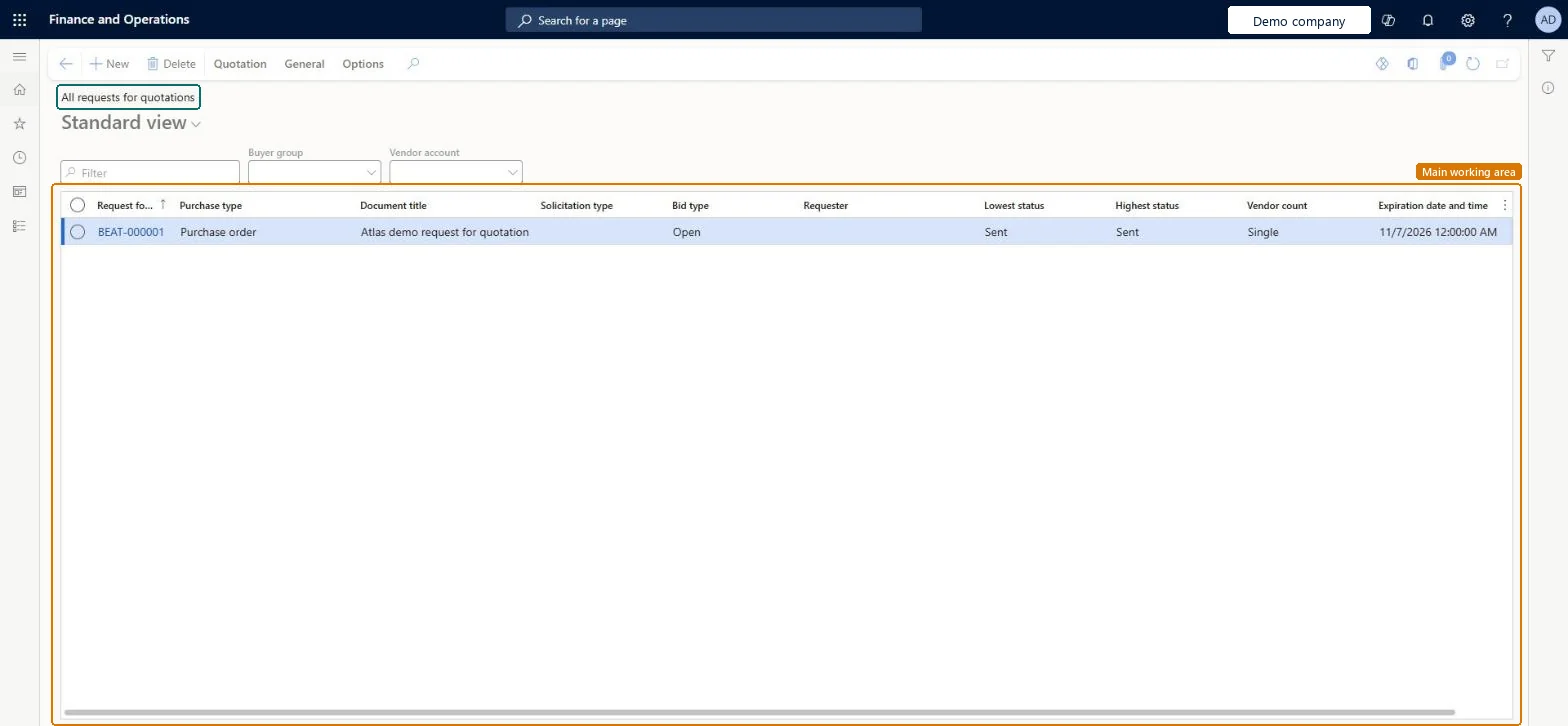
A list page of all request for quotation (RFQ) cases, showing the lowest and highest status of each case.
What you do here
Use this page to create RFQ cases, add vendors, send the RFQs and then manage, compare and accept the replies.
Example
For example, an RFQ case with three lines sent to two vendors becomes two RFQs, and the lowest and highest status show how far its least and most advanced lines have got.
The page in Dynamics 365. page title tab to open what to set or check
About the examples: Examples and screenshots in this guide use BEAT, a demo company in a Dynamics 365 test environment. Use your own company's codes and values instead of copying them.
Steps from Microsoft
Go to Procurement and sourcing > Requests for quotations > All requests for quotations.
Select New and choose the purchase type.
Enter the Document title, Solicitation type, Receipt date, Expiration date and time and Warehouse, and then select OK.
Add the lines, by item number or by procurement category.
Select Header, expand the Vendor section, and select Auto-add vendors or add vendors manually.
On the Action Pane, select Send.
Check the vendors on the Sending request for quotation page, and then select OK.
When the stricter amendment process is set up, a sent RFQ case can only be changed after you select Create to start an amendment, and then Finalize when you are done. Microsoft Learn
Technical architect
5Technical
Menu item
PurchRFQCaseTableListPageChecked in Dynamics 365
Form
PurchRFQCaseTableListPageChecked in Dynamics 365
Table
PurchRFQCaseTableShown as “Request for quotation cases” in Record infoChecked in Dynamics 365
Data entities
PurchPublishedRequestForQuotationDeliveryPaymentTermsEntityPublished requests for quotations delivery and payment details Microsoft data model
Who can open it
PrivilegesMaintain request for quotations PurchRFQCaseTableMaintainView request for quotation PurchRFQCaseTableViewDutiesThis duty only include privileges that are accessible by the project manager and it does not contain the privileges related to sales order and purchase order ProjProjectItemTasksMaintainApprove request for quotations PurchRFQRequestForQuoteApproveInquire into request for quotation status PurchRFQRequestForQuoteInquireMaintain request for quotations PurchRFQRequestForQuoteMaintainInquire into request for quotation reply status PurchRFQRequestForQuoteReplyInquireMaintain request for quotation replies PurchRFQRequestForQuoteReplyMaintain5 security rolesProject manager ProjProjectManagerPurchasing manager TradePurchasingManagerPurchasing agent VendPurchasingAgentPurchasing Agent - Public Sector VendPurchasingAgent_PSNVendor account manager VendVendorAccountManagerChecked in Dynamics 365
Roles to set it up and use it
To set it up or change itPurchasing agent VendPurchasingAgentPurchasing Agent - Public Sector VendPurchasingAgent_PSNProject manager ProjProjectManagerTo use itPurchasing manager TradePurchasingManagerVendor account manager VendVendorAccountManagerGive people one of these roles. On this system, 5 roles can open this page.Checked in Dynamics 365
Actions on the page
Quotation: Maintain, Copy, Process, Replies, View, Charges, Score, JournalsGeneral: Related informationOptions: Personalize, Page options, ShareChecked in Dynamics 365