BeyondERP.Newsletter
Menu

Transaction page · Procurement and sourcing

Purchase orders sent for vendor collaboration, awaiting response

A list page of purchase orders sent to vendors through vendor collaboration that are in external review and still waiting for the vendor's response.

Business process
Procure goods and services
Menu item
PurchTableListPageVendorExternalReviewWithoutReply
Main table
PurchTable
Data entity
PurchPurchaseOrderHeaderV2Entity
Show what matters for
PAGE GUIDEWhat the page does and how to use it7 sections. Choose a role to highlight what matters to you.
Everyone

1What it is and why

What it isA list page of purchase orders sent to vendors through vendor collaboration that are in external review and still waiting for the vendor's response.
What you do hereUse this page to monitor which purchase orders the vendor has not yet responded to.
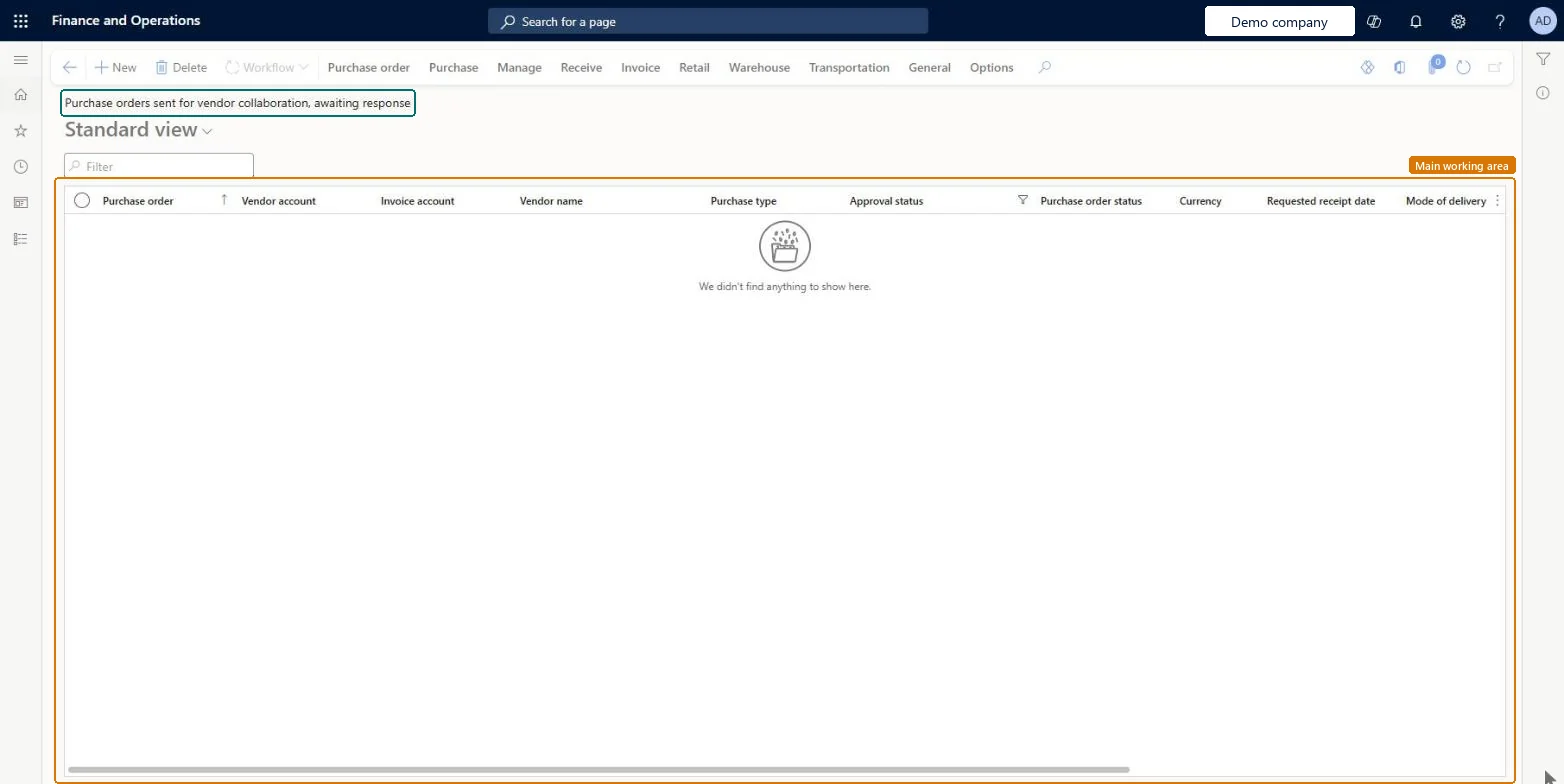
Purchase orders sent for vendor collaboration, awaiting response page in Dynamics 365
The page in Dynamics 365. page title tab to open what to set or check
Functional consultant · Solution architect

2Where it fits

Business processProcure goods and services
Menu pathProcurement and sourcing › Purchase orders › Purchase order follow-up › Purchase orders sent for vendor collaboration, awaiting response
Set up firstSend for confirmation on the purchase order Microsoft Learn Collaboration activation on the vendor Microsoft Learn
Related pagesPurchase orders sent for vendor collaboration, response requires action Microsoft Learn Purchase order preparation Microsoft Learn
End user · Functional consultant

3How to do it

About the examples: Examples and screenshots in this guide use BEAT, a demo company in a Dynamics 365 test environment. Use your own company's codes and values instead of copying them.

How to use it

  1. Go to Procurement and sourcing > Purchase orders > Purchase order follow-up > Purchase orders sent for vendor collaboration, awaiting response.
  2. Type in the Filter box to narrow the list by purchase order, vendor account or vendor name.
  3. Check the Approval status and Purchase order status columns for each order.
  4. Select a purchase order to open it.
  5. Use the Purchase order, Purchase and Manage tabs in the Action Pane for the next task.

Source: Checked in Dynamics 365

Solution architect

4Design impact

Shared or per companyPer company: each legal entity has its own records. Microsoft data model
Technical architect

5Technical

Menu itemPurchTableListPageVendorExternalReviewWithoutReply Checked in Dynamics 365
FormPurchTable Checked in Dynamics 365
TablePurchTableShown as “Purchase orders” in Record infoKey field: PurchId, PurchaseOrderHeaderCreationMethodChecked in Dynamics 365
Data entitiesPurchPurchaseOrderHeaderV2EntityPurchase order headers V2 Microsoft data model
Roles to set it up and use itTo set it up or change itPurchasing agent VendPurchasingAgentPurchasing Agent - Public Sector VendPurchasingAgent_PSNRental manager RentalManagerRental coordinator agent RentalCoordinatorAgentBuying agent TradeBuyingAgentTo use itPurchasing manager TradePurchasingManagerAccounts payable manager VendInvoiceAccountsPayableManagerProject manager ProjProjectManagerAccountant LedgerAccountantAccounts payable clerk VendInvoiceAccountsPayableClerkGive people one of these roles. On this system, 18 roles can open this page.Checked in Dynamics 365
Actions on the pagePurchase order: New, Maintain, Copy, View, Clean up, Engineering change requestPurchase: Create, Charges, Tax, Calculate, Prepay, Generate, Actions, Accounting, Journals, Vendor collaborationManage: View, Budget, Intercompany tracing, Bank document, HistoryReceive: Generate, JournalsInvoice: Generate, Bill, Settle, Introduce, JournalsRetail: Functions, Print labelsWarehouse: ActionsTransportation: Post, Rate/RouteGeneral: Set up, Vendor, Maintain, Related information, CAPAOptions: Personalize, Page options, ShareChecked in Dynamics 365
Developer

6Developer

Open it by URLhttps://<your-environment>/?mi=PurchTableListPageVendorExternalReviewWithoutReply
Integrate withPurchPurchaseOrderHeaderV2Entity data entity Microsoft data model
Data migrationPurchPurchaseOrderHeaderV2Entity (Purchase order headers V2): loaded for each company.Microsoft Learn
Table definitionPurchTable columns and relations Microsoft data model
Everyone

7Sources