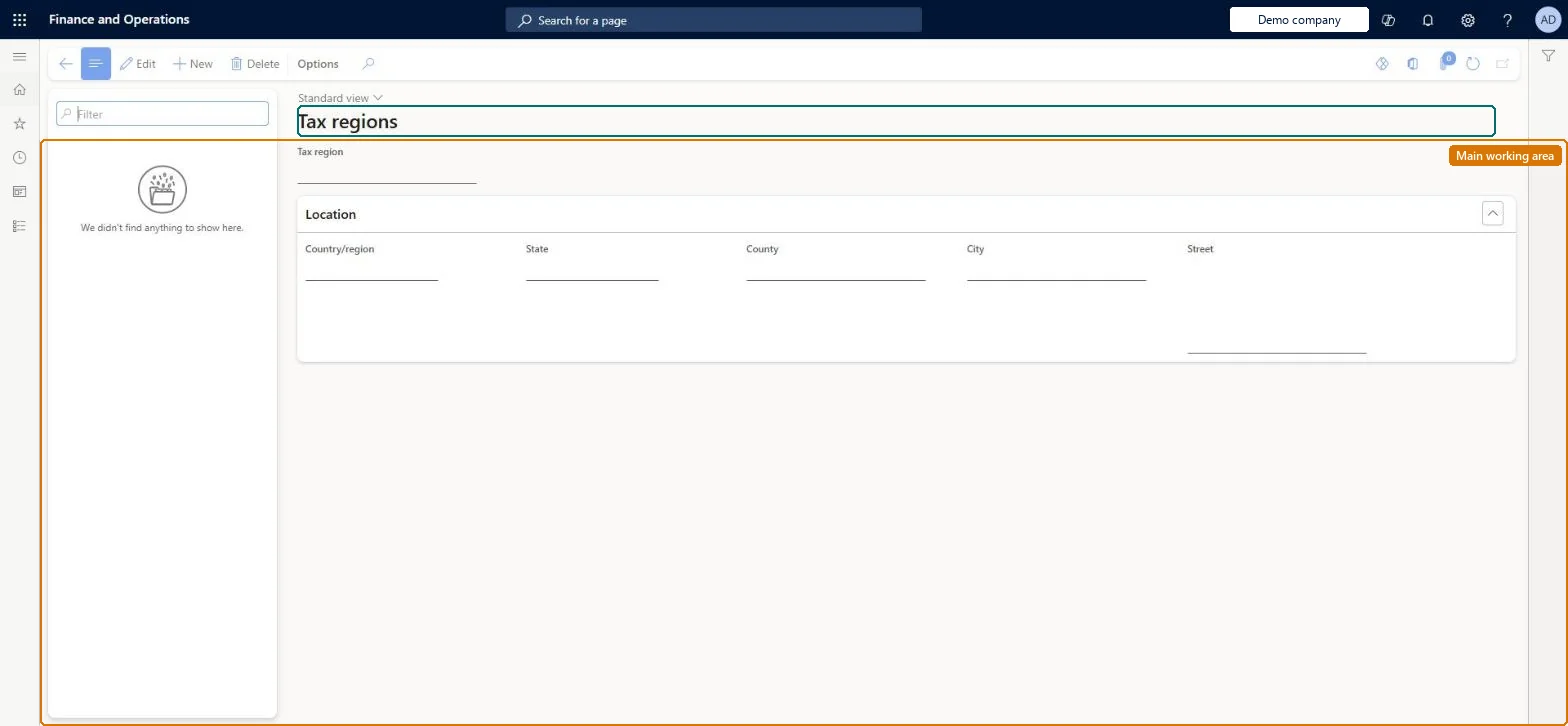
About the examples: Examples and screenshots in this guide use BEAT, a demo company in a Dynamics 365 test environment. Use your own company's codes and values instead of copying them.
Setup steps on this page
Set up Tax regions
Use this page to create a tax region for each city or town where workers live or work, so the regions can be assigned to workers.
Steps from Microsoft
Go to Payroll > Setup > Taxes > Tax regions.
Select New.
Enter any part of the location, such as the state or ZIP/postal code.
If the Multiple tax regions page opens, select the correct city.
In Name or description, start with the state name so regions sort by state.
One tax region per city or town where workers live or work, named with the state first (for example WA - Seattle)Tax regions correspond to cities or towns, and putting the state first sorts regions in the same state together.
Creating regions without knowing the county, state and ZIP/postal code, so the wrong city is picked when the Multiple tax regions page opens.
Solution architect
5Design impact
Can it be undone
Hard to reverse: Tax codes are assigned to workers automatically from their worker tax regions, position and legal entity. Changing a region in use means reviewing worker tax regions, default tax regions and worker tax codes. Microsoft Learn
Technical architect
6Technical
Menu item
PayrollTaxRegionChecked in Dynamics 365
Form
PayrollTaxRegionChecked in Dynamics 365
Table
PayrollTaxRegionShown as “TAX REGION” in Record infoKey field: LogisticsLocation_DescriptionChecked in Dynamics 365
PrivilegesMaintain payroll tax regions PayrollTaxRegionMaintainView payroll tax regions PayrollTaxRegionViewDutiesInquire into payroll master data PayrollMasterDataInquireSet up payroll master data PayrollMasterDataMaintain3 security rolesCompensation and benefits manager HcmCompensationAndBenefitsManagerPayroll administrator HcmPayrollAdministratorPayroll manager HcmPayrollManagerChecked in Dynamics 365
Roles to set it up and use it
To set it up or change itPayroll administrator HcmPayrollAdministratorCompensation and benefits manager HcmCompensationAndBenefitsManagerTo use itPayroll manager HcmPayrollManagerGive people one of these roles. On this system, 3 roles can open this page.Checked in Dynamics 365