BeyondERP.Newsletter
Menu

Setup page · Payroll

Premium earning policy rule types

A setup page where you create policy rule types, which define the document and query parameters used to build premium earning policy rules.

Used by
Compensation and benefits manager, Payroll administrator, Payroll manager
Business process
Manage compensation and benefits
Menu item
PayrollPremiumEarningGenerationRuleType
Main table
SysPolicySourceDocumentR
Data entity
PayrollPremiumEarningPolicyRuleTypeEntity
Setup steps
1 on this page
Show what matters for
PAGE GUIDEWhat the page does and how to use it8 sections. Choose a role to highlight what matters to you.
Everyone

1What it is and why

What it isA setup page where you create policy rule types, which define the document and query parameters used to build premium earning policy rules.
What you do hereUse this page to create one policy rule type for each premium your organisation pays, normally based on the Premium earnings query.
ExampleFor example, a rule type named 2nd Shift with the description Second shift differential.
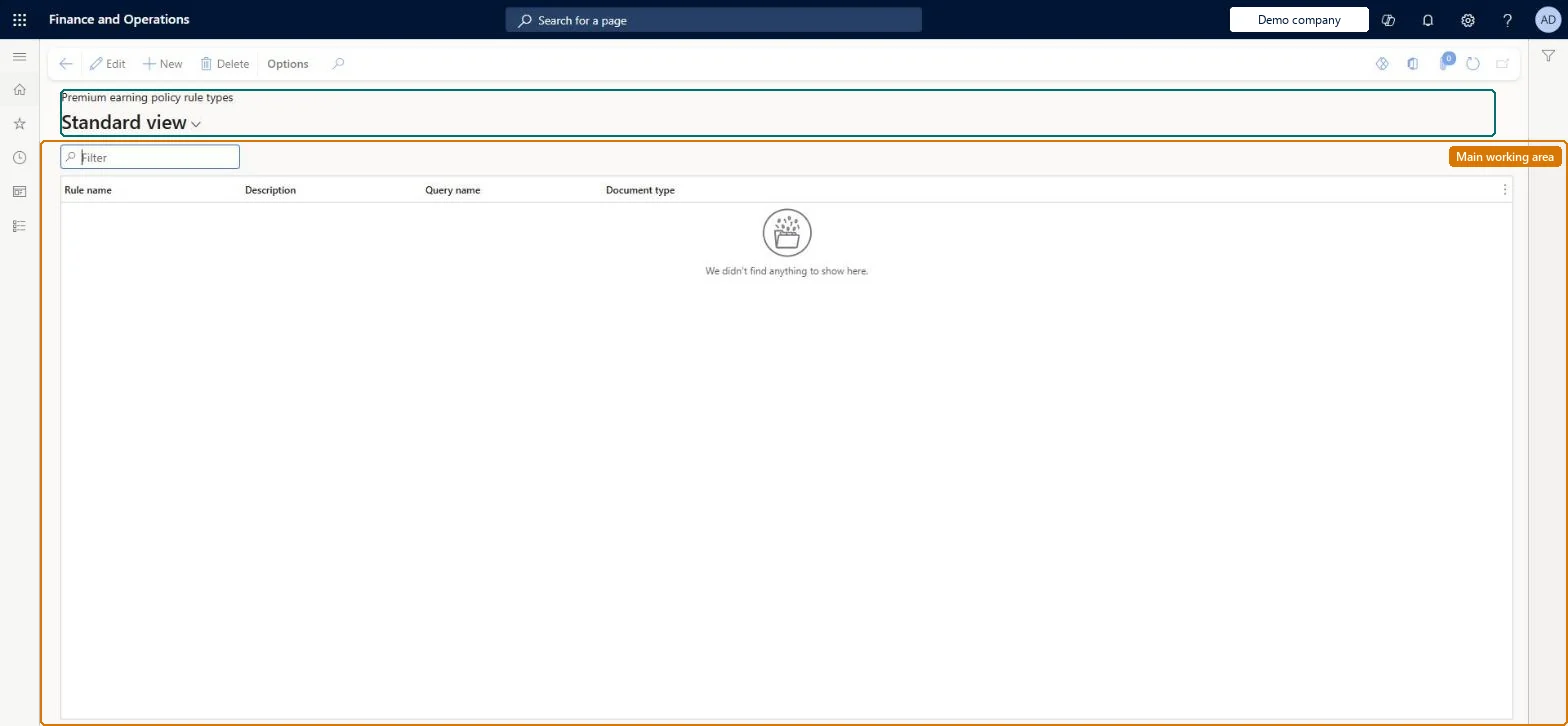
Premium earning policy rule types page in Dynamics 365
The page in Dynamics 365. page title tab to open what to set or check
Functional consultant · Solution architect

2Where it fits

Business processManage compensation and benefits
Menu pathPayroll › Setup › Earnings › Premium earning policy rule types
Used next byPremium earning policies Microsoft Learn Premium codes Microsoft Learn
End user · Functional consultant

3How to do it

About the examples: Examples and screenshots in this guide use BEAT, a demo company in a Dynamics 365 test environment. Use your own company's codes and values instead of copying them.

Setup steps on this page

Set up Premium earning policy rule types

Use this page to create one policy rule type for each premium your organisation pays, normally based on the Premium earnings query.

Steps from Microsoft

  1. Go to Payroll > Setup > Earnings > Premium earning policy rule types.
  2. Select New.
  3. Enter a name and a brief description.
  4. In Query name, select Premium earnings.

Source: Microsoft Learn

Fields on the page

FieldWhat it means
Name / DescriptionThe name and short description of the policy rule type.Microsoft Learn
Query nameThe default query used as the starting point for policy rules of this type; select Premium earnings.Microsoft Learn

Test checklist

  1. Create a rule type named 2nd Shift with Query name Premium earnings.
  2. Create a policy rule of that type on the premium earning policy.
  3. Create a premium code with the same name using that rule type.
  4. Generate premium earnings and check the premium appears only for qualifying lines.

Source: Microsoft Learn

Functional consultant

4Setup decisions

Setup stepRecommended value and whyDecision, common mistake and test
Set up Premium earning policy rule typesOne rule type per premium, Query name = Premium earningsLearn says to create a premium policy rule type for each premium you identify and to use the Premium earnings query as the starting point for its rules.Sharing one rule type across premiums whose conditions differ (for example union and non-union shift differentials), so the premium code can't tell them apart.
Solution architect

5Design impact

Can it be undoneReversible: A rule type can be edited, but policy rules and premium codes point to it, so a change affects every premium that uses it. Microsoft Learn
Technical architect

6Technical

Menu itemPayrollPremiumEarningGenerationRuleType Checked in Dynamics 365
FormSysPolicySourceDocumentRuleType Checked in Dynamics 365
TableSysPolicySourceDocumentRShown as “POLICY SOURCE DOCUMENT RULE TYPE” in Record infoChecked in Dynamics 365
Data entitiesPayrollPremiumEarningPolicyRuleTypeEntityPayroll premium earning policy rule type Microsoft data model HcmBenefitEligibilityPolicyRuleTypeEntityBenefit eligibility policy rule types Checked in Dynamics 365VendInvoicePolicyRuleTypeEntityVendor invoice policy rule types Microsoft data model
Who can open itPrivilegesMaintain premium earnings setup PayrollPremiumEarningSetupMaintainView premium earnings setup PayrollPremiumEarningSetupViewDutiesInquire into payroll master data PayrollMasterDataInquireSet up payroll master data PayrollMasterDataMaintain
3 security rolesCompensation and benefits manager HcmCompensationAndBenefitsManagerPayroll administrator HcmPayrollAdministratorPayroll manager HcmPayrollManager
Checked in Dynamics 365
Roles to set it up and use itTo set it up or change itPayroll administrator HcmPayrollAdministratorCompensation and benefits manager HcmCompensationAndBenefitsManagerTo use itPayroll manager HcmPayrollManagerGive people one of these roles. On this system, 3 roles can open this page.Checked in Dynamics 365
Developer

7Developer

Open it by URLhttps://<your-environment>/?mi=PayrollPremiumEarningGenerationRuleType
Integrate withPayrollPremiumEarningPolicyRuleTypeEntity data entity Microsoft data model
Everyone

8Sources

KEEP EXPLORING

More in Payroll.

Open the other pages and setup steps in this module, or go back to the Atlas Hub to search every page.