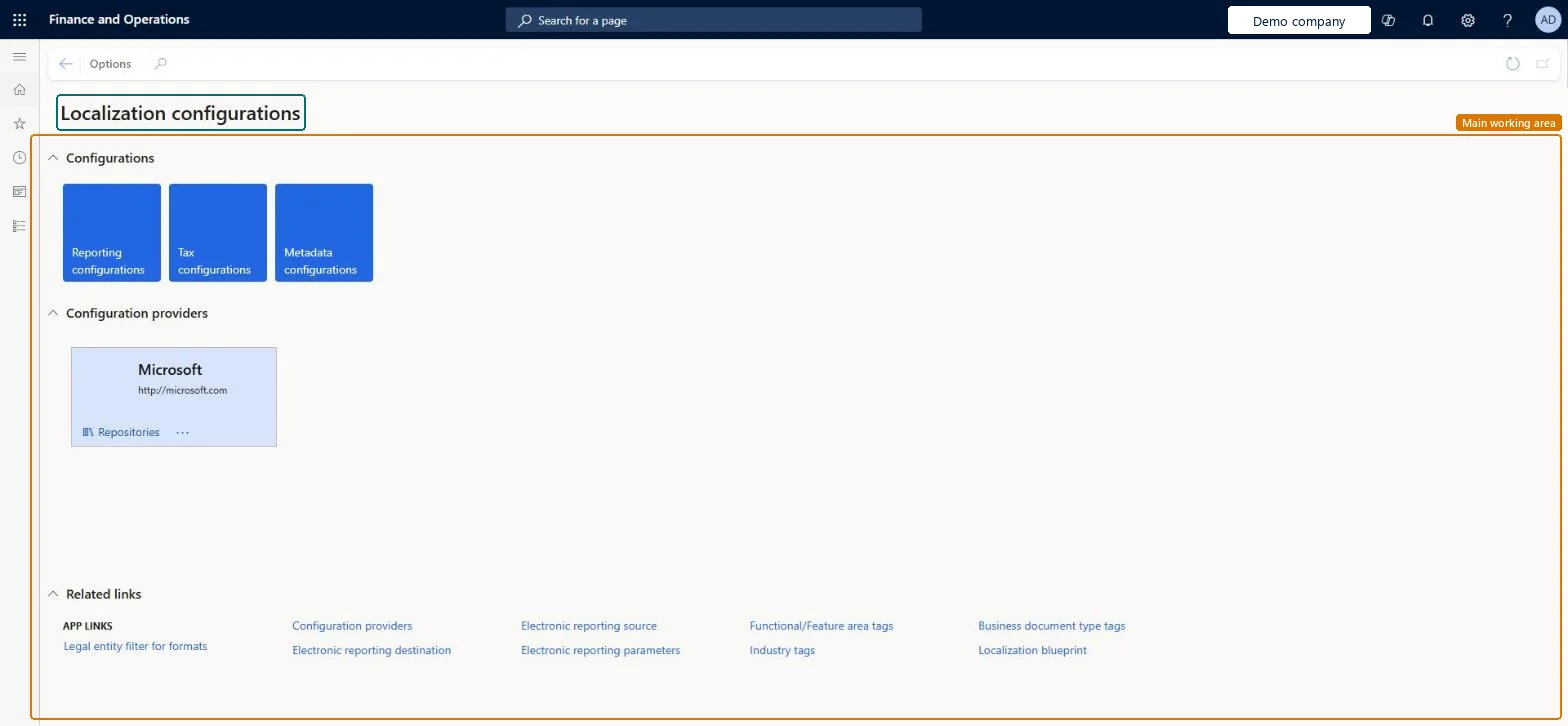
A workspace that is the starting point for Electronic reporting, where you activate the configuration provider and open configuration repositories, configurations and parameters.
PAGE GUIDEWhat the page does and how to use it7 sections. Choose a role to highlight what matters to you.
Everyone
1What it is and why
What it is
A workspace that is the starting point for Electronic reporting, where you activate the configuration provider and open configuration repositories, configurations and parameters.
What you do here
Use this workspace to set up and manage Electronic reporting, the tool that configures electronic document formats that meet the legal requirements of different countries or regions.
Example
For example, you can select the Microsoft provider tile, open its repositories, and import a standard format such as Peppol Sales Invoice.
The page in Dynamics 365. page title tab to open what to set or check
About the examples: Examples and screenshots in this guide use BEAT, a demo company in a Dynamics 365 test environment. Use your own company's codes and values instead of copying them.
Steps from Microsoft
Go to Organization administration > Workspaces > Electronic reporting.
Under Related links, select Configuration providers.
Select New.
In the Name field, enter the provider name.
In the Internet address field, enter the provider's web address.
Select Save and close the page.
Back in the workspace, select the new provider and select Set active.
A section with one tile per configuration provider; from a tile you can open that provider's repositories.Microsoft Learn
Reporting configurations
A tile that opens the Electronic reporting configurations in this environment.Microsoft Learn
Set active
Makes the selected provider the active one; each configuration you add is owned by the active provider.Microsoft Learn
Solution architect
4Design impact
If you change it later
Only the provider that owns a configuration can edit it, so make sure the right provider is active before you edit. Microsoft Learn
Technical architect
5Technical
Menu item
ERWorkspaceChecked in Dynamics 365
Form
ERWorkspaceChecked in Dynamics 365
Roles to set it up and use it
To set it up or change itElectronic reporting functional consultant ERFunctionalConsultantElectronic reporting developer ERDeveloperGive people one of these roles. On this system, 2 roles can open this page.Checked in Dynamics 365