Materials manager, Production manager, Production planner and 1 more role
Business process
Balance supply and demand
Menu item
ReqDecouplingPointStatusByOnHand
Main table
ReqDecouplingPointHistor
Show what matters for
PAGE GUIDEWhat the page does and how to use it5 sections. Choose a role to highlight what matters to you.
Everyone
1What it is and why
What it is
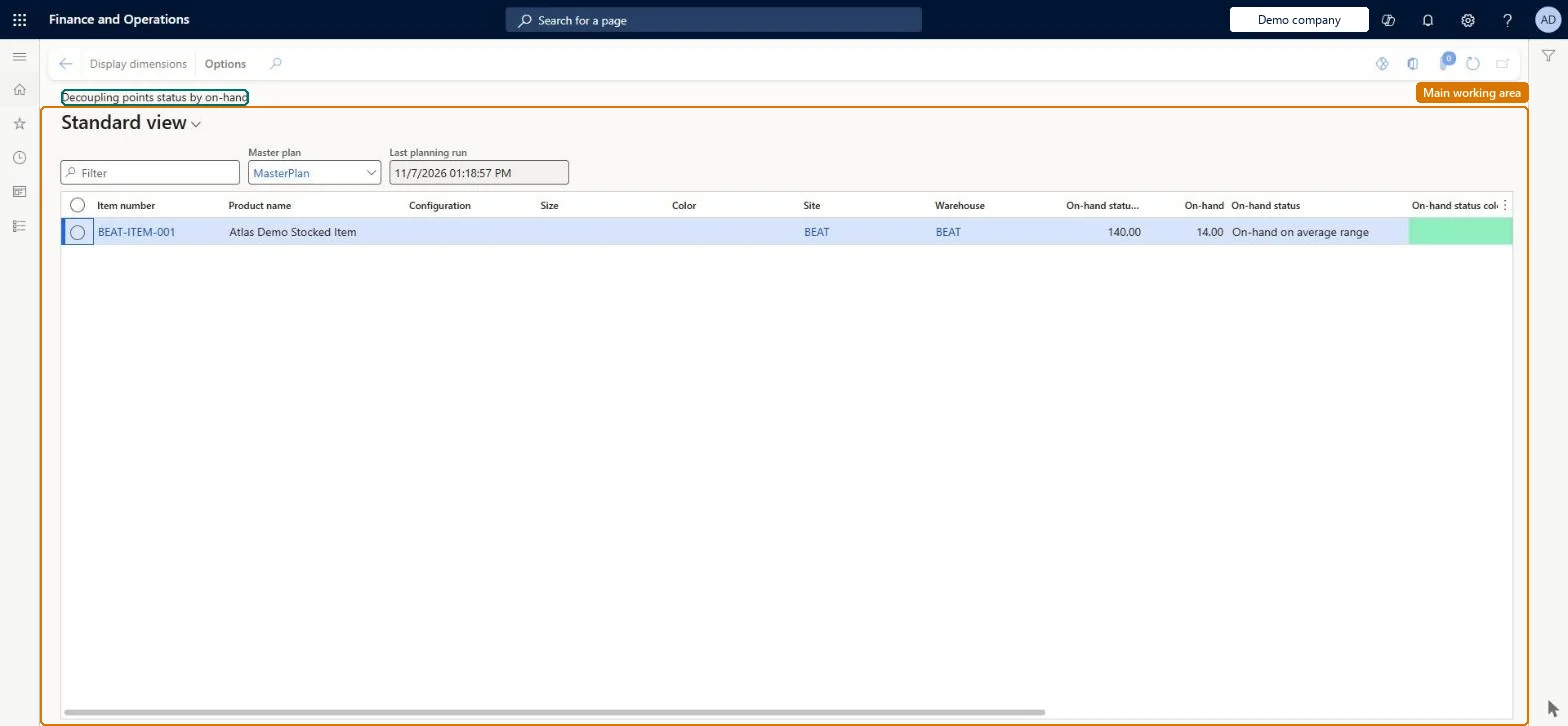
An inquiry page that shows the status of demand driven MRP (DDMRP) decoupling points by their on-hand inventory level.
What you do here
Use this page to monitor decoupling point items by on-hand level and, from the Action Pane, manage buffers, run master planning, or open related views.
The page in Dynamics 365. page title tab to open what to set or check
ReqDecouplingPointStatusByOnHandChecked in Dynamics 365
Form
ReqDecouplingPointStatusByOnHandChecked in Dynamics 365
Table
ReqDecouplingPointHistorShown as “DECOUPLING POINT EXTENDED LATEST HISTORICAL VALUES” in Record infoChecked in Dynamics 365
Who can open it
PrivilegesDemand driven MRP ReqDDMRPWorkspaceView decoupling points status by on-hand ReqDecouplingPointStatusByOnHandViewDutiesEnable master scheduling process ReqMasterSchedulingProcessEnableMaintain planned orders ReqPlannedOrdersMaintainInquire into requirement profiles ReqRequirementsProfileProgressInquire4 security rolesMaterials manager InventMaterialsManagerProduction manager ProdProductionManagerProduction planner ReqProductionPlannerProcess engineer RouteProcessEngineerChecked in Dynamics 365
Roles to set it up and use it
To use itProduction planner ReqProductionPlannerProduction manager ProdProductionManagerMaterials manager InventMaterialsManagerProcess engineer RouteProcessEngineerGive people one of these roles. On this system, 4 roles can open this page.Checked in Dynamics 365
Actions on the page
(Action Pane without tabs): Display dimensionsChecked in Dynamics 365