PAGE GUIDEWhat the page does and how to use it7 sections. Choose a role to highlight what matters to you.
Everyone
1What it is and why
What it is
A list page that shows the decoupled lead times of all decoupling point items in the company and lets you recalculate them.
What you do here
Use this page to review decoupled lead times, the time needed to produce or receive an item when its decoupling points are in stock, and to recalculate them for selected items.
Example
For example, in Microsoft's pillow example, decoupling points cut the lead time from 21 days to five days: two days to buy the thread and three days to produce the pillow.
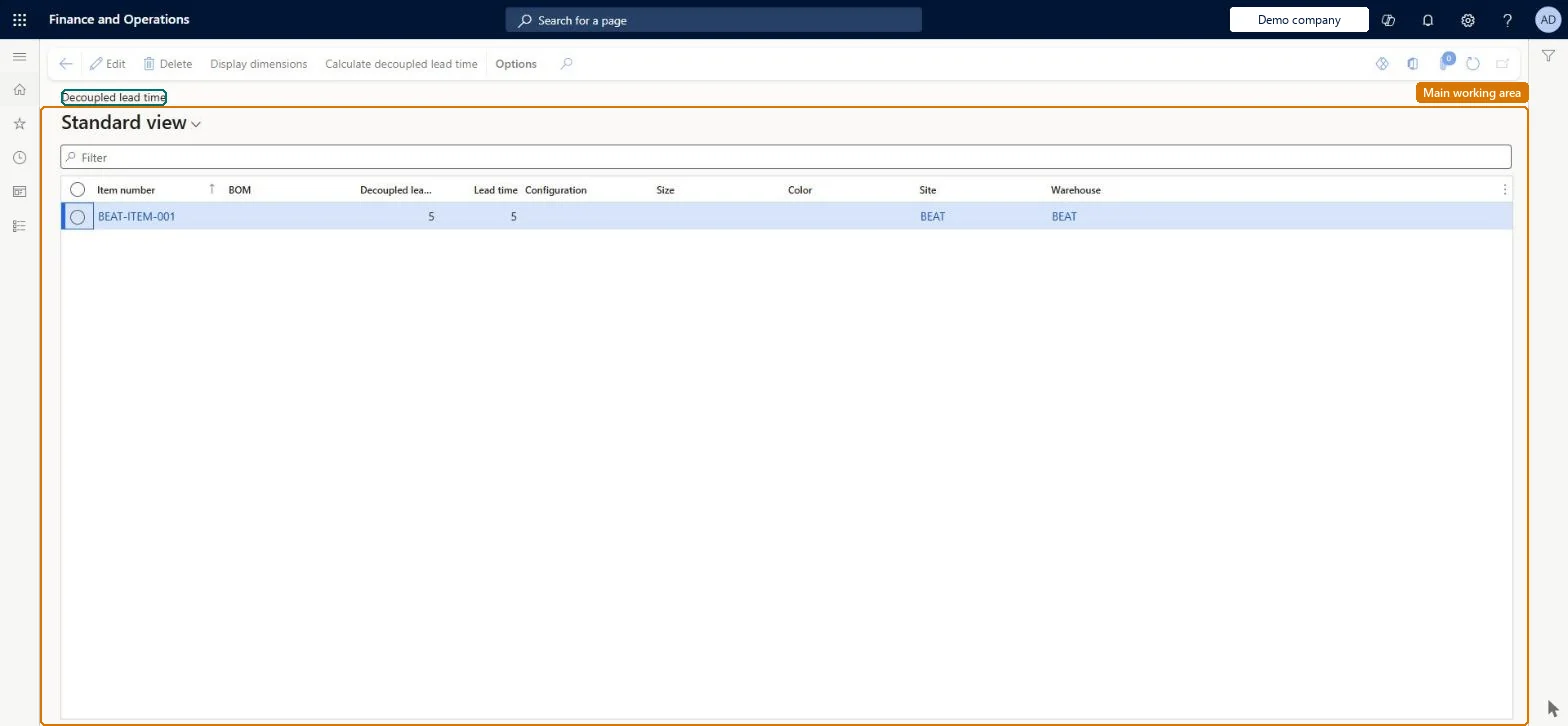
The page in Dynamics 365. page title tab to open what to set or check
About the examples: Examples and screenshots in this guide use BEAT, a demo company in a Dynamics 365 test environment. Use your own company's codes and values instead of copying them.
Steps from Microsoft
Go to Master planning > Master planning > DDMRP > Decoupled lead time.
Browse and filter the list to find the items you need.
To see more about an item, select its link in the Item number column.
To recalculate, select the item, and then select Calculate decoupled lead time on the Action Pane.
In the Calculate decoupled lead time dialog box, select the BOM, date, and quantity.
The decoupling point item; select the link to open more information about it.Microsoft Learn
ItemId
BOM
In the Calculate decoupled lead time dialog box, the bill of materials to calculate on.Microsoft Learn
BomId
Date
In the Calculate decoupled lead time dialog box, the date to calculate on; only BOMs active on that date are offered.Microsoft Learn
Quantity
In the Calculate decoupled lead time dialog box, the quantity to calculate for; only BOMs that apply to that quantity are offered.Microsoft Learn
Solution architect
4Design impact
If you change it later
The decoupled lead time is a factor in the yellow zone and the red base of the buffer, so a change alters the buffer levels the next time buffer values are calculated. Microsoft Learn
Technical architect
5Technical
Menu item
ReqItemDecoupledLeadTimeChecked in Dynamics 365
Form
ReqItemDecoupledLeadTimeChecked in Dynamics 365
Roles to set it up and use it
To set it up or change itProduction manager ProdProductionManagerMaterials manager InventMaterialsManagerProcess engineer RouteProcessEngineerProduct designer BOMProductDesignerTo use itProduct design manager BOMProductDesignManagerProcess engineering manager RouteProcessEngineeringManagerGive people one of these roles. On this system, 6 roles can open this page.Checked in Dynamics 365
Actions on the page
(Action Pane without tabs): Display dimensions, Calculate decoupled lead timeChecked in Dynamics 365