BeyondERP.Newsletter
Menu

Page · Leave and absence

FMLA cases

A page of cases that track Family and Medical Leave Act (FMLA) eligibility and the hours of leave taken (USA).

Used by
FMLA administrator
Business process
Record employee absences
Menu item
HcmFMLACaseListPage
Main table
CaseDetailBase
Data entity
CaseDetailBaseEntity
Show what matters for
PAGE GUIDEWhat the page does and how to use it7 sections. Choose a role to highlight what matters to you.
Everyone

1What it is and why

What it isA page of cases that track Family and Medical Leave Act (FMLA) eligibility and the hours of leave taken (USA).
What you do hereUse this page to create an FMLA case for each leave of absence, record approval and dates, link the employment leave, recalculate eligibility, and log FMLA hours taken.
ExampleFor example, HR creates an FMLA case for an employee's medical leave, enters the approved hours, and later logs the hours taken each week.
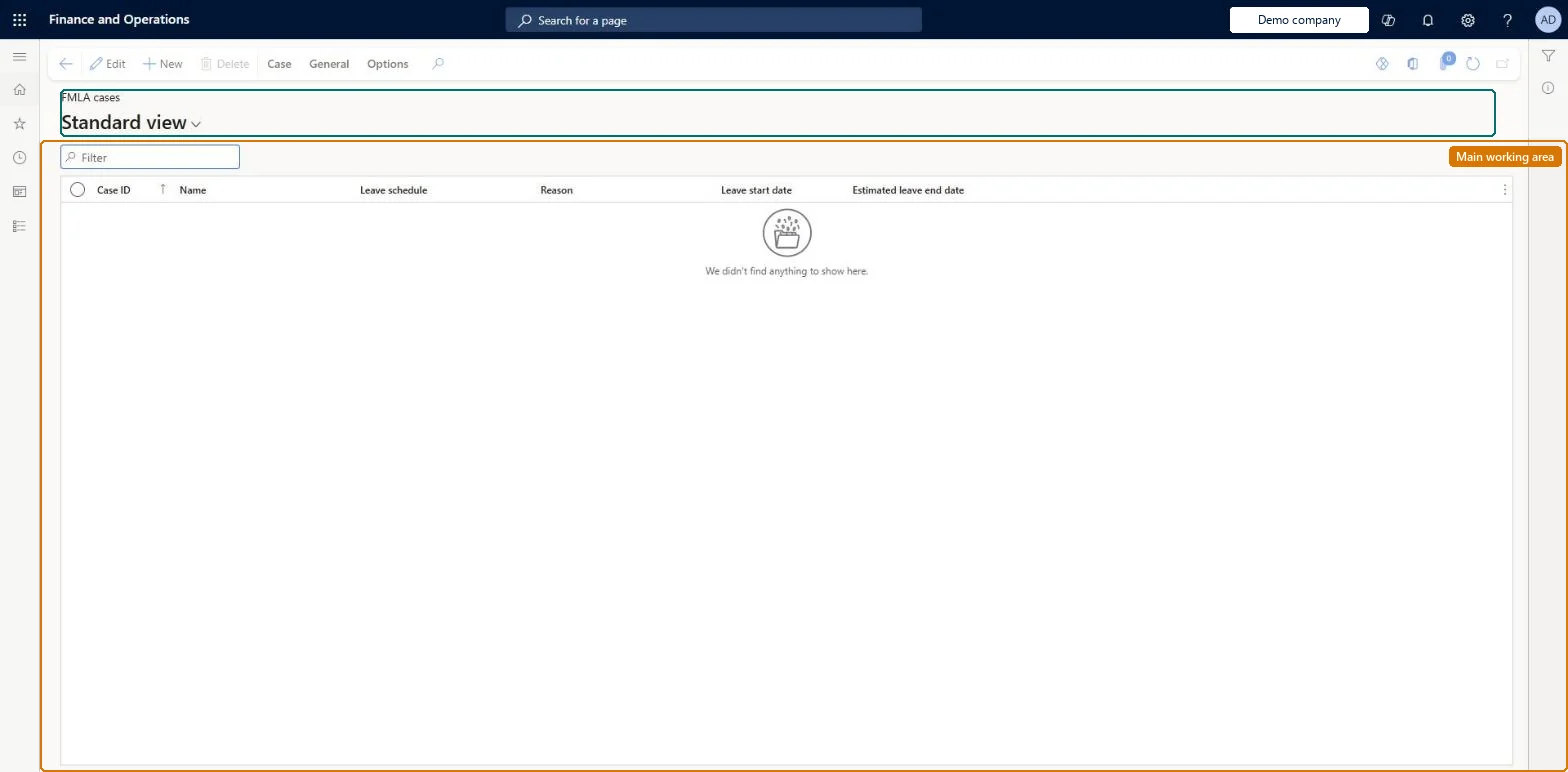
FMLA cases page in Dynamics 365
The page in Dynamics 365. page title tab to open what to set or check
Functional consultant · Solution architect

2Where it fits

Business processManage time and attendance › Record employee absences
Menu pathLeave and absence › Manage leave › FMLA cases
Set up firstEmployee leave Microsoft Learn Human resources parameters Microsoft Learn
Used next byFMLA leave taken report Microsoft Learn
Related pagesEarning codes Microsoft Learn
End user · Functional consultant

3How to do it

About the examples: Examples and screenshots in this guide use BEAT, a demo company in a Dynamics 365 test environment. Use your own company's codes and values instead of copying them.

Steps from Microsoft

  1. Go to Leave and absence > Manage leave > FMLA cases.
  2. In the New group, select Case.
  3. If the case is already approved, select Approved on the General tab.
  4. Enter the reason, leave dates, approved hours, and leave schedule.
  5. On the Associated leave FastTab, select Add and choose the matching employment leave.
  6. Optionally, add certifications and case log notes.

Source: Microsoft Learn

Fields on the page

FieldWhat it meansTable column
ReasonThe reason for the leave.Microsoft Learn LeaveReason
Leave request dateThe date the leave was requested.Microsoft Learn
Leave start dateThe first day of the leave.Microsoft Learn LeaveStartDate
Estimated leave end dateThe last day the worker intends to be on leave.Microsoft Learn EstimatedLeaveEndDate
Approved hoursThe number of hours approved for the leave.Microsoft Learn
Leave scheduleThe leave schedule for the case.Microsoft Learn LeaveSchedule
Solution architect

4Design impact

If you change it laterWhen Payroll integration is used, released earning lines with earning codes set to reduce FMLA time are added automatically to the case's FMLA hours. Microsoft Learn
Technical architect

5Technical

Menu itemHcmFMLACaseListPage Checked in Dynamics 365
FormCaseDetail Checked in Dynamics 365
TableCaseDetailBaseShown as “CASE” in Record infoKey field: CaseIdChecked in Dynamics 365
Data entitiesCaseDetailBaseEntityCase detail Microsoft data model
Who can open itPrivilegesMaintain FMLA cases HcmFMLAMaintainView FMLA cases HcmFMLAViewDutiesView FMLA cases HcmFMLAInquireMaintain FMLA cases HcmFMLAMaintain
1 security roleFMLA administrator HcmFMLAAdministrator
Checked in Dynamics 365
Roles to set it up and use itTo set it up or change itFMLA administrator HcmFMLAAdministratorGive people one of these roles. On this system, 1 role can open this page.Checked in Dynamics 365
Actions on the pageCase: Maintain, Process, Service level agreement, Product changeGeneral: Set up, Follow up, Related information, Activities(Action Pane without tabs): New, DeleteChecked in Dynamics 365
Developer

6Developer

Open it by URLhttps://<your-environment>/?mi=HcmFMLACaseListPage
Integrate withCaseDetailBaseEntity data entity Microsoft data model
Data migrationCaseDetailBaseEntity (Case detail): loaded for each company.Microsoft Learn
Everyone

7Sources