Compensation and benefits manager, Human resource manager, Payroll administrator and 2 more roles
Business process
Record employee absences
Menu item
HcmEmploymentLeaveListPage
Main table
HcmEmploymentLeave
Data entity
HcmEmploymentLeaveEntity
Setup steps
1 on this page
Show what matters for
PAGE GUIDEWhat the page does and how to use it8 sections. Choose a role to highlight what matters to you.
Everyone
1What it is and why
What it is
A page that records that an employee is taking a leave of absence, with its leave type and dates.
What you do here
Use this page to record and maintain employees' leaves of absence, which can then be linked to FMLA cases.
Example
For example, BEAT records a Medical leave for Anna Weber from 2 to 27 March 2026; she holds two salaried positions, so the leave is recorded for each, and the US HR team then links the leave to her FMLA case.
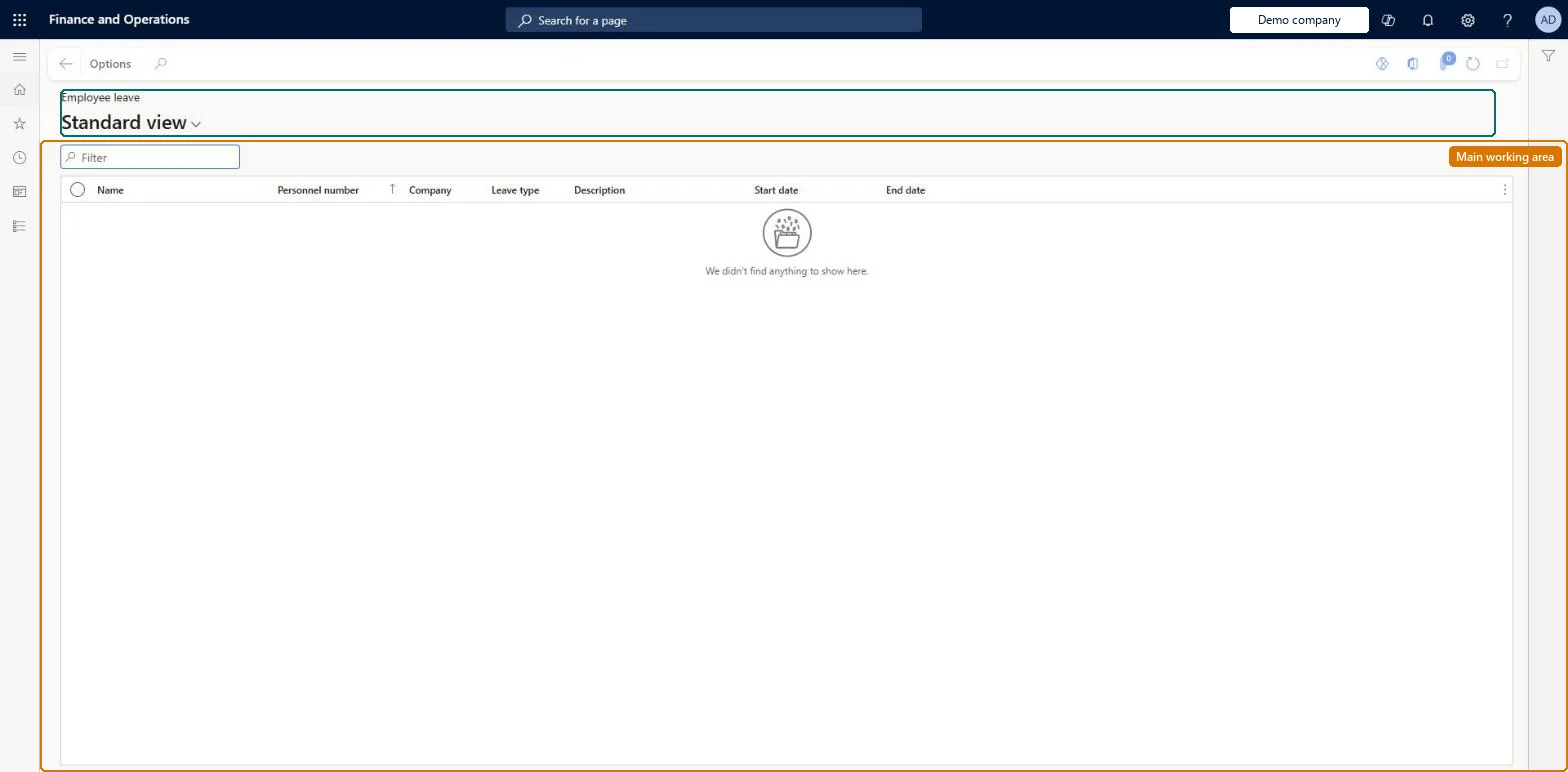
The page in Dynamics 365. page title tab to open what to set or check
About the examples: Examples and screenshots in this guide use BEAT, a demo company in a Dynamics 365 test environment. Use your own company's codes and values instead of copying them.
Setup steps on this page
Record every leave of absence on the employment
Each leave of absence is recorded once per salaried position, with type and dates, before earnings are generated.
Steps from Microsoft
Go to Human resources > Workers > Leave > Employee leave.
Use the list to see who is on a leave of absence: each row is one leave, recorded with its Leave type, Start date and End date.
Filter the Leave type column to see one kind of leave, such as medical or parental leave, across all workers.
Sort or filter on Start date and End date to find leaves that are running now or end soon. End date can be blank when the expected last day isn't known yet.
Read the Note of a leave for any extra information recorded with it.
To record or change a leave, open the worker on Human resources > Workers > Workers and select Manage leave on the Leave tab.
Record the leave from the worker's Leave tab with Leave type, Start date and End date for each salaried position, before earnings are generated for the period; in the US, create the FMLA case after the leave.Payroll uses the leave type and dates to generate earnings lines for the leave, and FMLA cases link to the employment leave.
Human resource manager, Compensation and benefits manager, Payroll administrator and manager, and Recruiter can view the list. No Feature management feature is needed for this page.
Shared: Data management lists the Employee leave entity as shared. Checked in Dynamics 365
Can it be undone
Reversible: A leave record holds the leave type, start date and end date and can be corrected. Payroll uses it when earnings lines are generated, so correct it before earnings are generated for the period. Microsoft Learn
If you change it later
Payroll reads the leave type and dates when it generates earnings lines for the period; an FMLA case must point to the matching employment leave. Microsoft Learn
Technical architect
6Technical
Menu item
HcmEmploymentLeaveListPageChecked in Dynamics 365
Form
HcmEmploymentLeaveListPageChecked in Dynamics 365
Table
HcmEmploymentLeaveShown as “EMPLOYEE LEAVE” in Record infoKey field: Employment_HcmWorker_FK_DirPerson_FK_Name, Employment_CompanyInfo_FK_DataArea, LeaveType_LeaveTypeIDChecked in Dynamics 365
Data entities
HcmEmploymentLeaveEntityEmployee leave
Who can open it
PrivilegesGenerate worker leaves report HRMEmployeeLeaveViewDutiesInquire into workforce management process HcmWorkforceProcessInquire5 security rolesCompensation and benefits manager HcmCompensationAndBenefitsManagerHuman resource manager HcmHumanResourceManagerPayroll administrator HcmPayrollAdministratorPayroll manager HcmPayrollManagerRecruiter HcmRecruiterChecked in Dynamics 365
Roles to set it up and use it
To use itHuman resource manager HcmHumanResourceManagerCompensation and benefits manager HcmCompensationAndBenefitsManagerRecruiter HcmRecruiterPayroll administrator HcmPayrollAdministratorPayroll manager HcmPayrollManagerGive people one of these roles. On this system, 5 roles can open this page.Checked in Dynamics 365
HcmEmploymentLeaveEntity Employee leave: the leaves of absence of each employment.Load order: Load after the workers and their employments (Worker data migration template) and after the leave types exist in the company.Load first: HcmEmploymentV2EntityMicrosoft Learn