Human resource assistant, Manager, Self-service manager
Business process
Record employee absences
Menu item
LeaveBuySellRequest
Main table
LeaveBuySellRequest
Data entity
LeaveBuySellRequestEntity
Show what matters for
PAGE GUIDEWhat the page does and how to use it7 sections. Choose a role to highlight what matters to you.
Everyone
1What it is and why
What it is
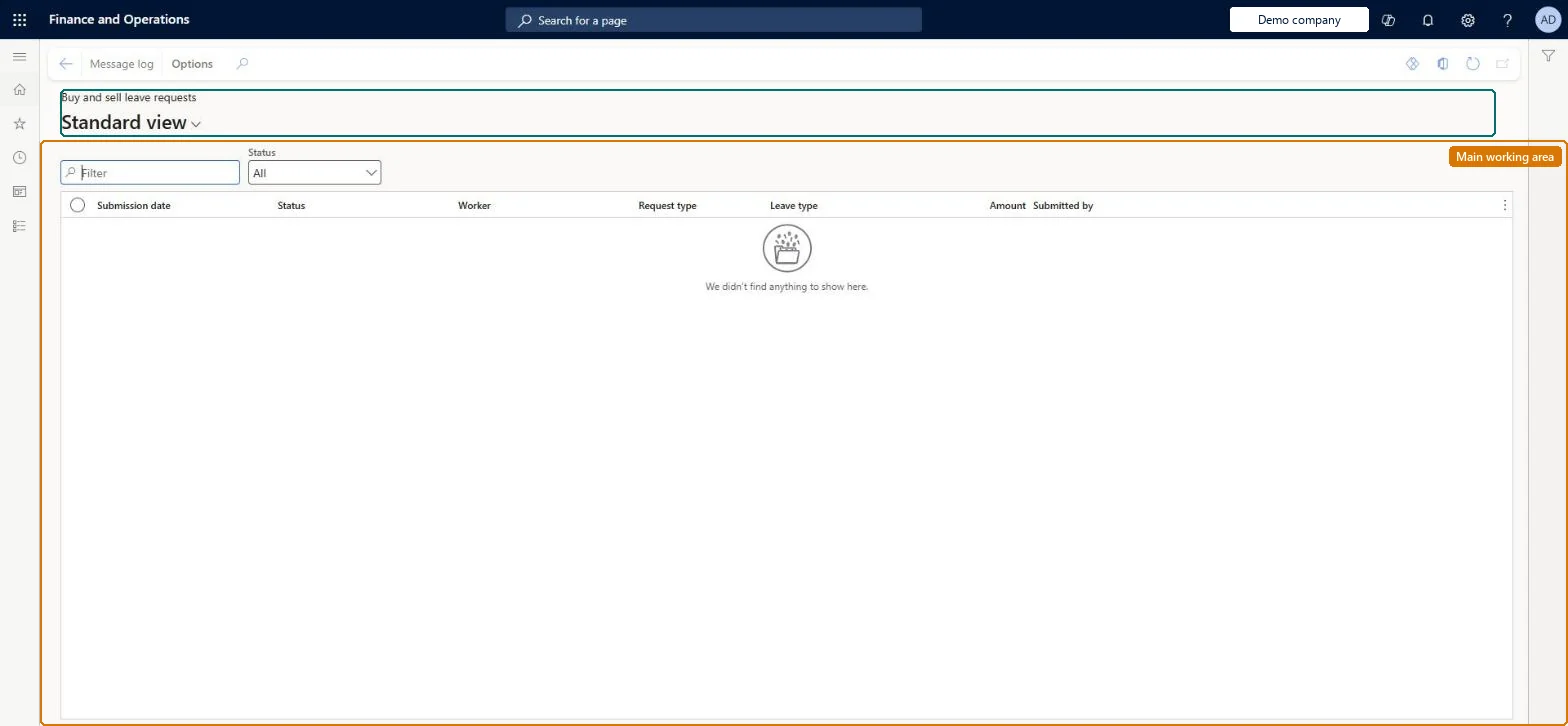
A list page of employees' requests to buy or sell leave under the company's buy and sell leave policies.
What you do here
Use this page to review buy and sell leave requests and, when a request workflow fails, open the message log to see how the transactions were processed.
Example
For example, if a buy or sell request workflow fails, a user with the approver privilege opens the Message log to see the processing and workflow history.
The page in Dynamics 365. page title tab to open what to set or check
About the examples: Examples and screenshots in this guide use BEAT, a demo company in a Dynamics 365 test environment. Use your own company's codes and values instead of copying them.
Steps from Microsoft
Go to Leave and absence > Manage leave > Buy and sell leave requests.
Select the request to review.
Select Message log to see how the transactions were processed and the workflow history.
The leave type the employee wants to buy or sell.Microsoft Learn
LeaveType
Amount
How much leave the employee wants to buy or sell.Microsoft Learn
Amount
Solution architect
4Design impact
If you change it later
Depending on the policy, an approved or automatically accepted request updates the employee's leave balance. Microsoft Learn
Technical architect
5Technical
Menu item
LeaveBuySellRequestChecked in Dynamics 365
Form
LeaveBuySellRequestChecked in Dynamics 365
Table
LeaveBuySellRequestShown as “BUY OR SELL LEAVE REQUEST” in Record infoChecked in Dynamics 365
Data entities
LeaveBuySellRequestEntityBuy or sell leave request Checked in Dynamics 365
Who can open it
PrivilegesCreate and modify buy sell leave policy LeaveBuySellPolicyAdminMaintainMaintain time off requests from direct reports MssLeaveRequestsMaintainDutiesMaintain leave and absence setup LeaveSetupMaintainMaintain manager access to direct report information (Enterprise Information) MssMaintain3 security rolesHuman resource assistant HcmHumanResourceAssistantManager HcmManagerSelf-service manager HcmManagerSelfServiceChecked in Dynamics 365
Roles to set it up and use it
To set it up or change itHuman resource assistant HcmHumanResourceAssistantSelf-service manager HcmManagerSelfServiceManager HcmManagerGive people one of these roles. On this system, 3 roles can open this page.Checked in Dynamics 365
Actions on the page
(Action Pane without tabs): Message logChecked in Dynamics 365