Materials manager, Quality control clerk, Quality control manager and 5 more roles
Business process
Maintain inventory levels
Menu item
InventBatchJournalListPage
Main table
InventBatchJournal
Show what matters for
PAGE GUIDEWhat the page does and how to use it7 sections. Choose a role to highlight what matters to you.
Everyone
1What it is and why
What it is
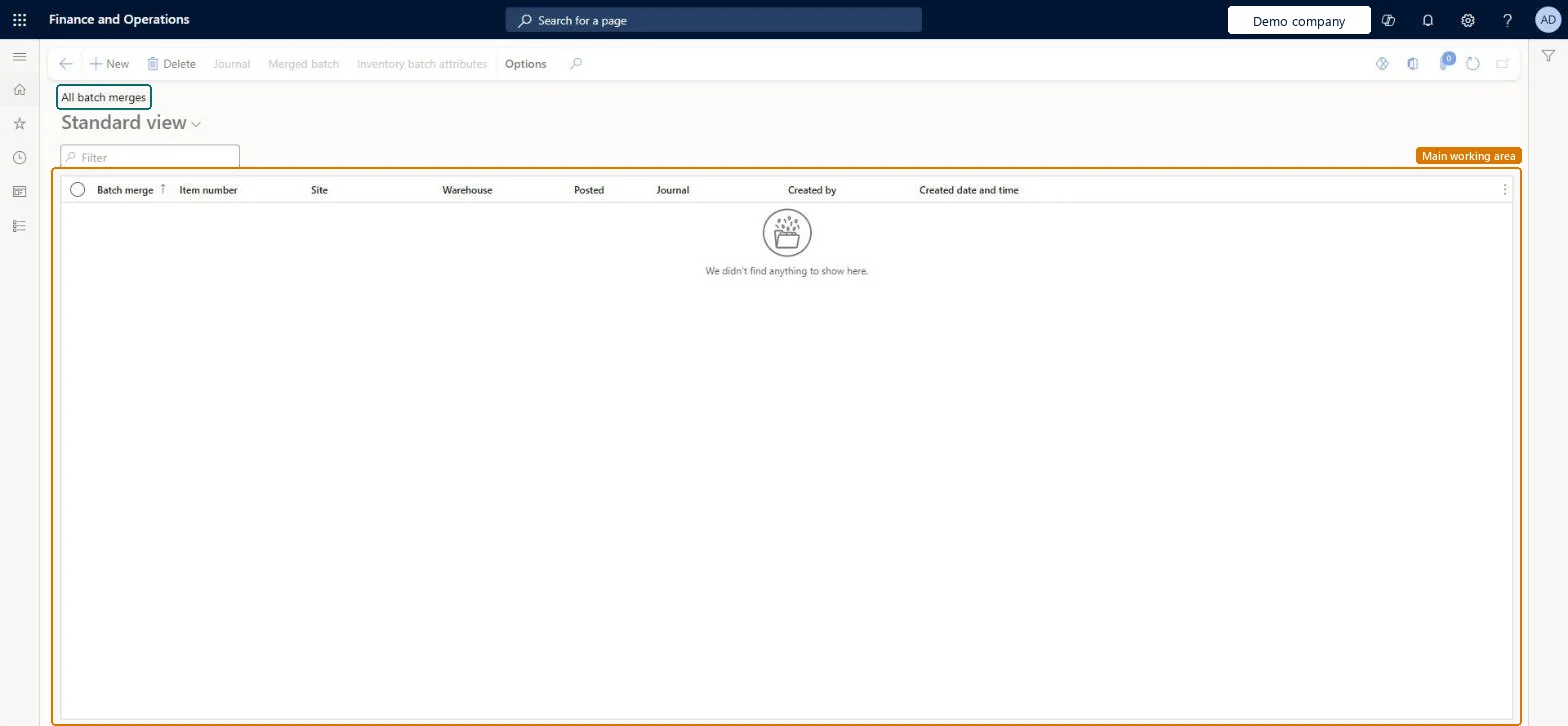
A list page of batch merges, where two or more inventory batches are combined into one merged batch.
What you do here
Use this page to review batch merges and post them, or approve the inventory journal that was created for them.
Example
For example, a warehouse worker who sees several batches of the same item with low quantities can merge them into a new batch to free floor space before new shipments arrive.
The page in Dynamics 365. page title tab to open what to set or check
About the examples: Examples and screenshots in this guide use BEAT, a demo company in a Dynamics 365 test environment. Use your own company's codes and values instead of copying them.
When to run it
When to run it
After batches of the same item, site and warehouse have been physically combined, or are about to be.
How often
On demand, whenever batches are merged.
What the output shows
The list of batch merges with their status. Posting creates the merged batch and an inventory journal that adjusts the source batches and the merged batch. A merge that can't be posted usually has source batches with different product dimensions or storage dimensions.
Go to Inventory management > Periodic tasks > Batches > All batch merges.
Select the batch merge to review its source batches, merged batch, batch dates and attribute values.
Select Transfer to journal to send the merge for approval in an inventory journal, or Post the batch merge to post it directly after the physical merge.
To approve a merge that was transferred to a journal, select Journal > Post.
Afterwards, check on-hand: the source batches are emptied and the merged batch holds their full quantity at the location and pallet you set.
No, once posted: After the journal is posted, the merged batch can't be changed. After a transfer to a journal, you can change the merge only by deleting the journal. Microsoft Learn
If you change it later
After the journal is posted, the merged batch can't be changed; after a transfer to a journal, it can be changed only by deleting the journal. Microsoft Learn
Technical architect
5Technical
Menu item
InventBatchJournalListPageChecked in Dynamics 365
Form
InventBatchJournalListPageChecked in Dynamics 365
Table
InventBatchJournalShown as “Inventory batch merge” in Record infoKey field: JournalId, JournalTypeChecked in Dynamics 365
Who can open it
PrivilegesMerge inventory batches InventBatchJournalMergeMaintainView inventory batch merges InventBatchJournalMergeViewDutiesInquire into batch merges InventBatchHandlingInquireMaintain batch movements InventBatchHandlingMaintain8 security rolesMaterials manager InventMaterialsManagerQuality control clerk InventQualityControlClerkQuality control manager InventQualityControlManagerReceiving clerk InventReceivingClerkShipping clerk InventShippingClerkProduction manager ProdProductionManagerWarehouse manager WMSWarehouseManagerWarehouse worker WMSWarehouseWorkerChecked in Dynamics 365
Roles to set it up and use it
To set it up or change itQuality control clerk InventQualityControlClerkWarehouse worker WMSWarehouseWorkerShipping clerk InventShippingClerkReceiving clerk InventReceivingClerkTo use itQuality control manager InventQualityControlManagerWarehouse manager WMSWarehouseManagerMaterials manager InventMaterialsManagerProduction manager ProdProductionManagerGive people one of these roles. On this system, 8 roles can open this page.Checked in Dynamics 365
Actions on the page
Options: Personalize, Page options, ShareChecked in Dynamics 365