About the examples: Examples and screenshots in this guide use BEAT, a demo company in a Dynamics 365 test environment. Use your own company's codes and values instead of copying them.
How to use it
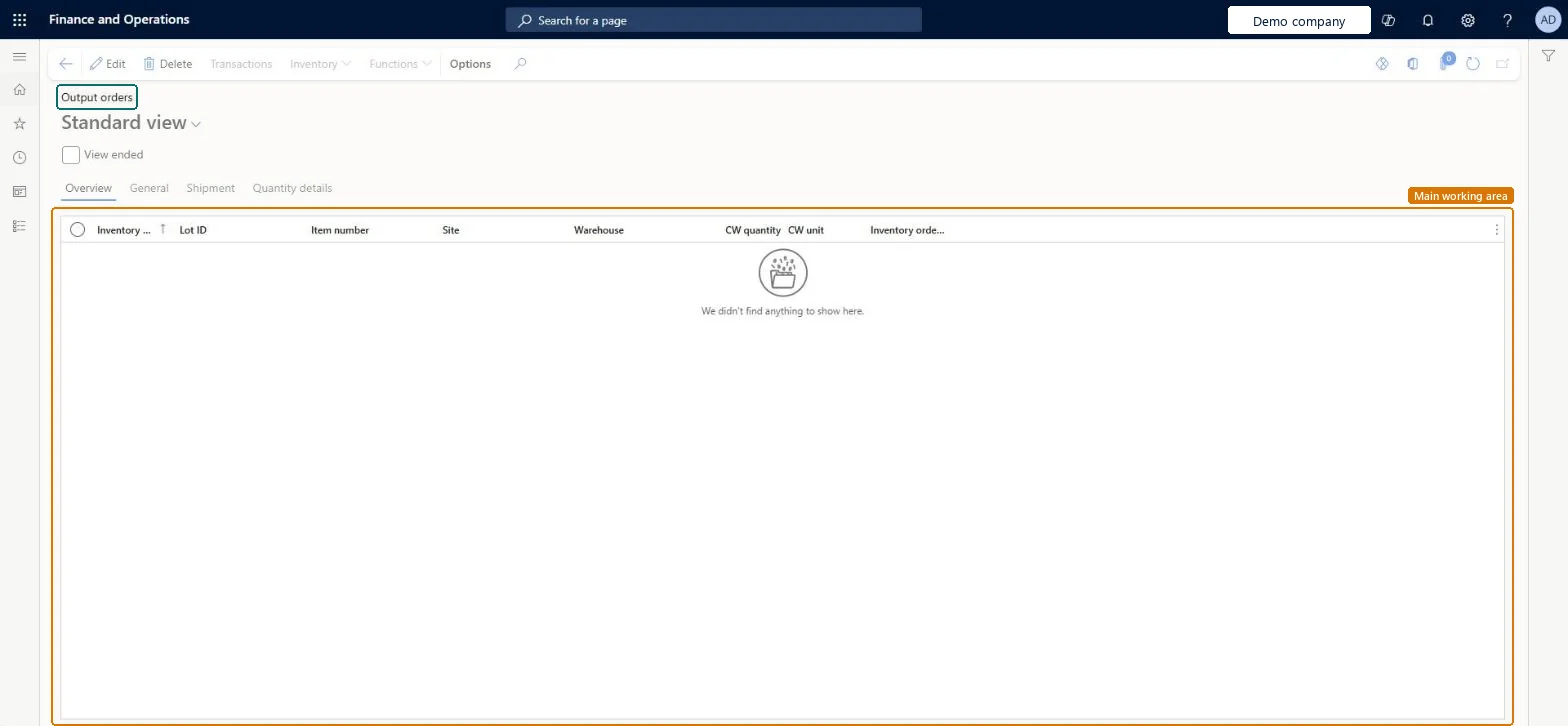
Go to Inventory management > Outbound orders > Output orders.
Select the View ended check box to include ended output orders.
Use the Overview, General, Shipment and Quantity details tabs to review each output order.
Select an output order, then use Transactions, Inventory or Functions on the Action Pane.
With End output inventory order set to No, quantities left after picking stay open on the output order. Microsoft Learn
Technical architect
5Technical
Menu item
WMSOrderChecked in Dynamics 365
Form
WMSOrderChecked in Dynamics 365
Table
WMSOrderShown as “Inventory order” in Record infoKey field: orderId, typeChecked in Dynamics 365
Roles to set it up and use it
To set it up or change itShipping clerk InventShippingClerkTo use itQuality control manager InventQualityControlManagerWarehouse manager WMSWarehouseManagerMaterials manager InventMaterialsManagerWarehouse worker WMSWarehouseWorkerRetail service RetailServiceGive people one of these roles. On this system, 20 roles can open this page.Checked in Dynamics 365
Actions on the page
Options: Personalize, Page options, ShareChecked in Dynamics 365