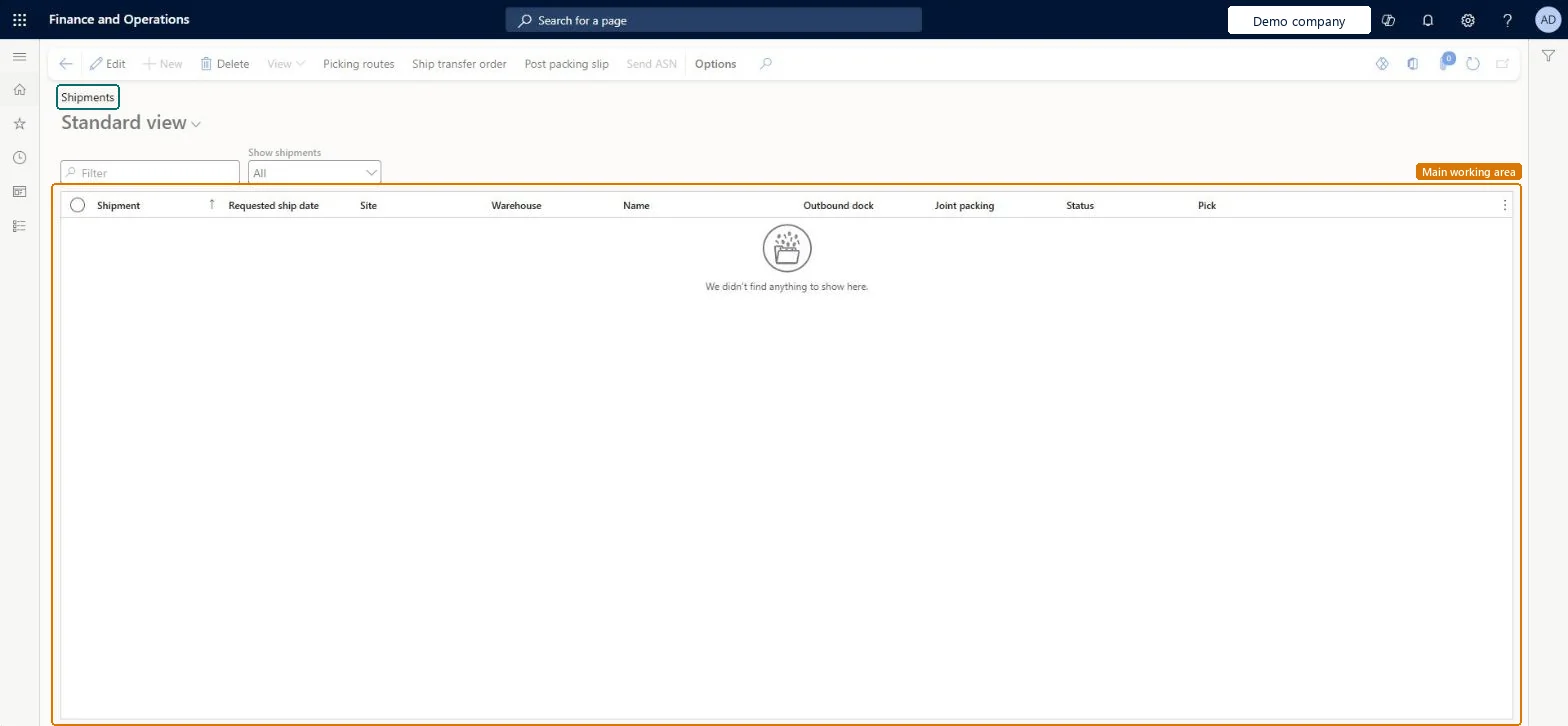
About the examples: Examples and screenshots in this guide use BEAT, a demo company in a Dynamics 365 test environment. Use your own company's codes and values instead of copying them.
How to use it
Go to Inventory management > Outbound orders > Shipments.
In the Show shipments list, choose which shipments to view.
Use the Filter box to find a shipment by columns such as Shipment, Requested ship date, Site or Warehouse.
Select a shipment, then select Picking routes to open its picking routes.
Select Ship transfer order or Post packing slip on the Action Pane to process the selected shipment.
If a warehouse worker reduces picking list quantities, those quantities are taken off the shipment. Microsoft Learn
Technical architect
5Technical
Menu item
WMSShipmentChecked in Dynamics 365
Form
WMSShipmentChecked in Dynamics 365
Table
WMSShipmentShown as “Shipment” in Record infoKey field: shipmentId, name, shipmentTypeChecked in Dynamics 365
Who can open it
PrivilegesActivate picking routes WMSPickingRouteActivateProcessMaintain shipments WMSShipmentMaintainView shipments (inventory) WMSShipmentViewDutiesApprove shipping operations InventShippingOperationApproveMaintain shipping operations InventShippingOperationMaintainInquire into shipping progress InventShippingProgressInquireMaintain activation of shipments, picking routes and pallet transports WMSShipmentPickingTransportActivateMaintain release of shipment reservations and generate picking routes WMSShipmentReservationAndPickingReleaseMaintain warehouse picking operations WMSWarehousePickingOperationMaintain5 security rolesMaterials manager InventMaterialsManagerQuality control manager InventQualityControlManagerShipping clerk InventShippingClerkWarehouse manager WMSWarehouseManagerWarehouse worker WMSWarehouseWorkerChecked in Dynamics 365
Roles to set it up and use it
To set it up or change itShipping clerk InventShippingClerkTo use itQuality control manager InventQualityControlManagerWarehouse manager WMSWarehouseManagerMaterials manager InventMaterialsManagerWarehouse worker WMSWarehouseWorkerGive people one of these roles. On this system, 5 roles can open this page.Checked in Dynamics 365
Actions on the page
Options: Personalize, Page options, ShareChecked in Dynamics 365