Receiving clerk, Landed cost agent, Landed cost manager and 1 more role
Business process
Process inbound goods
Menu item
WMSJournalProduction
Main table
WMSJournalTable
Data entity
WMSItemArrivalJournalHeaderV2Entity
Show what matters for
PAGE GUIDEWhat the page does and how to use it7 sections. Choose a role to highlight what matters to you.
Everyone
1What it is and why
What it is
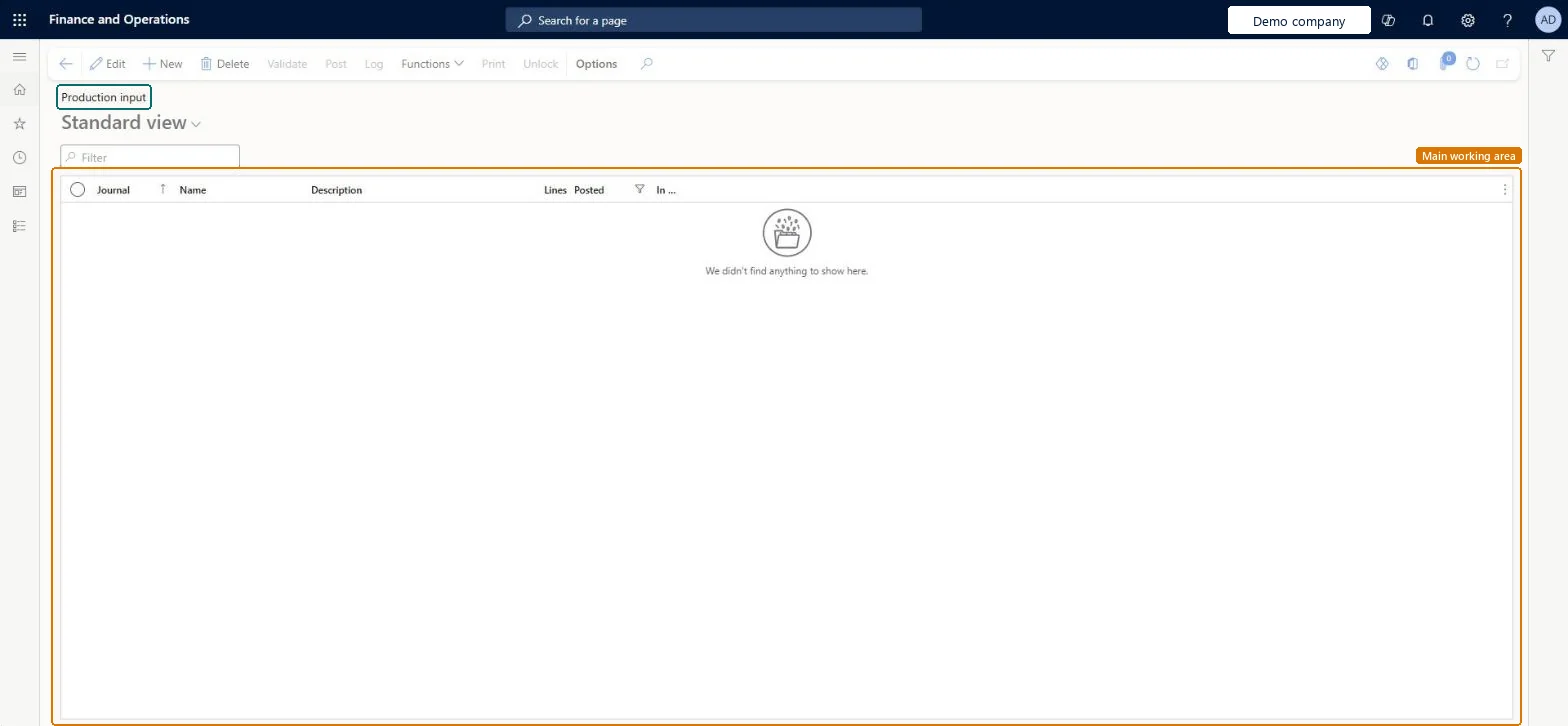
A journal page that works like the item arrival journal but registers receipts from production orders.
What you do here
Use this page to create production input journals, which register items from production orders in the same way as item arrival journals, and to post them.
The page in Dynamics 365. page title tab to open what to set or check
About the examples: Examples and screenshots in this guide use BEAT, a demo company in a Dynamics 365 test environment. Use your own company's codes and values instead of copying them.
How to use it
Go to Inventory management > Journal entries > Item arrival > Production input.
Select New to create a journal.
Enter the Name and a Description, then open the journal to add its lines.
Select Validate to check the journal.
Select Post to post the journal.
Use Log, Functions, Print or Unlock on the Action Pane as needed.
WMSJournalTableShown as “Location journal table” in Record infoKey field: journalId, journalType, journalNameId, descriptionChecked in Dynamics 365
Data entities
WMSItemArrivalJournalHeaderV2EntityItem arrival journal headers V2 Microsoft data model
Who can open it
PrivilegesMaintain production input WMSJournalProductionMaintainView production input WMSJournalProductionViewDutiesApprove receiving operation InventReceivingOperationApproveMaintain receipt operations InventRecevingOperationMaintainInquire into receipt operation progress InventRecevingOperationProgressInquire4 security rolesReceiving clerk InventReceivingClerkLanded cost agent ITMAgentLanded cost manager ITMManagerWarehouse manager WMSWarehouseManagerChecked in Dynamics 365
Roles to set it up and use it
To set it up or change itReceiving clerk InventReceivingClerkLanded cost agent ITMAgentTo use itWarehouse manager WMSWarehouseManagerLanded cost manager ITMManagerGive people one of these roles. On this system, 4 roles can open this page.Checked in Dynamics 365
Actions on the page
Options: Personalize, Page options, ShareChecked in Dynamics 365