BeyondERP.Newsletter
Menu

Transaction page · Inventory management

Item arrival

A journal page where you register items that arrive at a warehouse and update the on-hand quantities.

Used by
Receiving clerk, Landed cost agent, Landed cost manager and 1 more role
Business process
Process inbound goods
Menu item
WMSJournalReception
Main table
WMSJournalTable
Data entity
WMSItemArrivalJournalHeaderV2Entity
Show what matters for
PAGE GUIDEWhat the page does and how to use it7 sections. Choose a role to highlight what matters to you.
Everyone

1What it is and why

What it isA journal page where you register items that arrive at a warehouse and update the on-hand quantities.
What you do hereUse this journal to register receipts, for example from purchase orders, before the product receipt is posted.
ExampleFor example, when a vendor delivers only part of an order, the clerk creates the lines without quantities and enters what actually arrived.
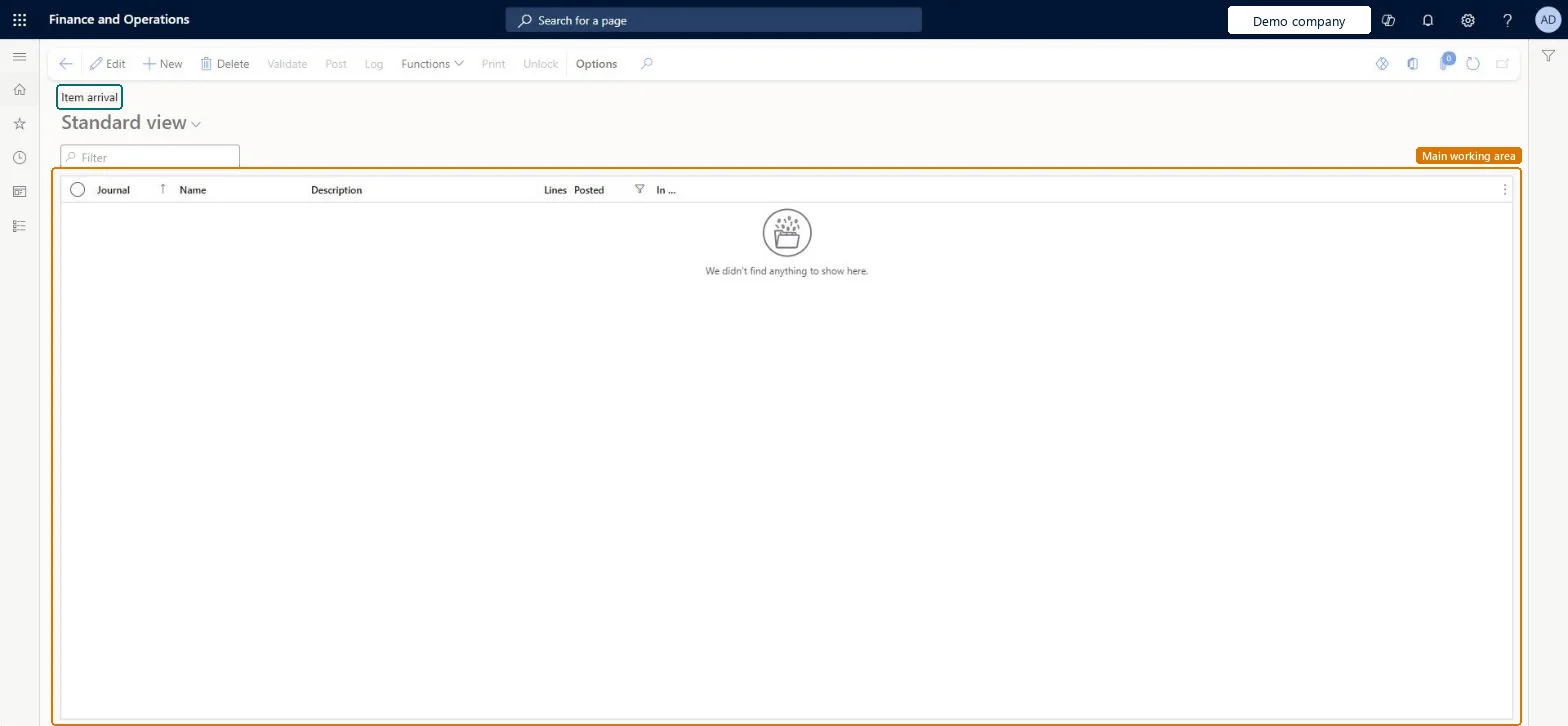
Item arrival page in Dynamics 365
The page in Dynamics 365. page title tab to open what to set or check
Functional consultant · Solution architect

2Where it fits

Business processProcess inbound goods
Menu pathInventory management › Journal entries › Item arrival › Item arrival
Set up firstItem arrival journal name Microsoft Learn
Used next byProduct receipt Microsoft Learn
Related pagesArrival overview Microsoft Learn
End user · Functional consultant

3How to do it

About the examples: Examples and screenshots in this guide use BEAT, a demo company in a Dynamics 365 test environment. Use your own company's codes and values instead of copying them.

Steps from Microsoft

  1. Go to Inventory management > Journal entries > Item arrival > Item arrival.
  2. On the Action Pane, select New.
  3. Select the journal Name, enter the vendor's Packing slip ID and select the purchase order in the Number field, then select OK.
  4. Select Functions > Create lines, set Initialize quantity, and select OK.
  5. Review the lines and adjust the quantities to match the delivery.
  6. Select Post, and then select OK.
  7. Select Functions > Product receipt, and then select OK to post the product receipt.

Source: Microsoft Learn

Fields on the page

FieldWhat it meansTable column
Packing slipThe packing slip ID from the vendor's packing slip; it must be unique.Microsoft Learn packingSlip
NumberThe purchase order that you are receiving against.Microsoft Learn
Initialize quantityYes fills each line with the quantity still to be registered; No leaves the quantities for you to enter.Microsoft Learn
Solution architect

4Design impact

Shared or per companyPer company: each legal entity has its own records. Microsoft data model
If you change it laterPosting the journal updates on-hand stock but not the order; the product receipt is a separate step. Microsoft Learn
Technical architect

5Technical

Menu itemWMSJournalReception Checked in Dynamics 365
FormWMSJournalTable Checked in Dynamics 365
TableWMSJournalTableShown as “Location journal table” in Record infoKey field: journalId, journalType, journalNameId, descriptionChecked in Dynamics 365
Data entitiesWMSItemArrivalJournalHeaderV2EntityItem arrival journal headers V2 Microsoft data model
Who can open itPrivilegesMaintain item arrival WMSJournalReceptionMaintainView item arrival WMSJournalReceptionViewDutiesApprove receiving operation InventReceivingOperationApproveMaintain receipt operations InventRecevingOperationMaintainInquire into receipt operation progress InventRecevingOperationProgressInquire
4 security rolesReceiving clerk InventReceivingClerkLanded cost agent ITMAgentLanded cost manager ITMManagerWarehouse manager WMSWarehouseManager
Checked in Dynamics 365
Roles to set it up and use itTo set it up or change itReceiving clerk InventReceivingClerkLanded cost agent ITMAgentTo use itWarehouse manager WMSWarehouseManagerLanded cost manager ITMManagerGive people one of these roles. On this system, 4 roles can open this page.Checked in Dynamics 365
Actions on the pageOptions: Personalize, Page options, ShareChecked in Dynamics 365
Developer

6Developer

Open it by URLhttps://<your-environment>/?mi=WMSJournalReception
Integrate withWMSItemArrivalJournalHeaderV2Entity data entity Microsoft data model
Data migrationWMSItemArrivalJournalHeaderV2Entity (Item arrival journal headers V2): loaded for each company.Microsoft Learn
Table definitionWMSJournalTable columns and relations Microsoft data model
Everyone

7Sources