About the examples: Examples and screenshots in this guide use BEAT, a demo company in a Dynamics 365 test environment. Use your own company's codes and values instead of copying them.
When to run it
When to run it
After master planning and Schedule load utilization have run, when you plan storage space across sites, warehouses or zones.
How often
On demand, after the master planning runs that the projection depends on.
What the output shows
Projected current and future space use per site or load unit, by volume or by weight. If available space looks too high, check whether Exclude blocked locations is off in the space utilization setup; if the load looks too low, location types may be missing from the setup.
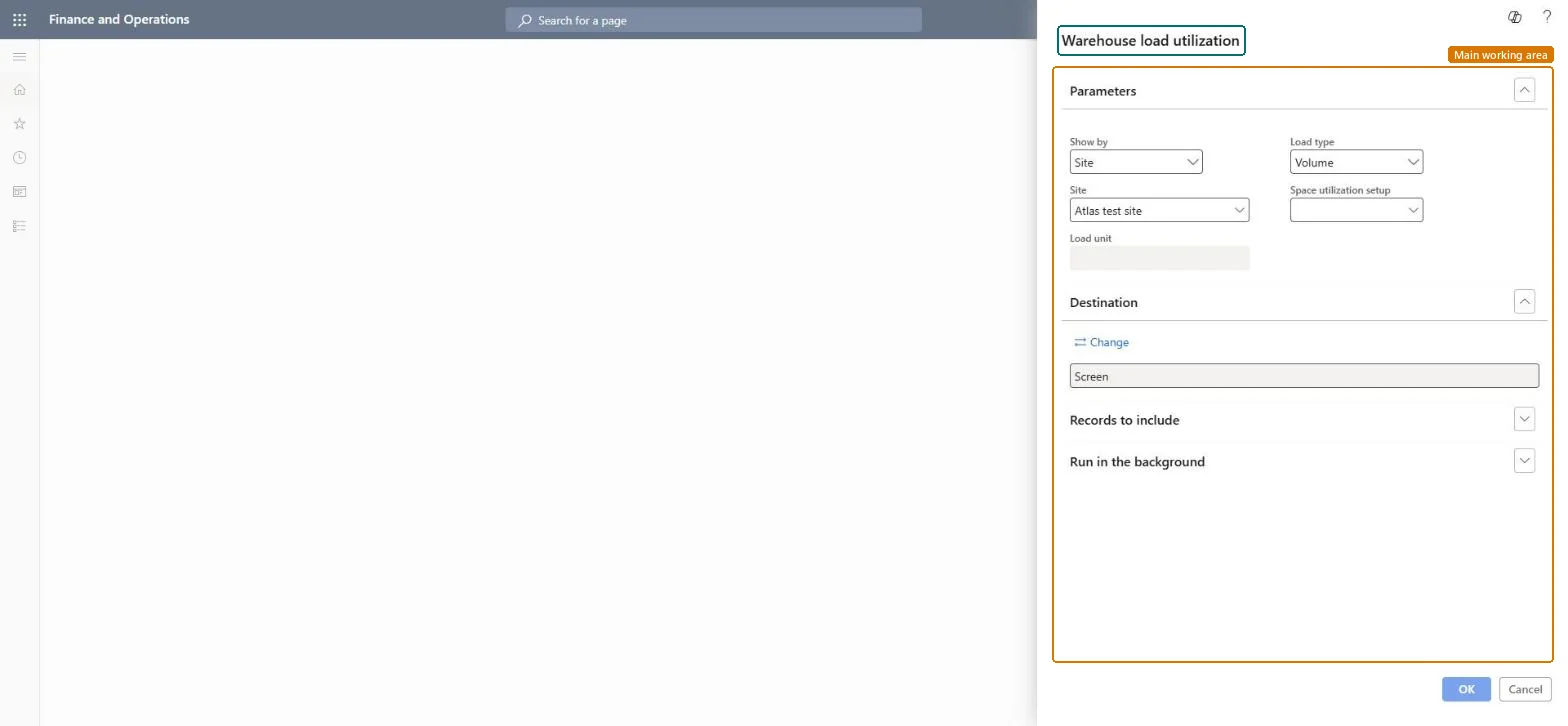
Go to Inventory management > Inquiries and reports > Physical inventory reports > Warehouse load utilization.
In Show by, select Site to project space per site, which helps balance space between the warehouses of a site, or Load unit to project per zone or warehouse as set by the Storage load mode of the setup.
Select the sites to include, or the load unit, depending on your Show by choice.
In Load type, select Volume or Weight, and in Space utilization setup, select the setup that the projection is based on.
Run the report and compare projected load with available space. The projection only has data after Schedule load utilization has linked the setup to a master plan.
Sets whether the projection is shown per site or per load unit (zone or warehouse).Microsoft Learn
Load type
Sets whether space is projected by volume or by weight.Microsoft Learn
Space utilization setup
The space utilization setup that the projection is based on.Microsoft Learn
Solution architect
4Design impact
Can it be undone
Nothing to undo: The load utilization report only reads projection data; it changes nothing. Microsoft Learn
If you change it later
The projection follows the storage load mode and the blocked-locations setting of the chosen space utilization setup. Microsoft Learn
Technical architect
5Technical
Menu item
output:WMSSpaceUtilizationDetailChecked in Dynamics 365
Form
SysOperationTemplateFormChecked in Dynamics 365
Roles to set it up and use it
To use itQuality control manager InventQualityControlManagerWarehouse manager WMSWarehouseManagerMaterials manager InventMaterialsManagerQuality control clerk InventQualityControlClerkProduction supervisor ProdProductionSupervisorGive people one of these roles. On this system, 29 roles can run this page.Checked in Dynamics 365