BeyondERP.Newsletter
Menu

Job page · Inventory management

Schedule load utilization

A periodic job that links a space utilization setup to a master plan so that future space use in warehouses can be projected.

Business process
Analyze warehouse operations
Menu item
action:WMSSpaceUtilService
Show what matters for
PAGE GUIDEWhat the page does and how to use it7 sections. Choose a role to highlight what matters to you.
Everyone

1What it is and why

What it isA periodic job that links a space utilization setup to a master plan so that future space use in warehouses can be projected.
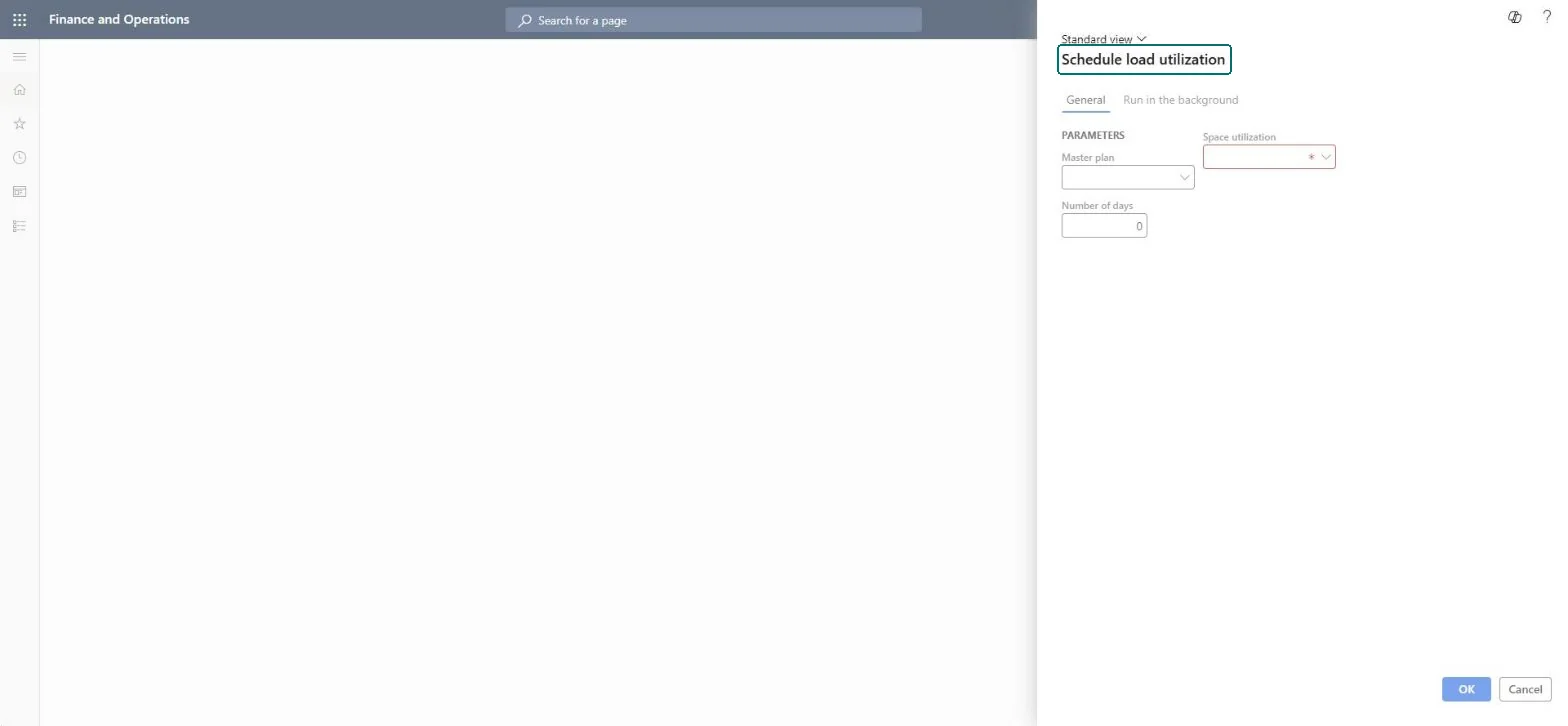
What you do hereUse this periodic task to create the load projections that the Warehouse load utilization report shows, for a chosen number of days.
Schedule load utilization page in Dynamics 365
The page in Dynamics 365. page title tab to open what to set or check
Functional consultant · Solution architect

2Where it fits

Business processAnalyze warehouse operations
Menu pathInventory management › Periodic tasks › Schedule load utilization
Set up firstSpace utilization Microsoft Learn
Used next byWarehouse load utilization Microsoft Learn
Related pagesSchedule workload Microsoft Learn
End user · Functional consultant

3How to do it

About the examples: Examples and screenshots in this guide use BEAT, a demo company in a Dynamics 365 test environment. Use your own company's codes and values instead of copying them.

When to run it

When to run itAfter you create a space utilization setup, and again when the master plan or the setup changes.
How oftenOn demand, and again after master planning when the projection must reflect new orders.
What the output showsA link between the space utilization setup and the master plan, which the Warehouse load utilization report uses. If the report stays empty, the master plan probably has no data for the warehouses in the setup.

Source: Microsoft Learn

Steps from Microsoft

  1. Go to Inventory management > Periodic tasks > Schedule load utilization.
  2. In Master plan, select the master plan whose order data drives the projection.
  3. In Number of days, enter how many days of current and future load to project.
  4. In Space utilization, select the space utilization setup with the location types and storage load mode to use.
  5. Run the job, then open Warehouse load utilization to see the projection.

Source: Microsoft Learn

Fields on the page

FieldWhat it means
Master planThe master plan whose order data drives the projection.Microsoft Learn
Number of daysHow many days of current and future load the projection covers.Microsoft Learn
Space utilizationThe space utilization setup to use for the projection.Microsoft Learn
Solution architect

4Design impact

Can it be undoneYes: It only changes projection data. Run it again with other settings to change what the report projects; orders and inventory aren't touched. Microsoft Learn
If you change it laterCreates the load projection that the Warehouse load utilization report reads; orders and inventory aren't changed. Microsoft Learn
Technical architect

5Technical

Menu itemaction:WMSSpaceUtilService Checked in Dynamics 365
FormWMSReportServiceDataContract Checked in Dynamics 365
Roles to set it up and use itTo use itQuality control manager InventQualityControlManagerWarehouse manager WMSWarehouseManagerMaterials manager InventMaterialsManagerProduction supervisor ProdProductionSupervisorAccounting manager LedgerAccountingManagerGive people one of these roles. On this system, 16 roles can run this page.Checked in Dynamics 365
Developer

6Developer

Open it by URLhttps://<your-environment>/?mi=action:WMSSpaceUtilService
Everyone

7Sources