Transaction page · General ledger
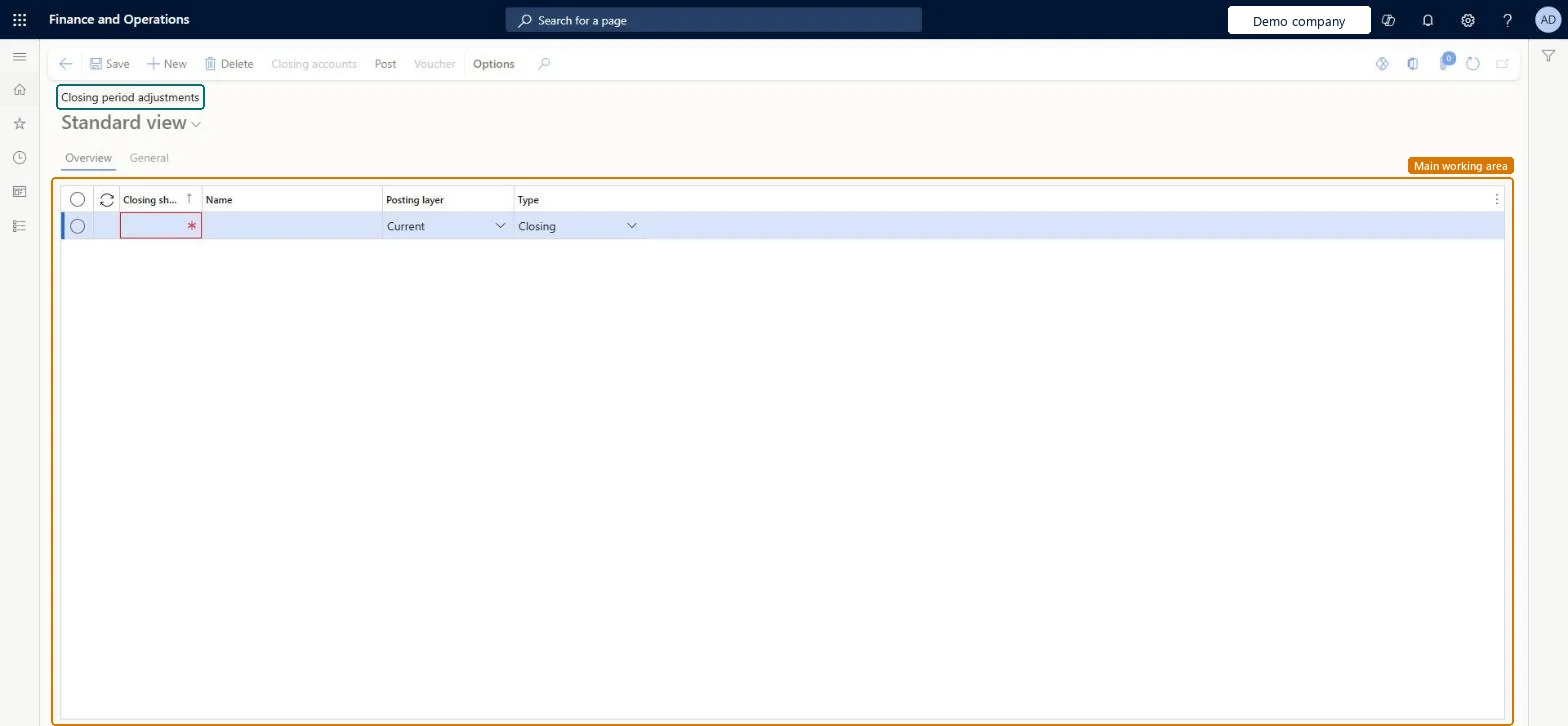
Closing period adjustments
A page for correcting balances, referenced in the consolidation process for consolidated accounts.
- Used by
- Accountant, Accounting manager, Accounting supervisor and 2 more roles
- Business process
- —
- Menu item
LedgerClosingSheet- Main table
LedgerClosingSheet- Data entity
- —
- Setup steps
- —
Show what matters for
Everyone
1What it is and why
| What it is | A page for correcting balances, referenced in the consolidation process for consolidated accounts. |
|---|---|
| What you do here | Used to correct the balances on a consolidated account when they aren't accurate after a consolidation. |
| Example | For example, at year end you can create separate closing sheets for revenue, expenses, and balance accounts, load the general ledger balances into them, and then make transfers between accounts. |
Functional consultant · Solution architect
2Where it fits
| Business process | — |
|---|---|
| Menu path | General ledger › Period close › Closing period adjustments |
| Set up first | Main accounts Microsoft Learn ↗ |
| Used next by | Year end close Microsoft Learn ↗ |
| Related pages | General journals Microsoft Learn ↗Consolidate online Microsoft Learn ↗ |
End user · Functional consultant
3How to do it
Microsoft's steps
- Go to General ledger > Period close > Closing period adjustments.
- Create a closing sheet, for example one for revenue, one for expenses or one for balance accounts.
- Load the balances from the general ledger into the closing sheet.
- Enter the transfers or adjustments from one account to another.
- Make sure the closing period is open, and then select Post.
- After posting, set the period back to On hold.
Source: Microsoft Learn ↗
Field guide
| Field | What it means | Worked example | Table column |
|---|---|---|---|
| — | |||
Functional consultant
4Setup decisions
| Setup step | Recommended value and why | Decision · common mistake · test |
|---|---|---|
| — No setup is made on this page. | ||
Solution architect
5Design impact
| Shared or per company | Per company: each legal entity has its own records. Microsoft data model ↗ |
|---|---|
| Can it be undone | — |
| Feature or country | — |
| If you change it later | Adjustments made here post only to the closing period. They can't be posted to the opening period. Microsoft Learn ↗ |
Technical architect
6Technical
| Menu item | LedgerClosingSheet Checked in Dynamics 365 |
|---|---|
| Form | LedgerClosingSheet Checked in Dynamics 365 |
| Table | LedgerClosingSheetShown as “Closing sheet” in Record infoChecked in Dynamics 365 |
| Data entities | — |
| Who can open it | PrivilegesMaintain ledger closing sheet LedgerClosingSheetMaintainView ledger closing sheet LedgerClosingSheetViewDutiesMaintain closing transactions LedgerClosingTransactionsMaintainInquire into closing transaction status LedgerClosingTransactionsStatusInquire5 security rolesChief financial officerCompanyChiefFinancialOfficerAccountant LedgerAccountantAccounting manager LedgerAccountingManagerAccounting supervisor LedgerAccountingSupervisorFinancial controller LedgerFinancialController |
| Actions on the page | Buttons: Closing accounts, Post, VoucherChecked in Dynamics 365 |
Developer
7Developer
| Open it directly | https://<your-environment>/?mi=LedgerClosingSheet |
|---|---|
| Integrate with | — |
| Table definition | LedgerClosingSheet columns and relations Microsoft data model ↗ |
Everyone
8Sources and checks
- learn.microsoft.com/dynamics365/finance/general-ledger/financial-consolidations-currency-translation
- learn.microsoft.com/training/modules/configure-periodic-processes-dyn365-finance/05-end-year-close
- learn.microsoft.com/common-data-model/schema/core/operationscommon/tables/finance/ledger/worksheetheader/ledgerclosingsheet
- learn.microsoft.com/dynamics365/finance/general-ledger/financial-consolidations-currency-translation
- Checked in a working Dynamics 365 system, version 10.0.49: the menu item, form, table and security, the page.