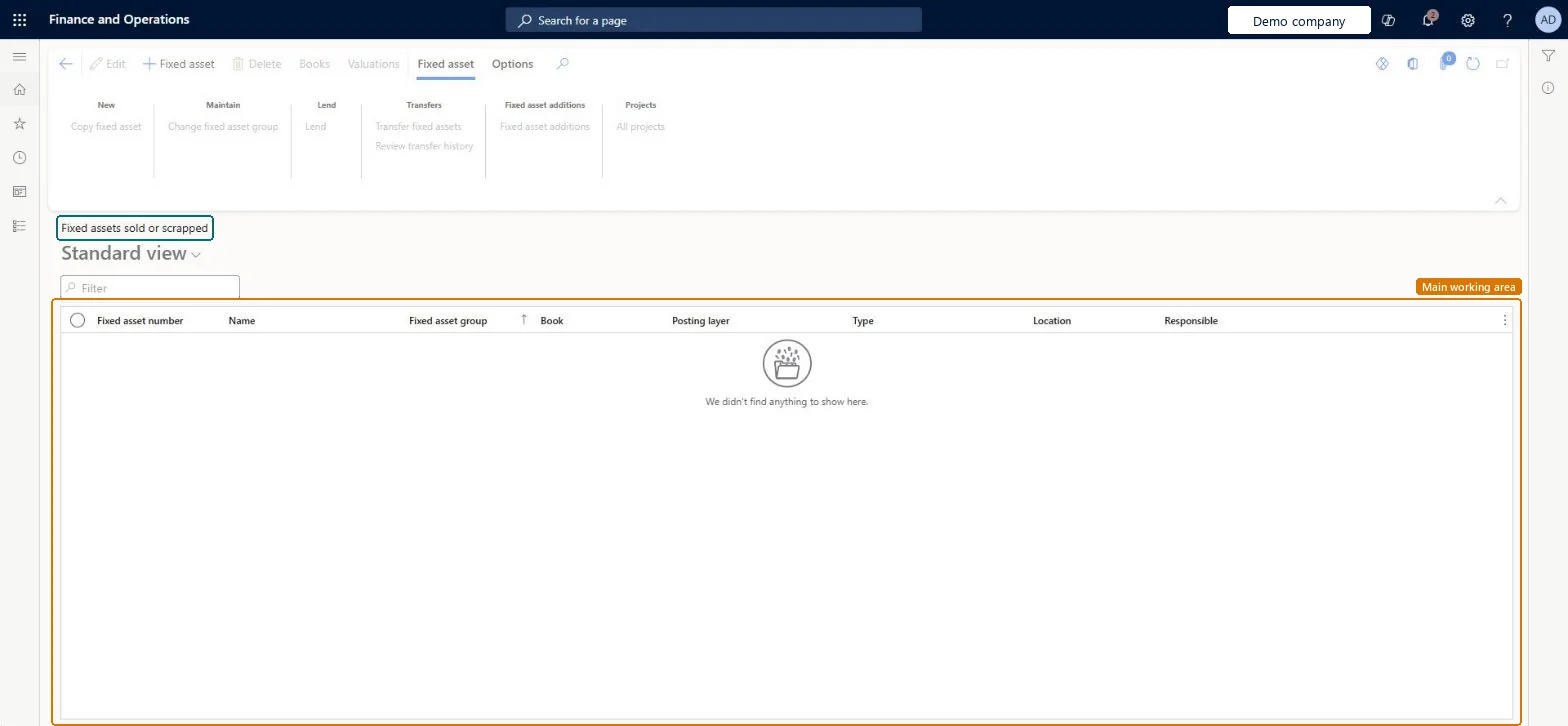
A list page that shows the fixed assets that have been sold or scrapped, with their fixed asset number, name, fixed asset group, book, posting layer, type, location and responsible person.
Accounts payable manager, Auditor, Business Performance Planning app role and 9 more roles
Business process
Dispose of assets
Menu item
AssetTableSoldOrScrappedListPage
Main table
AssetTable
Data entity
AssetFixedAssetEntity
Setup steps
1 on this page
Show what matters for
PAGE GUIDEWhat the page does and how to use it8 sections. Choose a role to highlight what matters to you.
Everyone
1What it is and why
What it is
A list page that shows the fixed assets that have been sold or scrapped, with their fixed asset number, name, fixed asset group, book, posting layer, type, location and responsible person.
What you do here
Use this page to look back at fixed assets that have been sold or scrapped and to open their books and valuations.
Example
For example, after a 9,000.00 scrap of a fully used asset the accountant checks that it appears here and that its net book value is zero.
The page in Dynamics 365. page title tab to open what to set or check
About the examples: Examples and screenshots in this guide use BEAT, a demo company in a Dynamics 365 test environment. Use your own company's codes and values instead of copying them.
Setup steps on this page
Review disposed assets
Use the list to follow assets by the status of their books.
Steps from Microsoft
Go to Fixed assets > Fixed assets > Fixed assets sold or scrapped.
Filter on Fixed asset group, Book or Location to narrow the list.
Check that each disposed book shows a net book value of zero.
The asset's number, from the group or parameter number sequence.Checked in Dynamics 365
Fixed asset group
The group the asset belongs to, which gave it its books and defaults.Microsoft Learn
Book
The book shown on the line; an asset has one line per book.Checked in Dynamics 365
Posting layer
The posting layer of the book, such as Current, or None for a book that doesn't post to the ledger.Microsoft Learn
Current
Location / Responsible
Where the asset is and who is responsible for it.Checked in Dynamics 365
Common errors and fixes
Message
What to do
Disposal posting fails validation of the posting profile
With Post disposal transactions in detail = Yes, the disposal profile needs Acquisition this year and Acquisition prior years; with No it needs Acquisition value. You can't define both kinds at once. Microsoft Learn
Test checklist
Post a disposal (scrap) for a test asset in the Fixed assets journal.
Check that the book Status is Scrapped and the asset shows on this list.
Try to post another transaction to that book and check that it is blocked.
Change the book Status back manually and check that posting is allowed again, then restore Scrapped.
Check each disposal here against the disposal transactions and the gain or loss account.Disposal sale and Disposal scrap set the net book value to zero and close the asset for future transactions.
Fixed assets is part of Dynamics 365 Finance. Fixed asset accountants use the list. On this system the roles that open the page include Accounting supervisor, Accountant, Accounting manager, Auditor. No Feature management feature needs to be turned on for this page.
Hard to reverse: Disposal sets the book status to Sold or Scrapped, and those books take no more transactions. You can change the status manually to allow posting, but the posted disposal stays in the history and the asset record can't be deleted. Microsoft Learn
If you change it later
The list only shows assets by the status of their books; the status changes when acquisitions or disposals are posted. Microsoft Learn
Technical architect
6Technical
Menu item
AssetTableSoldOrScrappedListPageChecked in Dynamics 365
Form
AssetTableNotAcquiredListPageChecked in Dynamics 365
Table
AssetTableShown as “Fixed assets” in Record infoKey field: AssetGroup, AssetIdChecked in Dynamics 365
PrivilegesMaintain fixed asset records AssetTableMaintainView fixed asset records AssetTableViewDutiesInquire into fixed assets AssetFixedAssetsInquireMaintain fixed assets AssetFixedAssetsMaintainMaintain Master entity data for data management DataManagementApplicationMasterEntitiesMaintainView Master entity data for data management DataManagementApplicationMasterEntitiesView12 security rolesAuditor AuditPolicyManagerBusiness Performance Planning app role BPPBudgetPlanningAppRoleBudget manager BudgetBudgetManagerChief financial officer CompanyChiefFinancialOfficerData management administrator DataManagementAdministratorData management migration user DataManagementMigrationUserAccountant LedgerAccountantAccounting manager LedgerAccountingManagerAccounting supervisor LedgerAccountingSupervisorDemand planning app role ScpDemandPlanningAppRoleInformation technology manager SysServerITManagerAccounts payable manager VendInvoiceAccountsPayableManagerChecked in Dynamics 365
Roles to set it up and use it
To use itAccounting supervisor LedgerAccountingSupervisorAccountant LedgerAccountantAccounting manager LedgerAccountingManagerAuditor AuditPolicyManagerChief financial officer CompanyChiefFinancialOfficerGive people one of these roles. On this system, 12 roles can open this page.Checked in Dynamics 365
AssetFixedAssetEntity (Fixed assets): loaded for each company, in Microsoft's default template 150 - Fixed assets.AssetFixedAssetV2Entity (Fixed assets V2 entity): loaded for each company.Load order: Microsoft's default template 150 - Fixed assets loads Fixed assets at execution unit 1, level 150, sequence 10. Lower levels load first, and entities at the same level load in sequence order.Load first: Fixed asset locations, Fixed asset groups, the default templates at lower levels (System setup to Accounts receivable)Microsoft Learn