BeyondERP.Newsletter
Menu

Report page · Expense management

Expenses with tax recovery

A report that finds expenses that are eligible for tax recovery in a selected country/region.

Business process
Manage time and attendance
Menu item
output:TrvExpenseTaxRecoverable
Setup steps
1 on this page
Show what matters for
PAGE GUIDEWhat the page does and how to use it8 sections. Choose a role to highlight what matters to you.
Everyone

1What it is and why

What it isA report that finds expenses that are eligible for tax recovery in a selected country/region.
What you do hereUse this report to list tax-recoverable expenses by tax recovery status and country/region.
ExampleFor example, before the quarterly claim the tax team runs the report for country/region GBR and status Ready for recovery and sends the 42 lines to the VAT recovery vendor with the receipts.
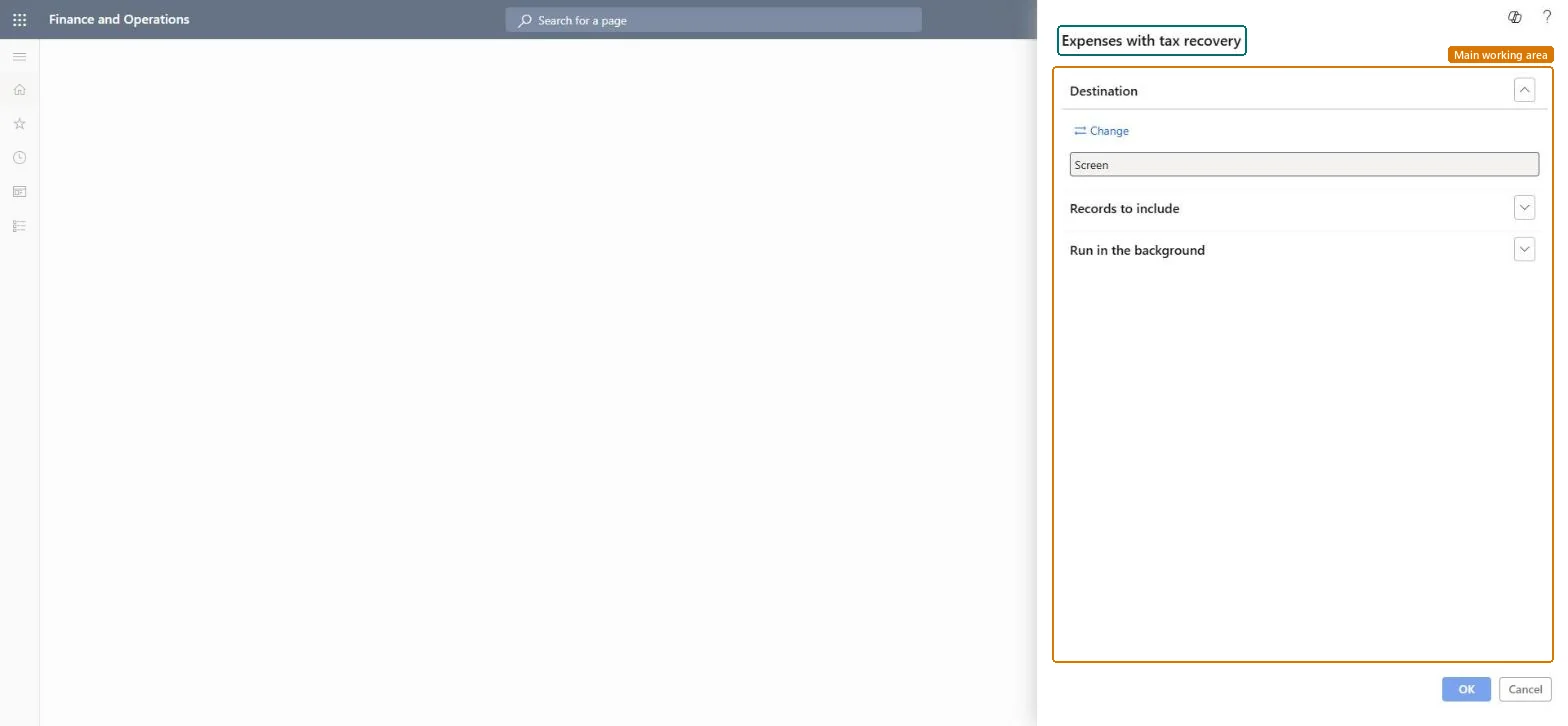
Expenses with tax recovery page in Dynamics 365
The page in Dynamics 365. page title tab to open what to set or check
Functional consultant · Solution architect

2Where it fits

Business processManage time and attendance
Menu pathExpense management › Inquiries and reports › Expenses with tax recovery
Set up firstApproved expense reports Microsoft Learn
Used next byExpense tax recovery Microsoft Learn
Related pagesTax configurations Microsoft Learn
End user · Functional consultant

3How to do it

About the examples: Examples and screenshots in this guide use BEAT, a demo company in a Dynamics 365 test environment. Use your own company's codes and values instead of copying them.

When to run it

When to run itWhen you prepare a VAT recovery claim, domestic or international, after expense reports are posted.
How oftenPer VAT recovery claim, for example monthly or quarterly.
What the output showsExpenses eligible for tax recovery, by tax recovery status and country/region. An expense that is missing usually lacks a sales tax group or item sales tax group, or wasn't posted yet.

Source: Microsoft Learn

Setup steps on this page

List expenses for a VAT claim

Prepare the list of recoverable expenses per country/region.

Steps from Microsoft

  1. Go to Expense management > Inquiries and reports > Expenses with tax recovery.
  2. In Records to include, filter on Tax recovery status to see where each expense is in the recovery process, for example ready for recovery.
  3. Filter on Country/region to list only expenses from the country or region whose VAT you will reclaim.
  4. Run the report and match it with the receipts you send to the tax authority or the third-party recovery vendor.

Source: Microsoft Learn

Fields on the page

FieldWhat it means
Tax recovery statusWhere the expense is in the tax recovery process.Microsoft Learn
Country/regionThe country/region that allows the tax recovery.Microsoft Learn

Common errors and fixes

MessageWhat to do
The report prints no linesRecords to include filters out everything, or the data isn't posted yet. Clear the filters, check the date range, and run it again. Microsoft Learn
The report runs but shows another company's data is missingReports read the current legal entity only. Change company and run the report again. Microsoft Learn

Test checklist

  1. Post a report with a recoverable UK lodging expense.
  2. Mark it Ready for recovery on Expense tax recovery.
  3. Run the report for status Ready for recovery and country/region GBR.
  4. Check the expense is listed.

Source: Microsoft Learn

Functional consultant

4Setup decisions

Setup stepRecommended value and whyDecision, common mistake and test
List expenses for a VAT claimFilter on the recovery status Ready for recovery and one country/region per claim.The status set on Expense tax recovery decides which expenses go into the claim.Who files foreign VAT claims?Running it without a status filter and claiming expenses whose receipts haven't been checked.Test: Ready expenses are listed

Feature management and licence

Licence or add-inIn this system Employee and Contractor enter their own expenses, and Expense administrator sets up the module and processes documents. The expense mobile app needs the Employee role, a company on the user account and a link to an employee with active employment. The expense administrator runs this report; no Feature management feature is needed.

Microsoft Learn

Solution architect

5Design impact

Shared or per companyPer company: the report runs in the legal entity you are signed in to and reads that company's expense data. Microsoft Learn
Can it be undoneNothing to undo: The report only reads expense data; it changes nothing. Microsoft Learn
If you change it laterOnly posted expenses with a sales tax group and item sales tax group are eligible; tax recovery must be on in the parameters. Microsoft Learn
Technical architect

6Technical

Menu itemoutput:TrvExpenseTaxRecoverable Checked in Dynamics 365
FormSysOperationTemplateForm Checked in Dynamics 365
Roles to set it up and use itTo use itExpense administrator ExpenseAdministratorGive people one of these roles. On this system, 1 role can run this page.Checked in Dynamics 365
Developer

7Developer

Open it by URLhttps://<your-environment>/?mi=output:TrvExpenseTaxRecoverable
Data migrationLoad order: The report has no data entity in Data management, so it can't be loaded from a file or a configuration template. It reads posted or entered expense data and prints it; nothing on it is loaded or migrated. Run it in each environment after the data is there.Microsoft Learn
Everyone

8Sources