BeyondERP.Newsletter
Menu

Transaction page · Credit and collections

Customer payment journal

A journal page where you record customer payments and settle them against invoices.

Business process
Record a customer payment in a journal using Dynamics 365 Finance
Menu item
LedgerJournalTable_CustPaym
Main table
LedgerJournalTable
Data entity
CustomerPaymentJournalHeaderEntity
Show what matters for
PAGE GUIDEWhat the page does and how to use it7 sections. Choose a role to highlight what matters to you.
Everyone

1What it is and why

What it isA journal page where you record customer payments and settle them against invoices.
What you do hereUse this journal to enter customer payments one at a time or as journal lines, mark the invoices each payment pays, and post them.
ExampleFor example, when a customer pays by check, you enter the check number as the payment reference so the payment can go on a deposit slip.
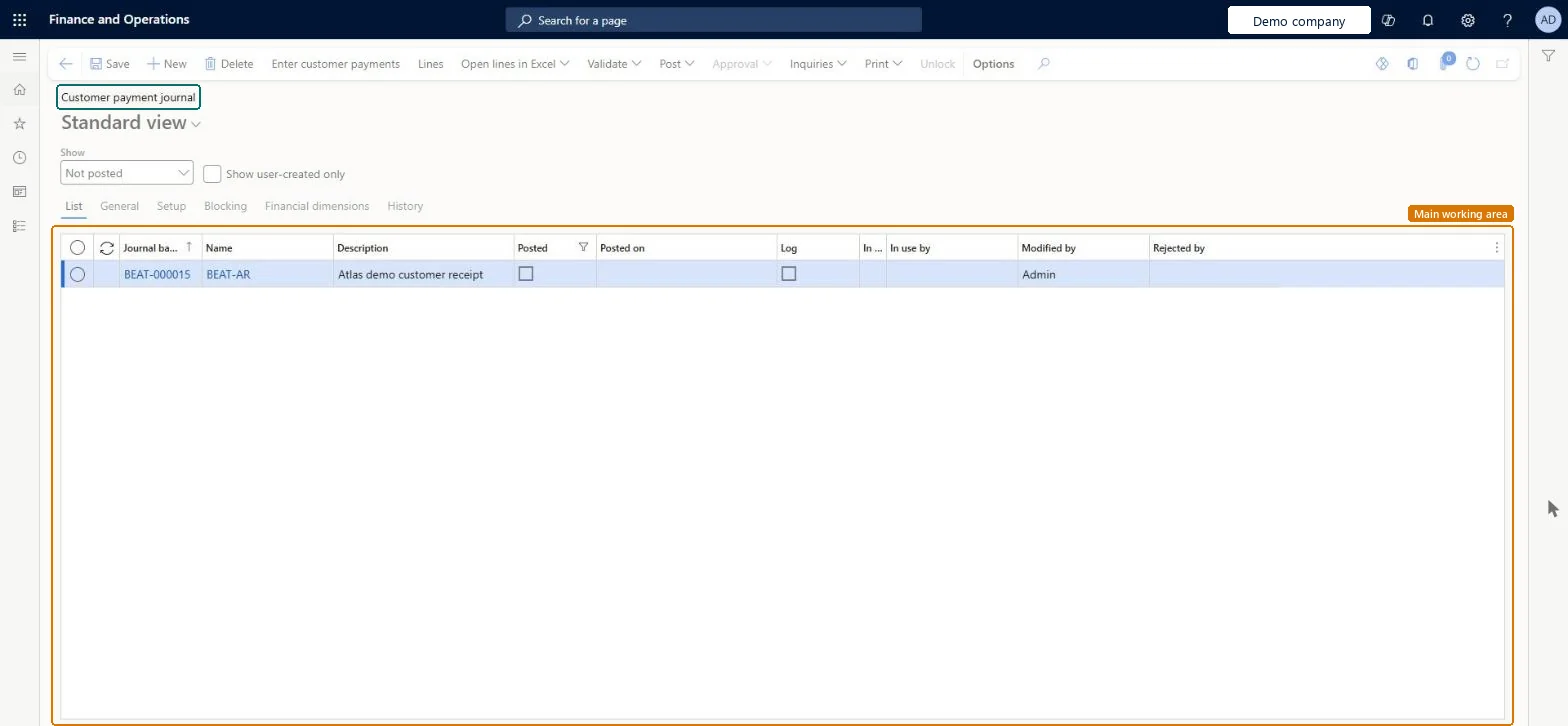
Customer payment journal page in Dynamics 365
The page in Dynamics 365. page title tab to open what to set or check
Functional consultant · Solution architect

2Where it fits

End user · Functional consultant

3How to do it

About the examples: Examples and screenshots in this guide use BEAT, a demo company in a Dynamics 365 test environment. Use your own company's codes and values instead of copying them.

Steps from Microsoft

  1. Go to Credit and collections > Payments > Customer payment journal.
  2. Select New and select the journal name for customer payments.
  3. Select Lines.
  4. Select New and select the customer, or enter the invoice to fill in the customer.
  5. Select Settle transactions, mark the invoices the payment covers, enter the amount to settle, and select OK.
  6. In the Payment reference field, enter the customer's check number or payment reference.
  7. Check the method of payment and offset account.
  8. On the Action Pane, select Post.

Source: Microsoft Learn

Fields on the page

FieldWhat it meansTable column
Payment referenceThe customer's check number or electronic payment reference; needed when the payment goes on a deposit slip.Microsoft Learn
Deposit slipWhether the payment is included on a deposit slip.Microsoft Learn
AmountThe amount received; it doesn't default and must be entered.Microsoft Learn
Offset accountThe bank or main account that the payment is posted to.Microsoft Learn OffsetLedgerDimension
Method of paymentThe customer's method of payment for this line.Microsoft Learn
Prepayment journal voucherMarks the line as a prepayment that's posted with the prepayment posting profile.Microsoft Learn
Solution architect

4Design impact

Shared or per companyPer company: each legal entity has its own records. Microsoft data model
Technical architect

5Technical

Menu itemLedgerJournalTable_CustPaym Checked in Dynamics 365
FormLedgerJournalTable Checked in Dynamics 365
TableLedgerJournalTableShown as “Ledger journal table” in Record infoKey field: JournalNumChecked in Dynamics 365
Data entitiesCustomerPaymentJournalHeaderEntityCustomer payment journal header Microsoft data model CustInvoiceJournalHeaderEntityCustomer invoice journal header Microsoft data model VendorPaymentJournalHeaderEntityVendor payment journal header Microsoft data model AssetJournalEntityFixed asset journal Microsoft data model AssetJournalV2EntityFixed asset journal V2 entity Microsoft data model BankJournalHeaderEntityBank journal header Microsoft data model ExpenseJournalHeaderEntityProject expense journal header Microsoft data model LedgerJournalEntityGeneral journal Microsoft data model LedgerReportingCurrencyAdjustmentJournalHeaderEntityReporting currency adjustment journal header Microsoft data model RAssetJournalHeaderEntityFixed asset journal header (Russia) Microsoft data model SlipJournalEntitySlip journal Microsoft data model VendInvoiceJournalHeaderEntityVendor invoice journal header Microsoft data model VendInvoiceRegisterHeaderEntityVendor invoice register header Microsoft data model AssetJournalHeaderEntityFixed asset journal table Microsoft data model LedgerJournalHeaderEntityLedger journal table Microsoft data model
Roles to set it up and use itTo set it up or change itRental manager RentalManagerAccounts receivable payments clerk PaymAccountsReceivablePaymentsClerkTo use itCollections manager CollectionLetterCollectionsManagerCollections agent CollectionLetterCollectionsAgentAccounts receivable manager CustInvoiceAccountsReceivableManagerAccounting manager LedgerAccountingManagerAccounting supervisor LedgerAccountingSupervisorGive people one of these roles. On this system, 14 roles can open this page.Checked in Dynamics 365
Actions on the pageOptions: Personalize, Page options, Edit, ShareChecked in Dynamics 365
Developer

6Developer

Open it by URLhttps://<your-environment>/?mi=LedgerJournalTable_CustPaym
Integrate withCustomerPaymentJournalHeaderEntity data entity Microsoft data model
Data migrationCustomerPaymentJournalHeaderEntity (Customer payment journal header): loaded for each company.Microsoft Learn
Table definitionLedgerJournalTable columns and relations Microsoft data model
Everyone

7Sources