BeyondERP.Newsletter
Menu

Inquiry page · Credit and collections

Customer postdated checks

An inquiry page that lists postdated checks received from customers.

Used by
Accounts receivable payments clerk, Rental manager
Business process
Process customer payments
Menu item
CustPostDatedChecks
Main table
CustVendPDCRegister
Data entity
BankPostDatedCheckEntity
Show what matters for
PAGE GUIDEWhat the page does and how to use it7 sections. Choose a role to highlight what matters to you.
Everyone

1What it is and why

What it isAn inquiry page that lists postdated checks received from customers.
What you do hereUse this page to settle a customer postdated check after the bank has cleared it, which also clears the bridge account entry for the check.
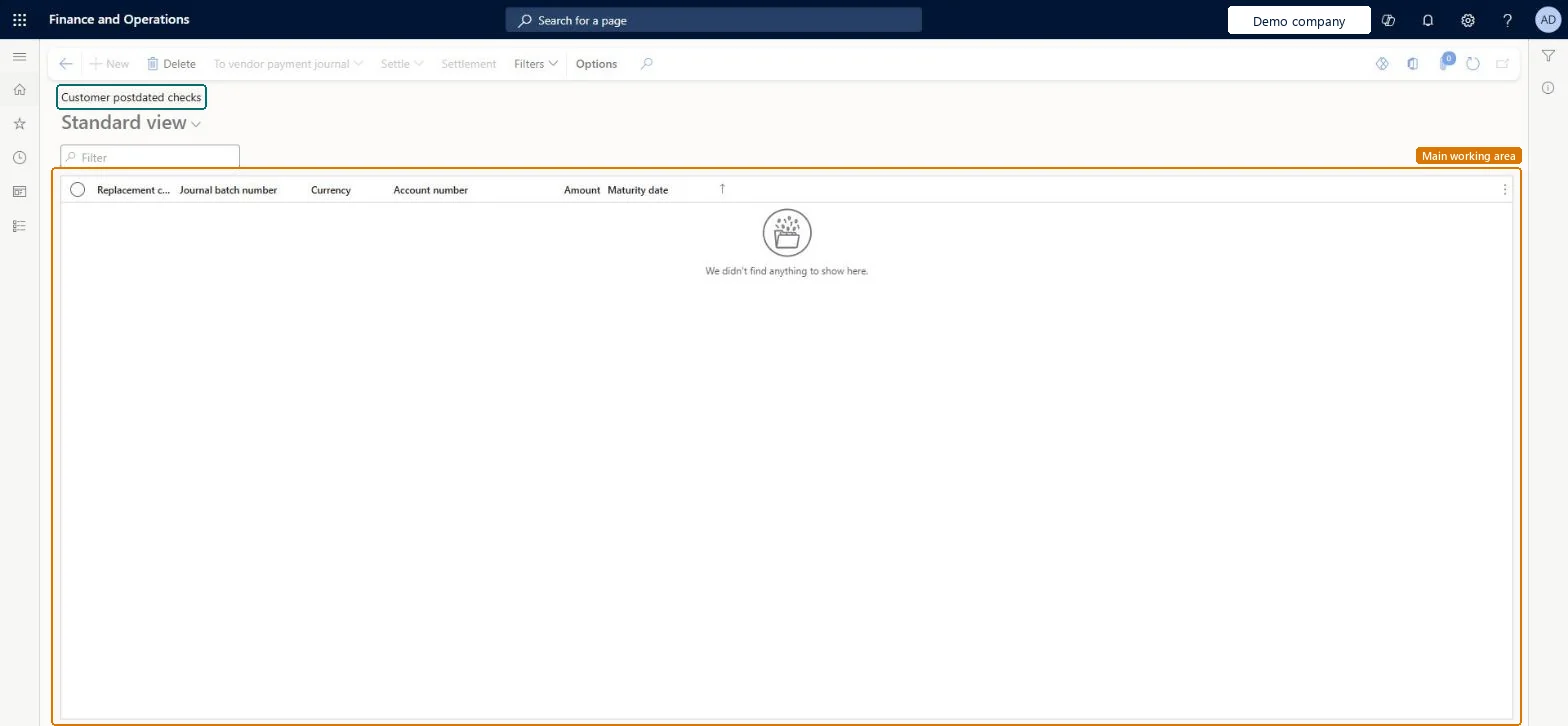
Customer postdated checks page in Dynamics 365
The page in Dynamics 365. page title tab to open what to set or check
Functional consultant · Solution architect

2Where it fits

Business processManage accounts receivable › Process customer payments
Menu pathCredit and collections › Inquiries and reports › Payments › Customer postdated checks
Set up firstCustomer payment journal Microsoft Learn
Used next byGeneral journals Microsoft Learn
End user · Functional consultant

3How to do it

About the examples: Examples and screenshots in this guide use BEAT, a demo company in a Dynamics 365 test environment. Use your own company's codes and values instead of copying them.

Steps from Microsoft

  1. Wait until the bank has cleared the check.
  2. Go to the Customer postdated checks page.
  3. Select Settle.
  4. Select Settle clearing entries to settle the customer account for the check.
  5. Close the page.
  6. To review the result, open General journals, find the journal, select Lines and then Voucher.

Source: Microsoft Learn

Solution architect

4Design impact

Shared or per companyPer company: each legal entity has its own records. Microsoft data model
Technical architect

5Technical

Menu itemCustPostDatedChecks Checked in Dynamics 365
FormCustPostDatedChecks Checked in Dynamics 365
TableCustVendPDCRegisterShown as “Postdated checks register” in Record infoChecked in Dynamics 365
Data entitiesBankPostDatedCheckEntityPostdated checks Microsoft data model
Who can open itPrivilegesMaintain customer posted dated checks PaymCustPostDatedChecksMaintainDutiesMaintain customer payments PaymCustomerPaymentsMaintainMaintain customer invoices for payment RentalCustomerPaymentMaintain
2 security rolesAccounts receivable payments clerk PaymAccountsReceivablePaymentsClerkRental manager RentalManager
Checked in Dynamics 365
Roles to set it up and use itTo set it up or change itRental manager RentalManagerAccounts receivable payments clerk PaymAccountsReceivablePaymentsClerkGive people one of these roles. On this system, 2 roles can open this page.Checked in Dynamics 365
Actions on the pageOptions: Personalize, Page options, ShareChecked in Dynamics 365
Developer

6Developer

Open it by URLhttps://<your-environment>/?mi=CustPostDatedChecks
Integrate withBankPostDatedCheckEntity data entity Microsoft data model
Table definitionCustVendPDCRegister columns and relations Microsoft data model
Everyone

7Sources