About the examples: Examples and screenshots in this guide use BEAT, a demo company in a Dynamics 365 test environment. Use your own company's codes and values instead of copying them.
When to run it
When to run it
When stored inventory value reports take up too much database space and the older ones are exported and archived.
How often
On demand; Microsoft notes that you typically run this job manually each time it's needed.
Batch settings
You can schedule it on the Run in the background FastTab, but normally run it once by hand after the export is done.
What the output shows
Stored inventory value reports generated before the date are removed from Inventory value report storage. A report still listed after the run was generated on or after the date, or was excluded by the filter.
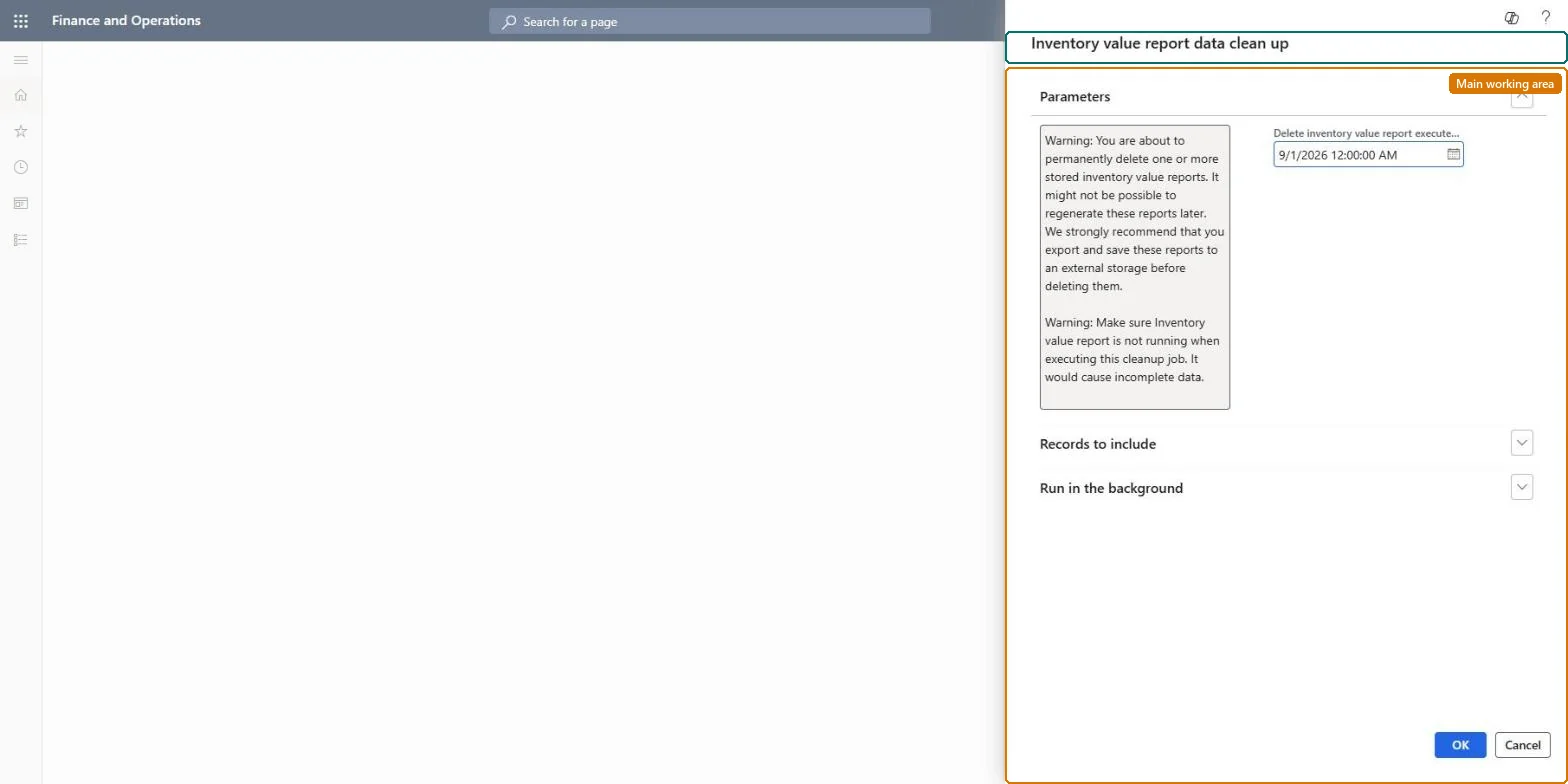
Go to Cost management > Inventory accounting > Clean up > Inventory value report data clean up.
First export every stored inventory value report you plan to delete through the Inventory value report storage data entity and keep the file outside the system.
In Delete inventory value report executed before, select the date before which all stored inventory value reports are deleted.
On the Records to include FastTab, select Filter to narrow the set of reports, for example by report name, then select OK.
Open Inventory value report storage and check that only reports generated before the date are gone.
No: Deleted reports can't be restored, and you might not be able to generate them again for old periods because the system may time out working back through the transactions. Export them first. Microsoft Learn
If you change it later
Deleted inventory value reports might not be possible to generate again later, so export them before you delete them. Microsoft Learn
Technical architect
5Technical
Menu item
action:InventValueReportTempBufferCleanUp
Roles to set it up and use it
To use itInventory accountant InventCostAccountantInventory accountant clerk InventCostCostClerkAccounting manager LedgerAccountingManagerGive people one of these roles. On this system, 3 roles can run this page.Checked in Dynamics 365