PAGE GUIDEWhat the page does and how to use it8 sections. Choose a role to highlight what matters to you.
Everyone
1What it is and why
What it is
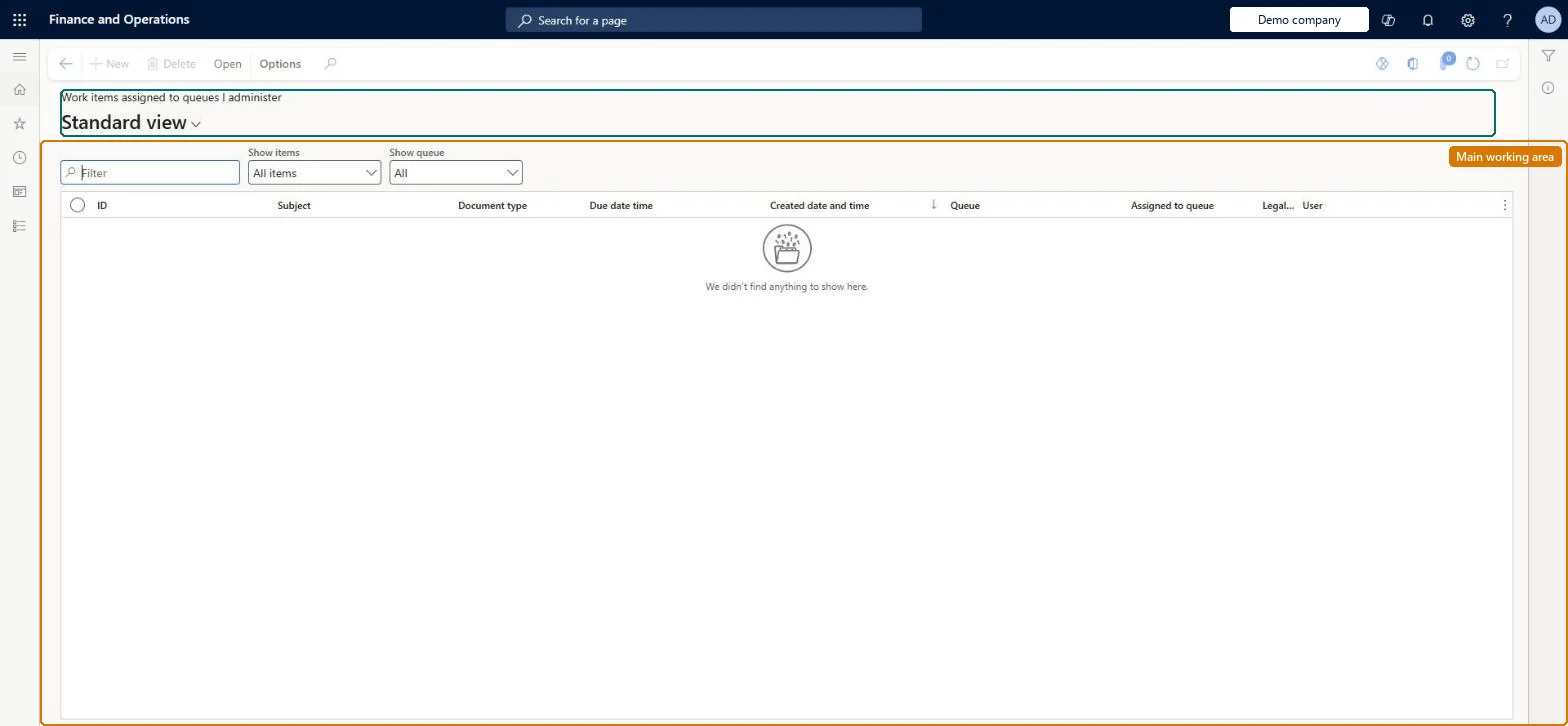
A list of the workflow work items that are waiting in the work item queues for which you are a queue administrator.
What you do here
Use this page to monitor the documents sent to the queues you administer, so you can see what is waiting and keep the queue moving.
Example
For example, BEAT's expense team lead administers the Expense review queue. On Monday the page shows 14 expense reports waiting in the queue, three past their due date, so the lead reassigns those three to the backup queue.
The page in Dynamics 365. page title tab to open what to set or check
About the examples: Examples and screenshots in this guide use BEAT, a demo company in a Dynamics 365 test environment. Use your own company's codes and values instead of copying them.
Setup steps on this page
Monitor the queues you administer
Keep work item queues moving by watching what waits and rebalancing it.
Steps from Microsoft
Go to Common > Common > Work items > Work items assigned to queues I administer.
Sort by Due date to see which documents wait longest in the queues you administer.
Select a work item and use Open to view the related document or History to view the workflow history.
Reassign documents to another queue when one queue is overloaded.
Sort by Assigned to queue (oldest first) and reassign items that wait beyond their due dateOnly one member can complete a task, so an item nobody accepts waits in the queue until someone acts.
On the live system, these roles can open the page: System user, TestEssentialsRole, Retail store IT, Retail service.
Checked in Dynamics 365
Solution architect
5Design impact
Shared or per company
Per queue administrator: the list shows only the work items in the queues you administer. Microsoft Learn
Can it be undone
Reversible: This page is a monitor of the queues you administer. Documents in a queue can be reassigned to another queue, and an accepted task can be released back to the queue, so routing can be changed until a member completes the task. Microsoft Learn
If you change it later
Reassigning moves the document to another queue whose members then see it; the work is done when one member completes the task. Microsoft Learn
Technical architect
6Technical
Menu item
WorkflowWorkListAssignedToQueuesIOwnChecked in Dynamics 365
Form
WorkflowWorkListChecked in Dynamics 365
Table
WorkflowWorkItemTableShown as “WORK ITEMS” in Record infoChecked in Dynamics 365
Who can open it
PrivilegesWorkflow essentials WorkflowEssentialsDutiesUse basic functionality SysServerAXBasicMaintain6 security rolesAifTestSecRoleEventTestRoleRetail service RetailServiceRetail store IT RetailStoreITSystem user SystemUserTestEssentialsRoleChecked in Dynamics 365
Roles to set it up and use it
To set it up or change itSystem user SystemUserTestEssentialsRole Retail store IT RetailStoreITRetail service RetailServiceGive people one of these roles. On this system, 4 roles can open this page.Checked in Dynamics 365
Actions on the page
(Action Pane without tabs): OpenChecked in Dynamics 365
Load order: Work items assigned to queues I administer has no data entity in Data management. Work items are created by workflows. The queues themselves can be loaded with the Workflow work item queue entity (WorkflowWorkItemQueueEntity) before workflows are activated.Load first: work item queuesChecked in Dynamics 365