PAGE GUIDEWhat the page does and how to use it8 sections. Choose a role to highlight what matters to you.
Everyone
1What it is and why
What it is
A list of the workflow work items, such as approvals and tasks, that are assigned to you.
What you do here
Use this page to see the work items waiting for your action, open the related documents, and delegate one or more work items to another user.
Example
For example, BEAT's purchasing manager goes on leave on 11/16/2026 with four purchase requisition approvals open. They select all four work items, choose Delegate work items, pick a colleague and enter the comment 'Leave 16-20 November'; the colleague approves them as their delegate.
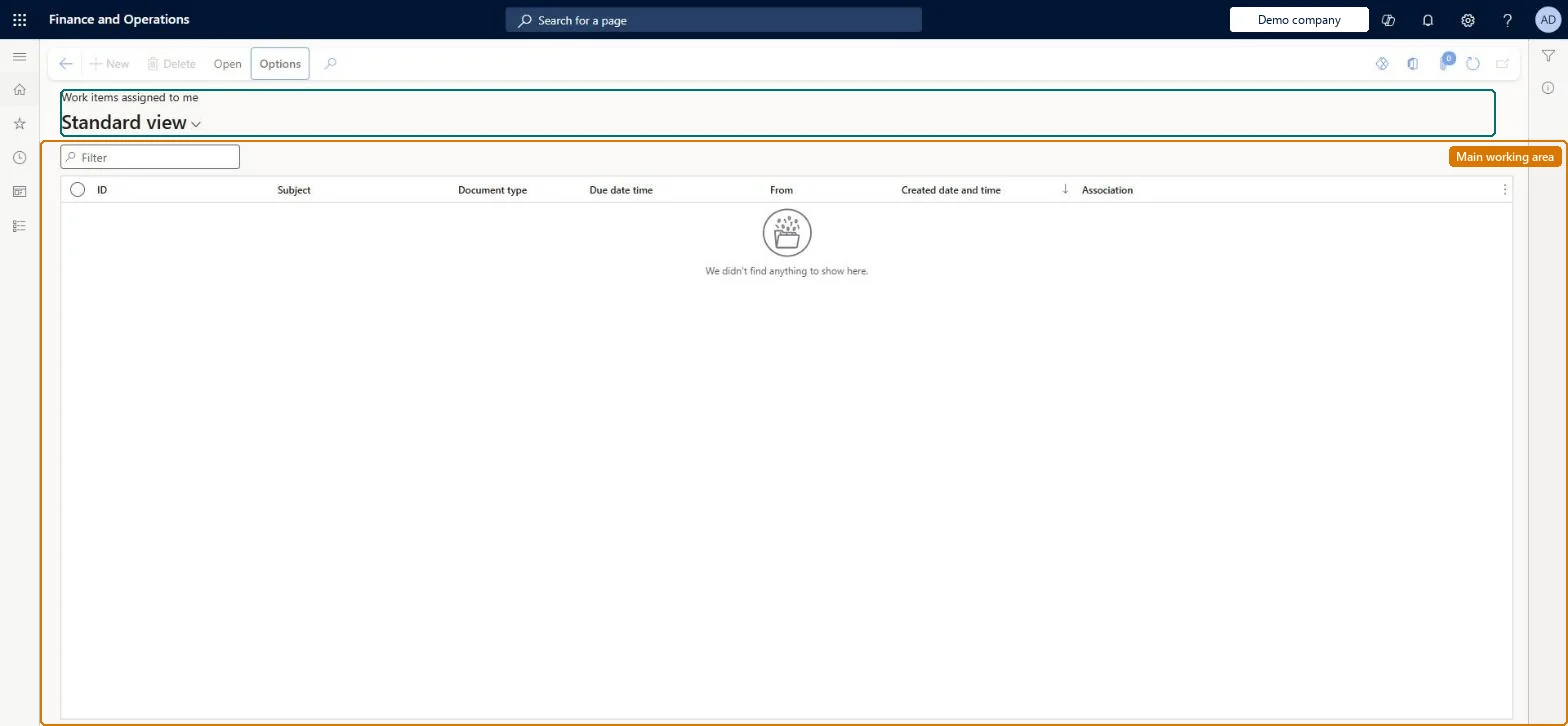
The page in Dynamics 365. page title tab to open what to set or check
About the examples: Examples and screenshots in this guide use BEAT, a demo company in a Dynamics 365 test environment. Use your own company's codes and values instead of copying them.
Setup steps on this page
Act on and delegate my work items
Approve or complete the work items assigned to you and delegate them before an absence.
Steps from Microsoft
Go to Common > Common > Work items > Work items assigned to me.
Select the work items that you want to delegate.
Select the Delegate work items menu.
In the User field, select the user to delegate the work items to.
In the Comment field, enter why you're delegating the work items.
Sort by Due date and act on the oldest items first; delegate open items before planned absencesThe workflow waits on the assignee, so items past their due date hold up the document.
Per user: the list shows the workflow work items assigned to the signed-in user. Microsoft Learn
Can it be undone
Hard to reverse: Delegating reassigns the work item to the selected user. The delegate acts on your behalf, so once they complete it the workflow moves to the next step as if you had completed it. Automatic delegation rules on User options can be disabled with the Enabled check box. Microsoft Learn
If you change it later
Delegating a work item reassigns it to the selected user, who then completes it on your behalf. Microsoft Learn
Technical architect
6Technical
Menu item
WorkflowWorkListAssignedToMeChecked in Dynamics 365
Form
WorkflowWorkListChecked in Dynamics 365
Table
WorkflowWorkItemTableShown as “WORK ITEMS” in Record infoChecked in Dynamics 365
Who can open it
PrivilegesWorkflow essentials WorkflowEssentialsDutiesUse basic functionality SysServerAXBasicMaintain6 security rolesAifTestSecRoleEventTestRoleRetail service RetailServiceRetail store IT RetailStoreITSystem user SystemUserTestEssentialsRoleChecked in Dynamics 365
Roles to set it up and use it
To set it up or change itSystem user SystemUserTestEssentialsRole Retail store IT RetailStoreITRetail service RetailServiceGive people one of these roles. On this system, 4 roles can open this page.Checked in Dynamics 365
Actions on the page
(Action Pane without tabs): OpenChecked in Dynamics 365
Load order: Work items assigned to me has no data entity in Data management. Work items are created when documents are submitted to workflow, so they are not migrated: finish or recall open workflows in the old system and resubmit the documents after go-live.Microsoft Learn