About the examples: Examples and screenshots in this guide use BEAT, a demo company in a Dynamics 365 test environment. Use your own company's codes and values instead of copying them.
Setup steps on this page
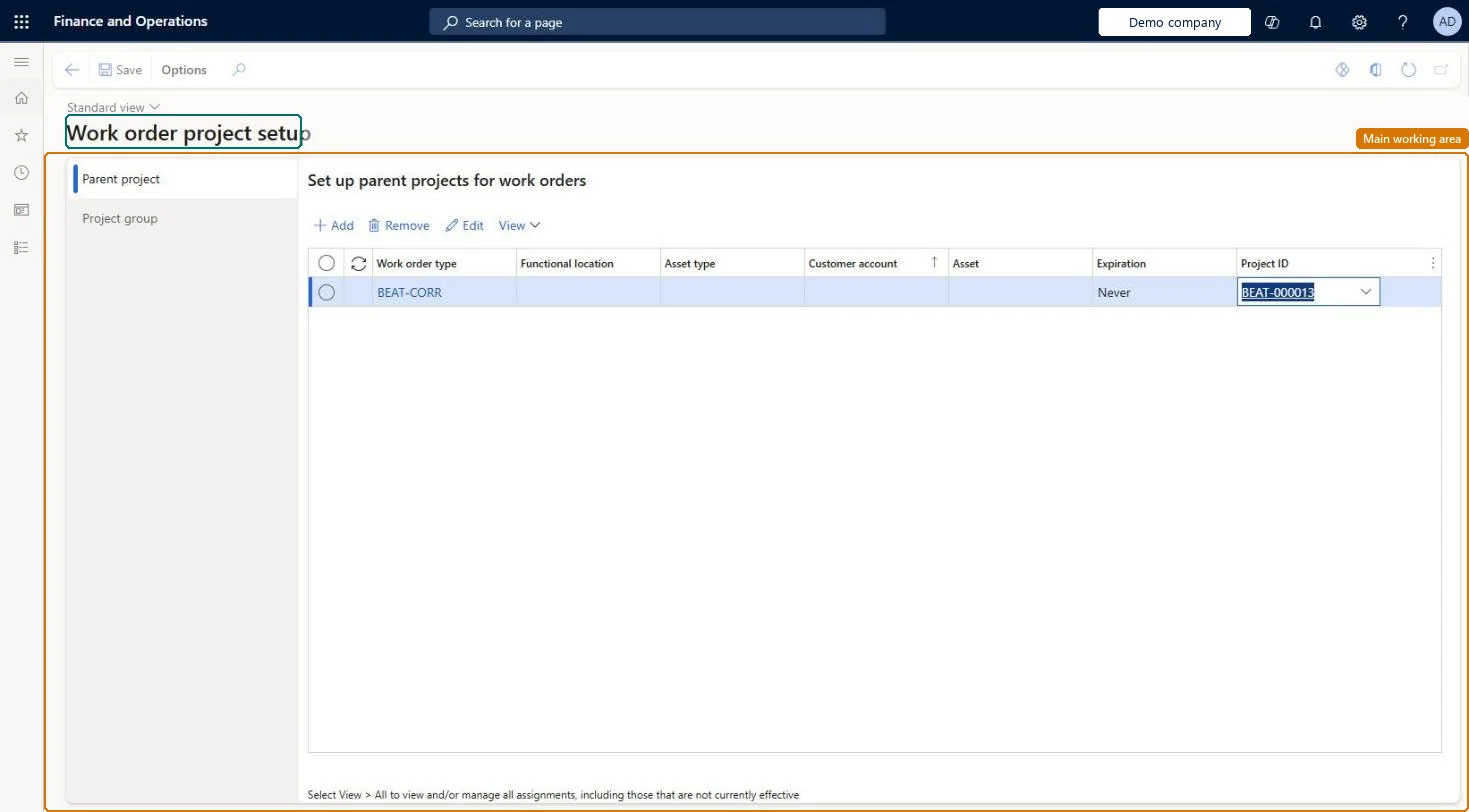
Set up parent projects for work orders
Use this page to link work orders to projects so that maintenance costs are tracked in Project management and accounting.
Steps from Microsoft
Go to Asset management > Setup > Work orders > Project setup.
On the Parent project tab, select Add.
Select values in the Work order type, Functional location, Asset type, and Asset fields as required.
In the Project ID field, select the project, and set an Expiration date if the setup is time-limited.
On the Project group tab, select Add.
Select a Work order type, and an Asset type or Asset if required.
In the Project group field, select the project group.
If you use work order projects, at least one default Parent project record with only a Project ID, plus more specific records by work order type, functional location, asset type or assetLearn says you must set up at least one parent project when using work order projects, and the default record with only a project ID is used when nothing more specific matches.
Reversible: Records can be changed or given an Expiration date. The project is chosen when a work order line is created, so existing work order jobs keep their project. Microsoft Learn
If you change it later
Each time a work order line is created, the system searches this setup for the project group, so changes apply to new work order jobs. Microsoft Learn
Technical architect
6Technical
Menu item
EntAssetWorkOrderProjectSetupChecked in Dynamics 365
Form
EntAssetWorkOrderProjectSetupChecked in Dynamics 365
Table
EntAssetWorkOrderParentProjectShown as “WORK ORDER PARENT PROJECTS” in Record infoKey field: WorkOrderType_WorkOrderTypeId, FunctionalLocation_FunctionalLocationId, ObjectType_ObjectTypeID, Object_ObjectIDChecked in Dynamics 365
Data entities
EntAssetMaintenanceWorkOrderParentProjectV2EntityAsset management work order parent projects V2 Checked in Dynamics 365EntAssetMaintenanceWorkOrderStandardProjectGroupEntityAsset management work order project groups Checked in Dynamics 365
To set it up or change itMaintenance manager EntAssetMaintenanceManagerTo use itMaintenance clerk EntAssetMaintenanceClerkGive people one of these roles. On this system, 2 roles can open this page.Checked in Dynamics 365