PAGE GUIDE What the page does and how to use it 7 sections. Choose a role to highlight what matters to you.
Everyone 1 What it is and whyWhat it is A setup page for standard work order descriptions, which add a general description to a work order. What you do here Use this page to create descriptions that can be selected when a work order is created. Example For example, a planner selects a standard description in the Create work order dialog instead of typing one.
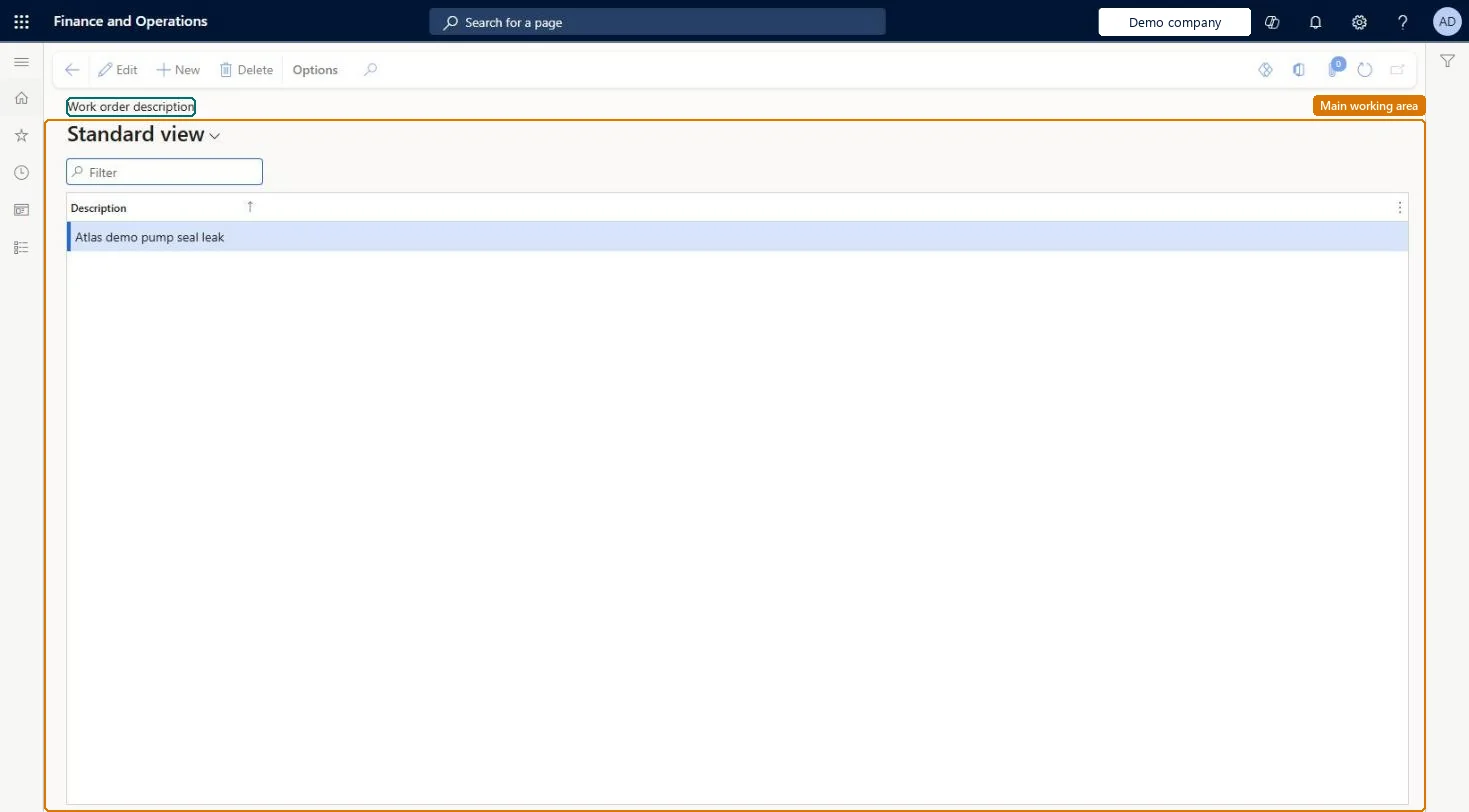
The page in Dynamics 365. Functional consultant · Solution architect 2 Where it fitsEnd user · Functional consultant 3 How to do itAbout the examples: Examples and screenshots in this guide use BEAT, a demo company in a Dynamics 365 test environment. Use your own company's codes and values instead of copying them.
Setup steps on this page Set up Work order descriptions Use this page to create descriptions that can be selected when a work order is created.
Steps from Microsoft Go to Asset management > Setup > Work orders > Descriptions. Select New. In the Description field, enter the description. Select Save. Source: Microsoft Learn
Fields on the page Test checklist Create a description and save it. Create a work order and select the description. Check the description is shown on the work order. Source: Microsoft Learn
Solution architect 4 Design impactCan it be undone Reversible: Descriptions are a pick list used when a work order is created; adding or changing them affects only new selections. Microsoft Learn
Technical architect 5 TechnicalMenu item EntAssetWorkOrderStandardDescription Checked in Dynamics 365 Form EntAssetWorkOrderStandardDescription Checked in Dynamics 365 Table EntAssetWorkOrderStandardDescriptionShown as “WORK ORDER DESCRIPTIONS” in Record info Key field: Description Checked in Dynamics 365 Data entities EntAssetMaintenanceWorkOrderStandardDescriptionEntityAsset management work order descriptions Checked in Dynamics 365 Who can open it Privileges Maintain maintenance management setup EntAssetSetupMaintain View maintenance management setup EntAssetSetupView Duties Maintain Asset Management setup EntAssetSetupMaintain View Enterprise Asset Management setup EntAssetSetupView 2 security roles Maintenance clerk EntAssetMaintenanceClerk Maintenance manager EntAssetMaintenanceManager Checked in Dynamics 365 Roles to set it up and use it To set it up or change it Maintenance manager EntAssetMaintenanceManager To use it Maintenance clerk EntAssetMaintenanceClerk Give people one of these roles. On this system, 2 roles can open this page. Checked in Dynamics 365
Developer 6 DeveloperOpen it by URL https://<your-environment>/?mi=EntAssetWorkOrderStandardDescriptionIntegrate with EntAssetMaintenanceWorkOrderStandardDescriptionEntity data entity Checked in Dynamics 365
Everyone 7 Sources