PAGE GUIDEWhat the page does and how to use it8 sections. Choose a role to highlight what matters to you.
Everyone
1What it is and why
What it is
A setup page where you create attribute types, which describe properties of functional location types, functional locations, asset types, and assets.
What you do here
Use this page to create your own attribute types with a unit and data type, transfer standard product dimensions, and set up values for text attributes.
Example
For example, for an asset type you set up attributes for engine volume, power consumption, and maximum load capacity.
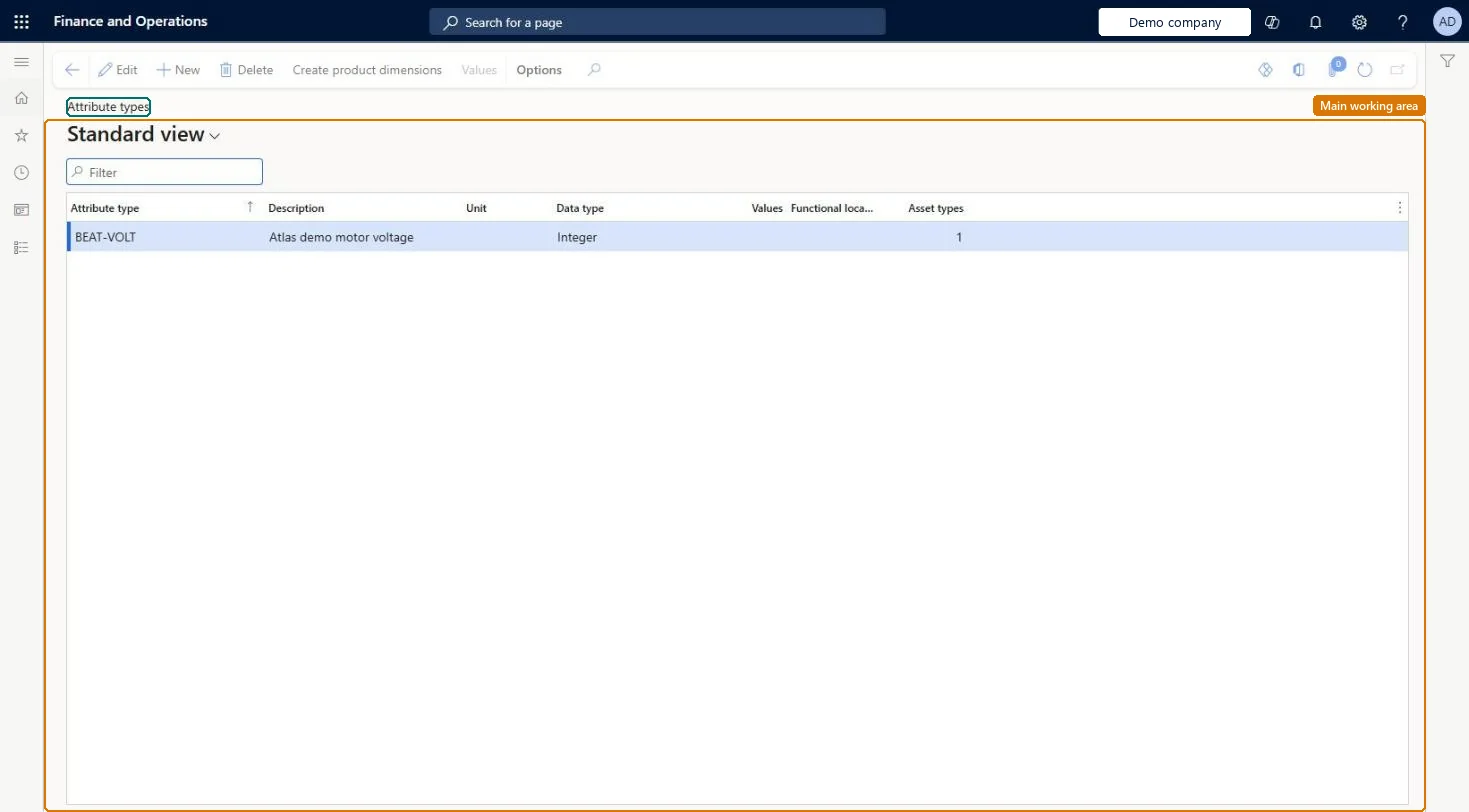
The page in Dynamics 365. page title tab to open what to set or check
About the examples: Examples and screenshots in this guide use BEAT, a demo company in a Dynamics 365 test environment. Use your own company's codes and values instead of copying them.
Setup steps on this page
Set up Attribute types
Use this page to create your own attribute types with a unit and data type, transfer standard product dimensions, and set up values for text attributes.
Steps from Microsoft
Go to Asset management > Setup > Attribute types.
The first time, select Create product dimensions to transfer standard product dimensions.
Select New.
In the Attribute type field, enter a name, and in the Description field, enter a description.
In the Unit field, select the unit.
In the Data type field, select a data type.
If the data type is String, select Values and create the values for the attribute type.
Run Create product dimensions the first time, then add your own attribute types with a Unit and Data type; for String types set up ValuesLearn says to transfer the standard product dimensions first, and product dimensions of asset items are copied to asset attributes when assets are created from purchase orders.
Creating String attribute types without Values, so each user types free text and attribute data can't be compared across assets.
Solution architect
5Design impact
Can it be undone
Reversible: Attribute types can be changed any time. Check the Functional location types and Asset types counts first, because those show where the type is in use. Microsoft Learn
Technical architect
6Technical
Menu item
EntAssetAttributeTypeChecked in Dynamics 365
Form
EntAssetAttributeTypeChecked in Dynamics 365
Table
EntAssetAttributeTypeShown as “ATTRIBUTE TYPES” in Record infoKey field: AttributeTypeIdChecked in Dynamics 365
Data entities
EntAssetMaintenanceAttributeTypeEntityAsset management maintenance attribute types Checked in Dynamics 365
To set it up or change itMaintenance manager EntAssetMaintenanceManagerTo use itMaintenance clerk EntAssetMaintenanceClerkGive people one of these roles. On this system, 2 roles can open this page.Checked in Dynamics 365
Actions on the page
(Action Pane without tabs): Create product dimensions, ValuesChecked in Dynamics 365