About the examples: Examples and screenshots in this guide use BEAT, a demo company in a Dynamics 365 test environment. Use your own company's codes and values instead of copying them.
Steps from Microsoft
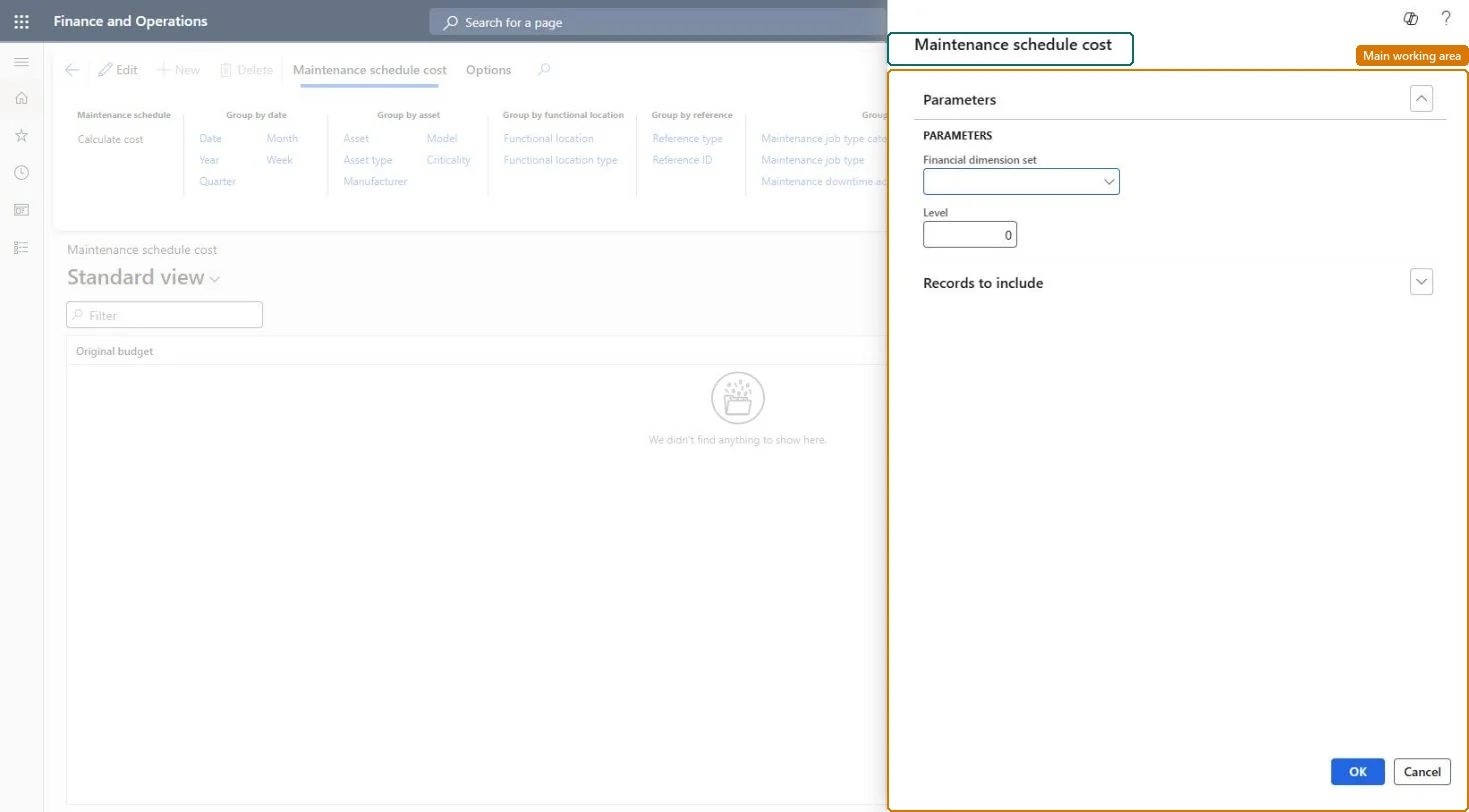
Go to Asset management > Inquiries > Assets > Maintenance schedule cost.
In the Maintenance schedule cost dialog, select a financial dimension set if you want costs grouped by financial dimensions.
In the Level field, enter how detailed the lines should be for functional locations.
On the Records to include FastTab, select Filter to choose assets, an expected start date, or a status.
Select OK.
Select the Group by buttons to show the detail level you need.
How detailed the lines are for functional locations; 0 shows every level.Microsoft Learn
Technical architect
4Technical
Menu item
EntAssetCostObjectCalendarChecked in Dynamics 365
Form
DialogChecked in Dynamics 365
Roles to set it up and use it
To set it up or change itMaintenance manager EntAssetMaintenanceManagerMaintenance clerk EntAssetMaintenanceClerkMaintenance worker EntAssetMaintenanceWorkerGive people one of these roles. On this system, 3 roles can open this page.Checked in Dynamics 365