BeyondERP.Newsletter
Menu

Inquiry page · Asset management

Budget

A page for creating and approving maintenance budgets, which show the expected costs of preventive maintenance for a period.

Used by
Maintenance clerk, Maintenance manager
Business process
Budget assets in the asset management module in Dynamics 365 Supply Chain Management
Menu item
EntAssetBudget
Main table
EntAssetBudget
Show what matters for
PAGE GUIDEWhat the page does and how to use it7 sections. Choose a role to highlight what matters to you.
Everyone

1What it is and why

What it isA page for creating and approving maintenance budgets, which show the expected costs of preventive maintenance for a period.
What you do hereUse this page to calculate budget lines from maintenance schedule lines, review them, and approve the budget.
ExampleFor example, after you create a budget for one month, you copy it to the other months.
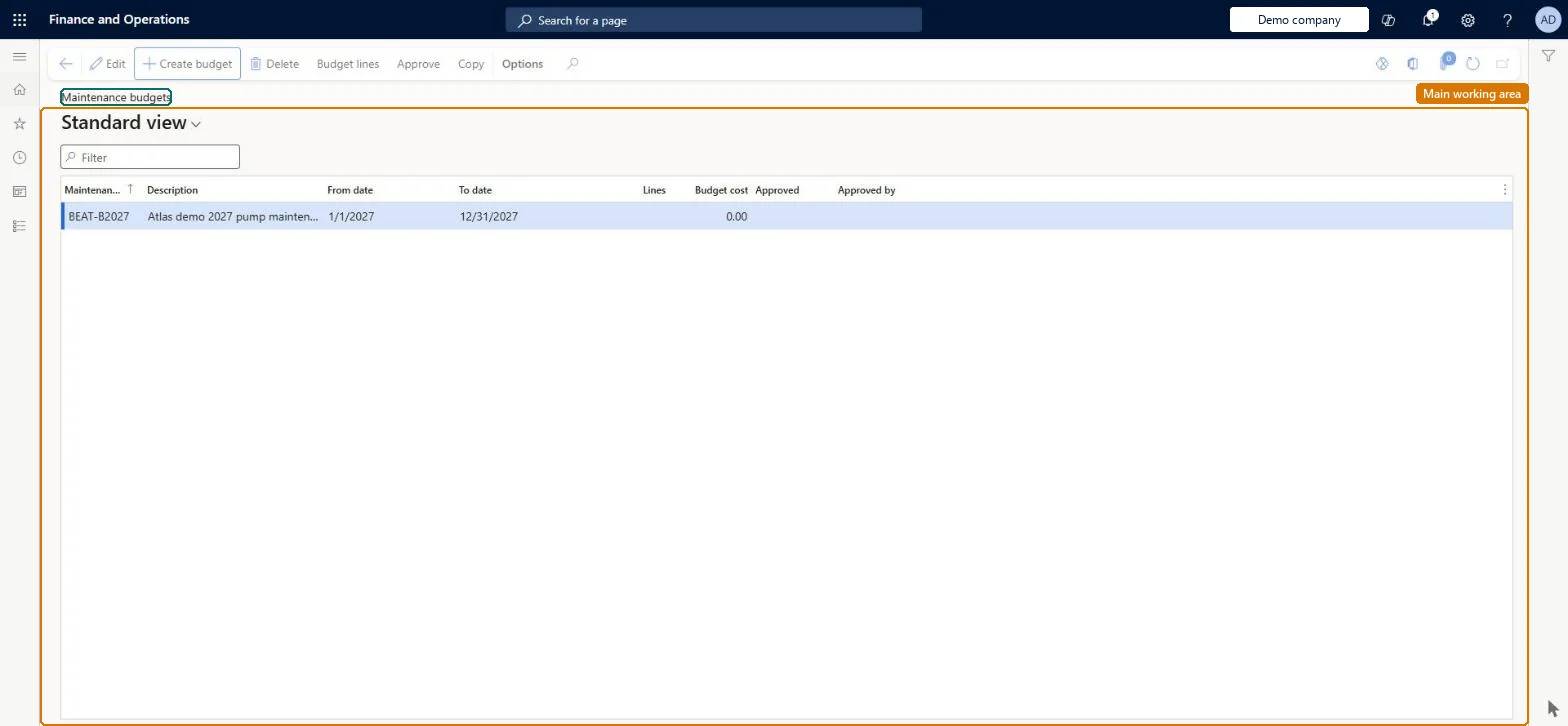
Budget page in Dynamics 365
The page in Dynamics 365. page title tab to open what to set or check
Functional consultant · Solution architect

2Where it fits

End user · Functional consultant

3How to do it

About the examples: Examples and screenshots in this guide use BEAT, a demo company in a Dynamics 365 test environment. Use your own company's codes and values instead of copying them.

Steps from Microsoft

  1. Go to Asset management > Inquiries > Maintenance budget > Budget.
  2. Select Create budget.
  3. Enter a budget ID in the Maintenance budget field and a description in the Description field.
  4. On the Period FastTab, enter the From date and To date of the budget period.
  5. To include corrective costs from an earlier period, enter a Corrective from date.
  6. Set the options on the Group by FastTabs.
  7. Select OK.
  8. Select Budget lines to review the lines, and select Approve to approve the budget.

Source: Microsoft Learn

Fields on the page

FieldWhat it meansTable column
Maintenance budgetID of the budget.Microsoft Learn BudgetId
From date / To dateStart and end of the budget period.Microsoft Learn
Corrective from dateStart of the earlier period whose actual corrective costs are included in the budget.Microsoft Learn
Approved byName of the user who approved the budget.Microsoft Learn ApprovedBy
Solution architect

4Design impact

If you change it laterAfter a budget is approved, its lines cannot be recalculated or adjusted until the approval is removed. Microsoft Learn
Technical architect

5Technical

Menu itemEntAssetBudget Checked in Dynamics 365
FormEntAssetBudget Checked in Dynamics 365
TableEntAssetBudgetShown as “MAINTENANCE BUDGETS” in Record infoKey field: BudgetIdChecked in Dynamics 365
Who can open itPrivilegesMaintain maintenance budget EntAssetBudgetMaintainView maintenance budget EntAssetBudgetViewDutiesInquire into budget EntAssetBudgetInquireMaintain budget EntAssetBudgetMaintain
2 security rolesMaintenance clerk EntAssetMaintenanceClerkMaintenance manager EntAssetMaintenanceManager
Checked in Dynamics 365
Roles to set it up and use itTo set it up or change itMaintenance manager EntAssetMaintenanceManagerMaintenance clerk EntAssetMaintenanceClerkGive people one of these roles. On this system, 2 roles can open this page.Checked in Dynamics 365
Actions on the page(Action Pane without tabs): Create budget, Delete, Budget lines, Approve, CopyChecked in Dynamics 365
Developer

6Developer

Open it by URLhttps://<your-environment>/?mi=EntAssetBudget
Everyone

7Sources