About the examples: Examples and screenshots in this guide use BEAT, a demo company in a Dynamics 365 test environment. Use your own company's codes and values instead of copying them.
When to run it
When to run it
After maintenance plans are set up or changed, and regularly to keep the maintenance calendar filled ahead.
How often
At regular intervals that keep schedule lines created for the period you set, for example monthly for a three-month horizon.
Batch settings
Set it up as a recurring batch job; counter-based plans give better lines when Update asset counters runs first.
What the output shows
Maintenance schedule lines (work order proposals) for time-based and counter-based plans, and work orders where Auto create applies. No lines for a past date is expected: lines with a start earlier than now aren't created.
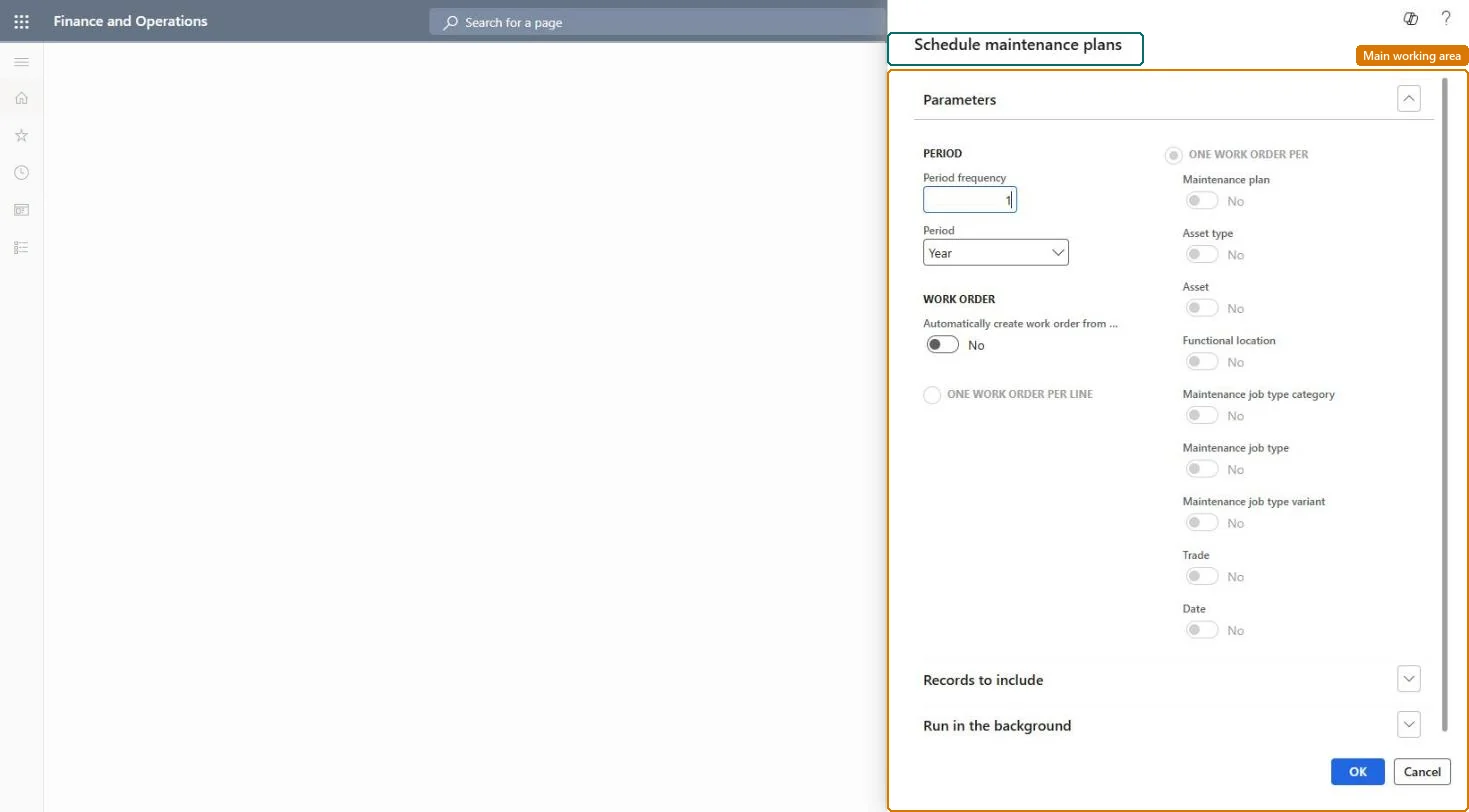
Go to Asset management > Periodic > Preventive maintenance > Schedule maintenance plans.
In Period and Period frequency, set how far ahead maintenance schedule lines are created, for example 3 months.
Set Auto create if specified in the line to Yes if work orders should be created for plan lines that also have Auto create selected; otherwise only schedule lines with status Created are made.
Select Filter to limit the run to maintenance plans, assets, asset types, functional locations or functional location types.
Open All maintenance schedule and look at the new lines and any work orders created.
Partly: Schedule lines can be deleted on the maintenance schedule. Work orders created automatically must be handled as normal work orders. Microsoft Learn
If you change it later
If you change asset types, manufacturers, or models on a functional location's maintenance plans after scheduling, the existing schedule entries for that location are deleted and you must schedule again. Microsoft Learn
Technical architect
5Technical
Menu item
EntAssetMaintenancePlanObjectsServicePeriodicChecked in Dynamics 365
Form
SysOperationTemplateFormChecked in Dynamics 365
Roles to set it up and use it
To use itMaintenance manager EntAssetMaintenanceManagerMaintenance clerk EntAssetMaintenanceClerkGive people one of these roles. On this system, 2 roles can run this page.Checked in Dynamics 365