BeyondERP.Newsletter
Menu

Inquiry page · Asset management

Asset aggregated value

An inquiry page that shows the latest registration made on every counter type for every asset.

Used by
Maintenance clerk, Maintenance manager, Maintenance worker
Business process
Monitor asset performance
Menu item
EntAssetObjectCounterTotals
Data entity
EntAssetMaintenanceAssetAggregatedCounterEntity
Show what matters for
PAGE GUIDEWhat the page does and how to use it6 sections. Choose a role to highlight what matters to you.
Everyone

1What it is and why

What it isAn inquiry page that shows the latest registration made on every counter type for every asset.
What you do hereUse this page to review the latest counter values across all assets; you can't add or edit registrations here.
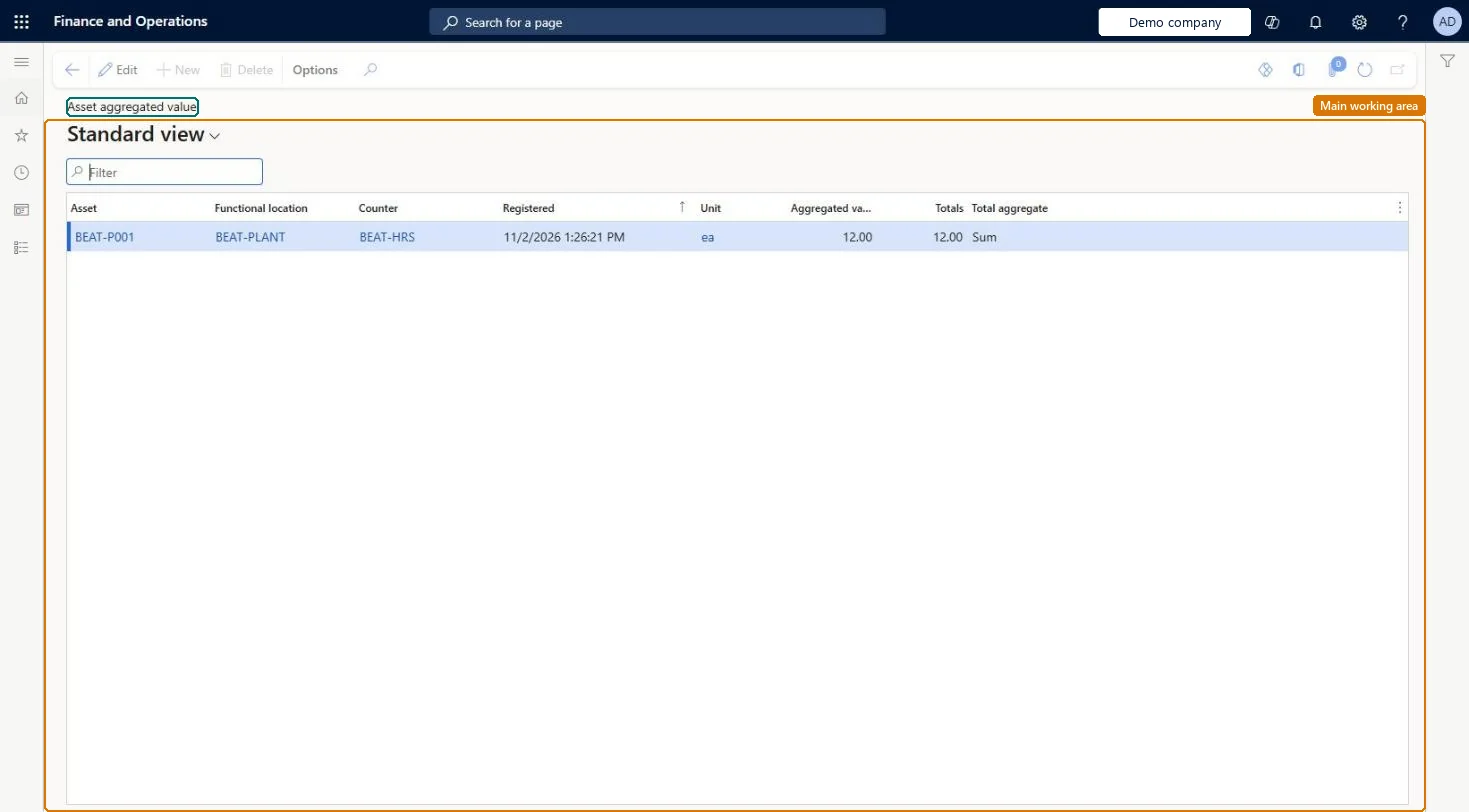
Asset aggregated value page in Dynamics 365
The page in Dynamics 365. page title tab to open what to set or check
Functional consultant · Solution architect

2Where it fits

Business processAnalyze assets › Monitor asset performance
Menu pathAsset management › Inquiries › Assets › Asset aggregated value
Set up firstCounters Microsoft Learn
Related pagesAsset counters Microsoft Learn Update asset counters Microsoft Learn
End user · Functional consultant

3How to do it

About the examples: Examples and screenshots in this guide use BEAT, a demo company in a Dynamics 365 test environment. Use your own company's codes and values instead of copying them.

Steps from Microsoft

  1. Go to Asset management > Inquiries > Assets > Asset aggregated value.
  2. Use the list for an overview of the latest registration made on every counter type for every asset; you can't add or edit registrations here.
  3. Search on the Asset or Counter column to compare one counter, such as production hours, across assets, or to see all counters of one asset; Functional location shows where each asset is installed.
  4. Read Registered as the date and time of the latest reading, Aggregated value as the running count on the counter, and Totals as the sum of all registered values on that counter type.
  5. Check the Total aggregate column: Sum adds each registered value to the total, while Average suits counters that monitor a threshold such as temperature or vibration.
  6. To correct or add a reading, go to Asset management > Assets > All assets, select the asset, and on the Asset tab, in the Preventive group, select Counters.

Source: Microsoft Learn

Technical architect

4Technical

Menu itemEntAssetObjectCounterTotals Checked in Dynamics 365
FormEntAssetObjectCounterTotals Checked in Dynamics 365
Data entitiesEntAssetMaintenanceAssetAggregatedCounterEntityAsset management asset aggregated values Checked in Dynamics 365EntAssetMaintenanceAssetCounterRegistrationEntityAsset management asset counter values Checked in Dynamics 365
Who can open itPrivilegesMaintain maintenance asset counter values EntAssetObjectCounterMaintainView maintenance asset counter values EntAssetObjectCounterViewDutiesInquire into asset master EntAssetObjectMasterInquireMaintain asset master EntAssetObjectMasterMaintain
3 security rolesMaintenance clerk EntAssetMaintenanceClerkMaintenance manager EntAssetMaintenanceManagerMaintenance worker EntAssetMaintenanceWorker
Checked in Dynamics 365
Roles to set it up and use itTo use itMaintenance manager EntAssetMaintenanceManagerMaintenance clerk EntAssetMaintenanceClerkMaintenance worker EntAssetMaintenanceWorkerGive people one of these roles. On this system, 3 roles can open this page.Checked in Dynamics 365
Developer

5Developer

Open it by URLhttps://<your-environment>/?mi=EntAssetObjectCounterTotals
Integrate withEntAssetMaintenanceAssetAggregatedCounterEntity data entity Checked in Dynamics 365
Everyone

6Sources