Accounts receivable clerk, Accounts receivable manager, Auditor and 7 more roles
Business process
Generate invoices for government services in Dynamics 365 Finance
Menu item
CustBillingCode
Main table
CustBillingCode
Setup steps
1 on this page
Show what matters for
PAGE GUIDEWhat the page does and how to use it8 sections. Choose a role to highlight what matters to you.
Everyone
1What it is and why
What it is
A public sector setup page for billing codes, which hold default billing values and rates for a defined type of service or charge.
What you do here
Use it to define billing codes whose values (description, dates, sales tax, interest, accounting distribution, rates, custom fields) fill in free text invoice lines automatically.
Example
A waste management department uses a New container billing code so that the container charge details are entered automatically when it invoices customers for new containers.
The page in Dynamics 365. page title tab to open what to set or check
About the examples: Examples and screenshots in this guide use BEAT, a demo company in a Dynamics 365 test environment. Use your own company's codes and values instead of copying them.
Step by step, with screenshots
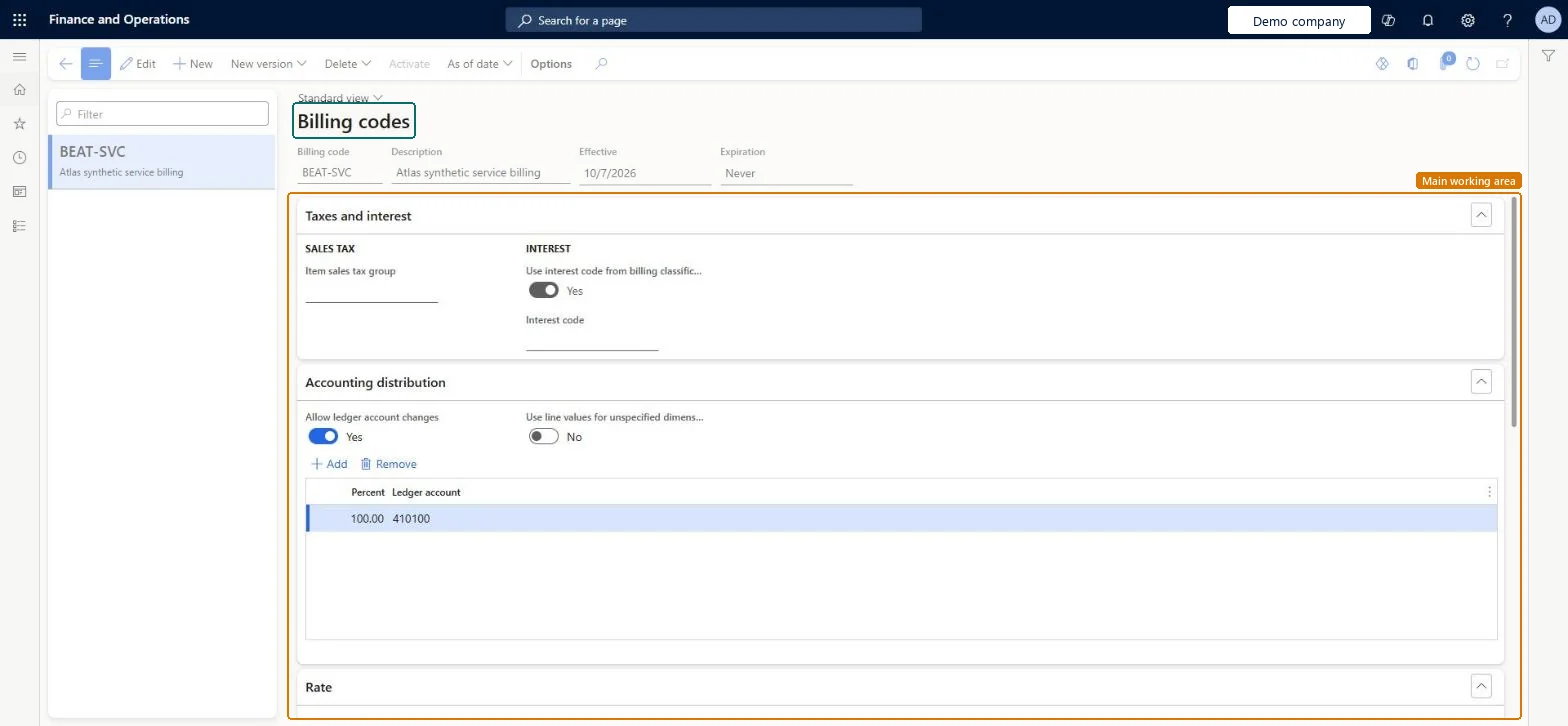
Set up Billing codes1 screen
Set up the optional billing codes used for charges on free text invoice lines.
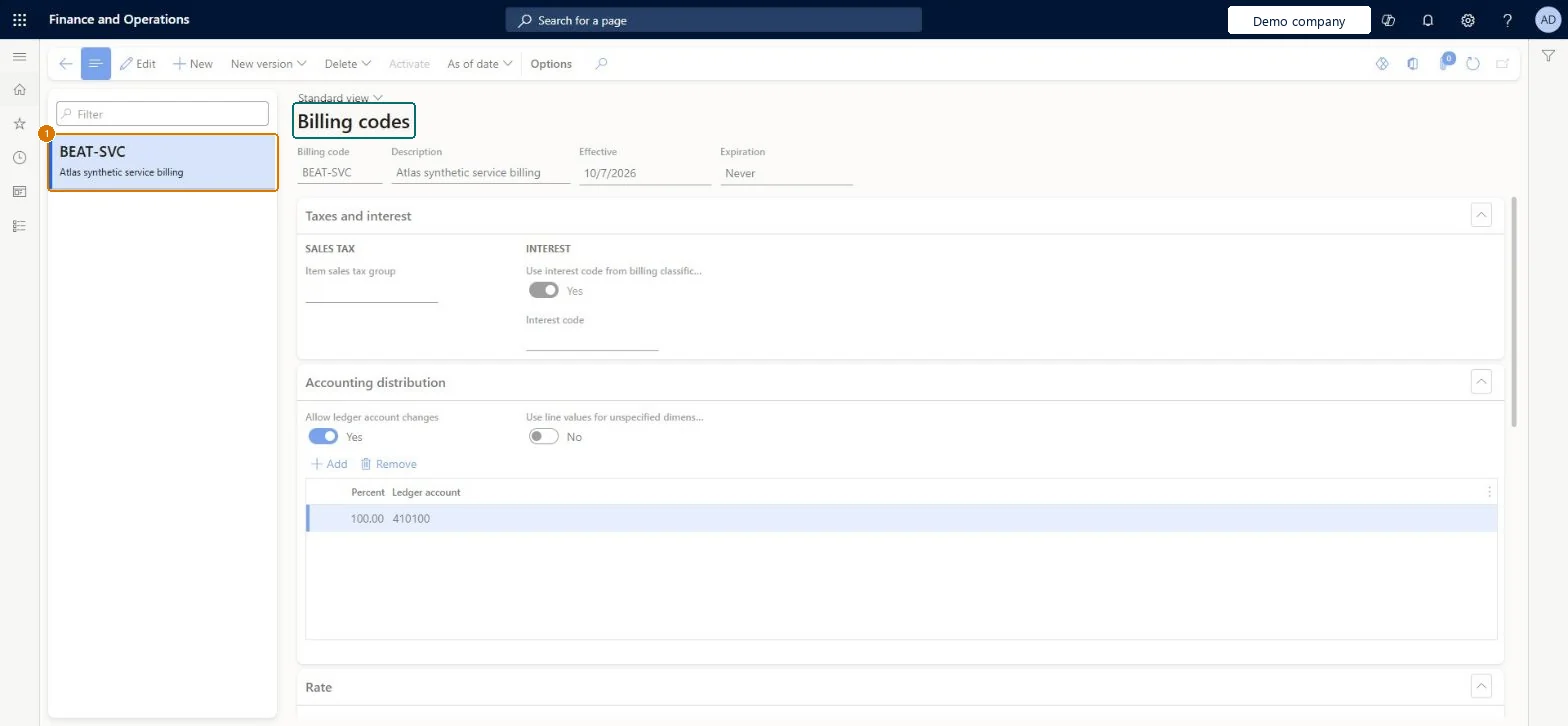
Screen 1
Create the billing code
Go to Accounts receivable > Setup > Billing codes
Select New and enter the billing code, description and effective date
On the Accounting distribution FastTab, set Allow ledger account changes to Yes
Select Add and enter the percent and ledger account
1Billing code
BEAT-SVC
Description
Service billing
Effective
10/7/2026
Expiration
Never
Allow ledger account changes
Yes
Percent
100.00
Ledger account
410100
Show the full screen page title tab to open what to set or check
How to use it
Go to Accounts receivable > Setup > Billing codes.
Select New to add a billing code, or select a code in the list and select Edit.
Fill in the Billing code, Description, Effective and Expiration fields.
In the Taxes and interest section, set the Item sales tax group and the Interest code.
In the Accounting distribution section, select Add, then enter a Percent and a Ledger account.
Use New version, Delete, Activate or As of date in the Action Pane when you need them.
When rates change, add a new version of the existing billing code with its own effective and expiration dates instead of creating a new code.The system starts using the new version automatically on its effective date, so invoice users keep picking the same code.
Trying to share one billing code across departments. A billing code can be assigned to only one billing classification, so create identical codes, one per classification.
Reversible: Billing code values are defaults copied onto free text invoice lines when the code is selected. New versions with their own dates replace the rates going forward; invoices already created keep their values. Microsoft Learn
If you change it later
When rates change, add a new version of the billing code with its own effective and expiration dates; the new version is used automatically from its effective date. Microsoft Learn
Technical architect
6Technical
Menu item
CustBillingCodeChecked in Dynamics 365
Form
CustBillingCodeChecked in Dynamics 365
Table
CustBillingCodeShown as “Billing code” in Record infoKey field: RecIdChecked in Dynamics 365
Who can open it
PrivilegesMaintain billing codes in setup CustBillingCodeMaintainView billing codes in setup CustBillingCodeViewDutiesInquire into invoice and cash policies CustInvoiceInvoiceAndCashPoliciesInquirEnable invoice and cash process CustInvoiceInvoiceAndCashProcessEnableInquire into invoice and cash policies RentalCustInvInvoiceAndCashPolInquirEnable invoice and cash process RentalCustInvoiceInvAndCashProcEnable10 security rolesAuditor AuditPolicyManagerCollections manager CollectionLetterCollectionsManagerAccounts receivable clerk CustInvoiceAccountsReceivableClerkAccounts receivable manager CustInvoiceAccountsReceivableManagerAccounting manager LedgerAccountingManagerAccounting supervisor LedgerAccountingSupervisorAccounts receivable centralized payments clerk PaymAccountsReceivableCentralPaymClerkAccounts receivable payments clerk PaymAccountsReceivablePaymentsClerkRental coordinator agent RentalCoordinatorAgentRental manager RentalManagerChecked in Dynamics 365
Roles to set it up and use it
To set it up or change itRental manager RentalManagerAccounts receivable manager CustInvoiceAccountsReceivableManagerRental coordinator agent RentalCoordinatorAgentCollections manager CollectionLetterCollectionsManagerAccounting supervisor LedgerAccountingSupervisorTo use itAccounts receivable clerk CustInvoiceAccountsReceivableClerkAccounts receivable payments clerk PaymAccountsReceivablePaymentsClerkAccounts receivable centralized payments clerk PaymAccountsReceivableCentralPaymClerkAuditor AuditPolicyManagerGive people one of these roles. On this system, 10 roles can open this page.Checked in Dynamics 365
Actions on the page
Options: Personalize, Page options, ShareChecked in Dynamics 365
Checked in a working Dynamics 365 system, version 10.0.49: the menu item, form, table and security, the page, the demo records and the values in the screenshots.