Job page · Accounts receivable
Calculate period charge
The Calculate period charge batch job, part of the Period charges feature.
- Used by
- —
- Business process
- —
- Menu item
Action:MarkupPeriodChargeCalculateService- Main table
- —
- Data entity
- —
- Setup steps
- —
Show what matters for
Everyone
1What it is and why
| What it is | The Calculate period charge batch job, part of the Period charges feature. |
|---|---|
| What you do here | Calculates period charges and generates free text invoice lines for customers whose invoiced orders over a period don't meet the criteria in period charge rules; can run manually or on a recurrence. |
| Example | A rule sets a 100 USD freight threshold; customer US-001 was charged 45 USD freight from January 1 to 10, so the job creates a free text invoice line of 55 USD. |
Functional consultant · Solution architect
2Where it fits
| Business process | — |
|---|---|
| Menu path | Accounts receivable › Periodic tasks › Calculate period charge |
| Set up first | Period charge rule Microsoft Learn ↗Accounts receivable parameters Microsoft Learn ↗ |
| Used next by | All free text invoices Microsoft Learn ↗ |
| Related pages | — |
End user · Functional consultant
3How to do it
Microsoft's steps
- Go to Accounts receivable > Periodic tasks > Calculate period charge.
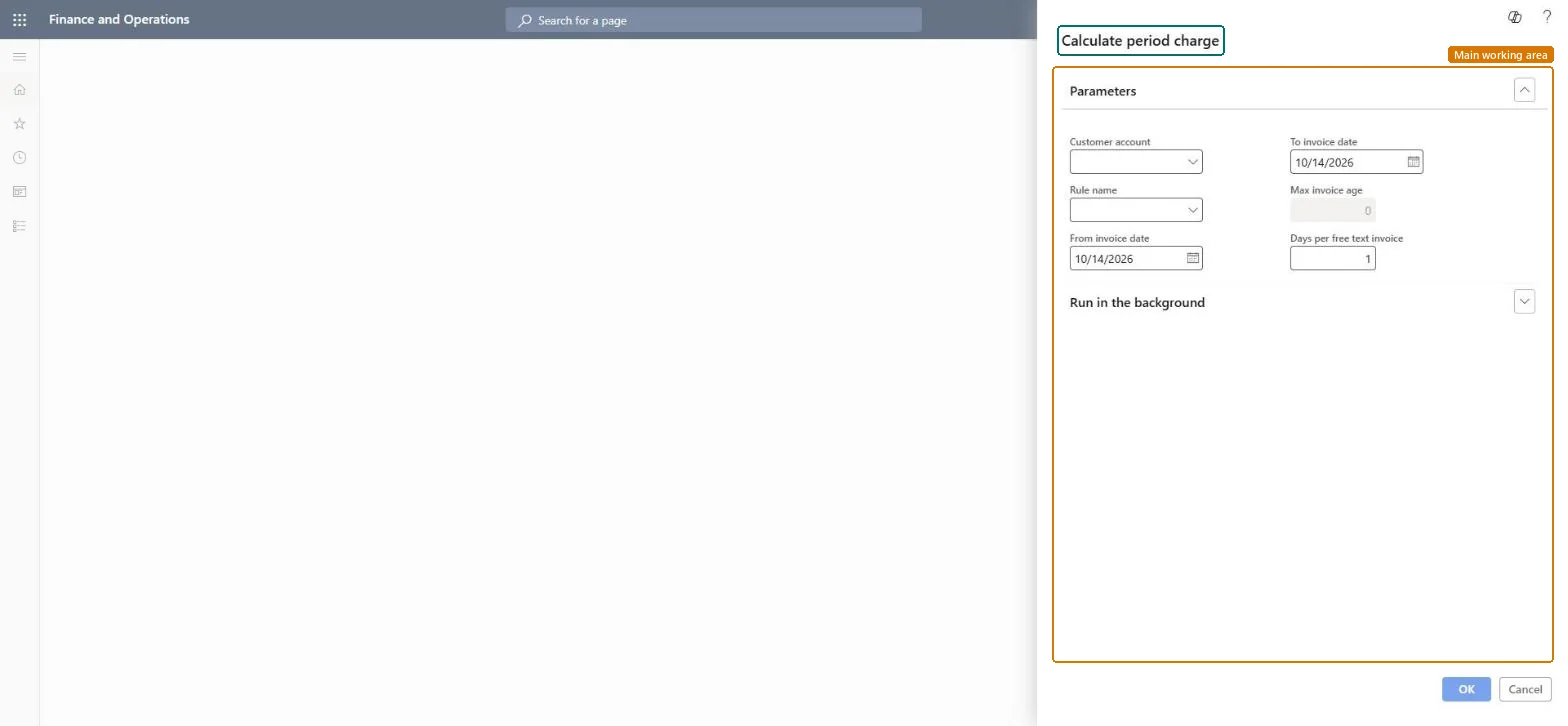
- On the Parameters FastTab, optionally select a Customer account and a Rule name, or leave them blank for all.
- Enter From invoice date and To invoice date, or for a recurring job leave them blank and set Max invoice age.
- In the Days per free text invoice field, enter the number of days each generated invoice covers.
- On the Run in the background tab, set the batch options and, if needed, a Recurrence.
- Select OK to run or schedule the job.
Source: Microsoft Learn ↗
Field guide
| Field | What it means | Worked example | Table column |
|---|---|---|---|
| Customer account | The invoice account to calculate charges for; leave blank for all.Microsoft Learn ↗ | — | — |
| Rule name | A single period charge rule to calculate; leave blank for all rules.Microsoft Learn ↗ | — | — |
| Max invoice age | The maximum age in days of invoices to include; used for recurring jobs.Microsoft Learn ↗ | — | — |
| Days per free text invoice | How many days each generated free text invoice covers.Microsoft Learn ↗ | — | — |
Functional consultant
4Setup decisions
| Setup step | Recommended value and why | Decision · common mistake · test |
|---|---|---|
| — No setup is made on this page. | ||
Solution architect
5Design impact
| Shared or per company | — |
|---|---|
| Can it be undone | — |
| Feature or country | — |
| If you change it later | — |
Technical architect
6Technical
| Menu item | Action:MarkupPeriodChargeCalculateService Checked in Dynamics 365 |
|---|---|
| Form | SysOperationTemplateForm Checked in Dynamics 365 |
| Table | — |
| Data entities | — |
| Who can open it | — |
| Actions on the page | — |
Developer
7Developer
| Open it directly | https://<your-environment>/?mi=Action:MarkupPeriodChargeCalculateService |
|---|---|
| Integrate with | — |
| Table definition | — |
Everyone
8Sources and checks
- learn.microsoft.com/dynamics365/supply-chain/sales-marketing/period-charges
- learn.microsoft.com/dynamics365/supply-chain/sales-marketing/period-charges
- Checked in a working Dynamics 365 system, version 10.0.49: the menu item, form, table and security, the page.