Transaction page · Accounts receivable
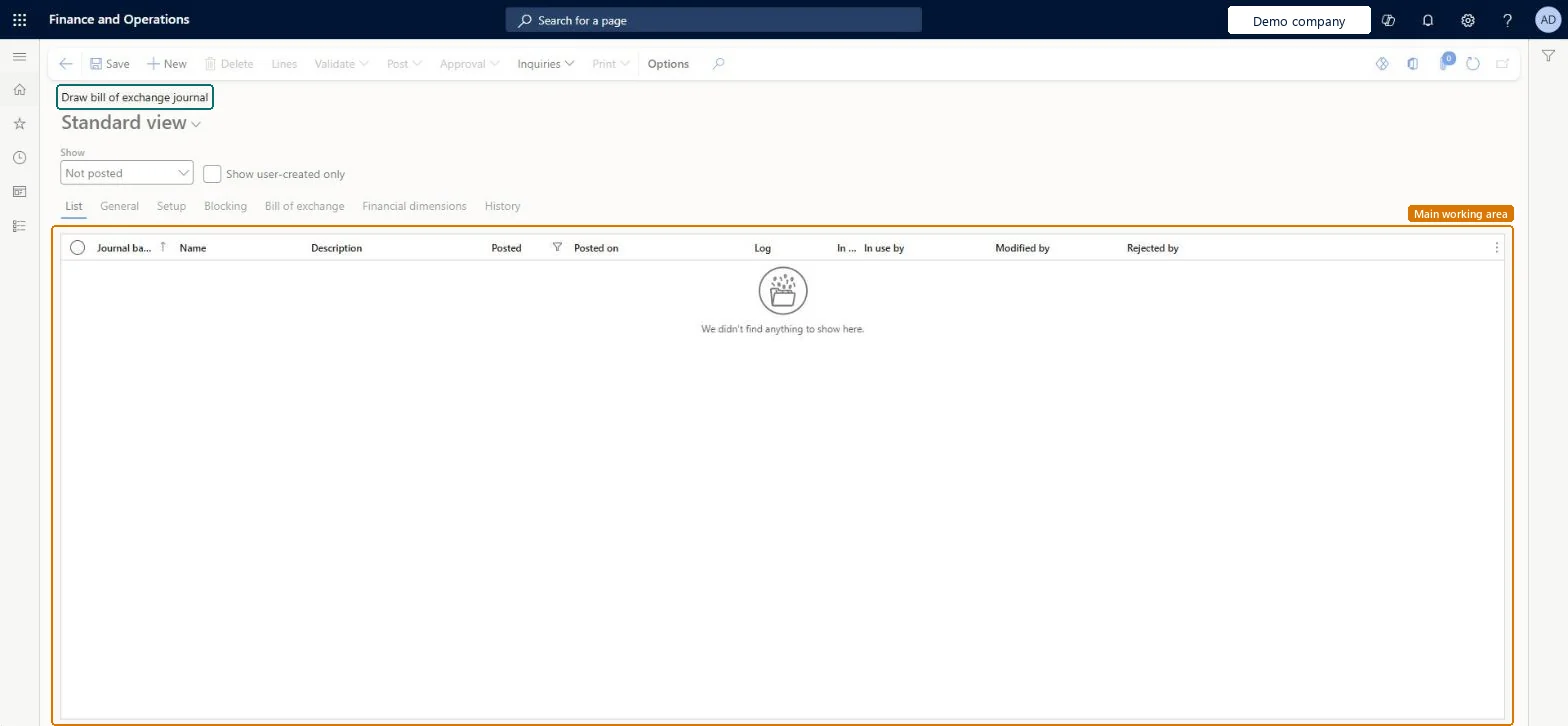
Draw bill of exchange journal
The journal page for the Customer draws bill of exchange journal type (also used for the Customer accepts bill of exchange type).
- Used by
- Accounts receivable clerk, Accounts receivable manager, Collections agent and 7 more roles
- Business process
- —
- Menu item
LedgerJournalTable_CustDrawBill- Main table
LedgerJournalTable- Data entity
ExpenseJournalHeaderEntity- Setup steps
- —
Show what matters for
Everyone
1What it is and why
| What it is | The journal page for the Customer draws bill of exchange journal type (also used for the Customer accepts bill of exchange type). |
|---|---|
| What you do here | Used to create customer draw bill of exchange transactions and customer acceptance transactions for bills of exchange. |
| Example | For example, when a customer pays a sales order invoice or a free text invoice with a bill of exchange, the customer account is credited. |
Functional consultant · Solution architect
2Where it fits
| Business process | — |
|---|---|
| Menu path | Accounts receivable › Payments › Bill of exchange › Draw bill of exchange journal |
| Set up first | Journal names Microsoft Learn ↗Customer posting profiles Microsoft Learn ↗Methods of payment Microsoft Learn ↗Accounts receivable parameters Microsoft Learn ↗Methods of payment: automatic draw turned off Microsoft Learn ↗ |
| Used next by | Bill of exchange journal Microsoft Learn ↗Bill of exchange statistics Microsoft Learn ↗ |
| Related pages | Protest bill of exchange journal Microsoft Learn ↗Redraw bill of exchange journal Microsoft Learn ↗Remittance journal Microsoft Learn ↗Settle bill of exchange journal Microsoft Learn ↗ |
End user · Functional consultant
3How to do it
Microsoft's steps
- Go to Accounts receivable > Payments > Bill of exchange > Draw bill of exchange journal.
- Create a journal, and then select Lines.
- Select the customer account, and then open settlement to see the open transactions.
- Select the Mark check box for the open invoice.
- Close the settlement page.
- Post the journal.
Source: Microsoft Learn ↗
Field guide
| Field | What it means | Worked example | Table column |
|---|---|---|---|
| Bill of exchange | Tab on the journal where you enter the bill of exchange details.Microsoft Learn ↗ | — | — |
Functional consultant
4Setup decisions
| Setup step | Recommended value and why | Decision · common mistake · test |
|---|---|---|
| — No setup is made on this page. | ||
Solution architect
5Design impact
| Shared or per company | Per company: each legal entity has its own records. Microsoft data model ↗ |
|---|---|
| Can it be undone | — |
| Feature or country | — |
| If you change it later | If the method of payment is set to create and post the draw journal automatically, bills of exchange are drawn when invoices are posted and this journal isn't used for them. Microsoft Learn ↗ |
Technical architect
6Technical
| Menu item | LedgerJournalTable_CustDrawBill Checked in Dynamics 365 |
|---|---|
| Form | LedgerJournalTable Checked in Dynamics 365 |
| Table | LedgerJournalTableShown as “Ledger journal table” in Record infoKey field: JournalNumChecked in Dynamics 365 |
| Data entities | ExpenseJournalHeaderEntityProject expense journal header Microsoft data model ↗VendInvoiceJournalHeaderEntityVendor invoice journal header Microsoft data model ↗VendInvoiceRegisterHeaderEntityVendor invoice register header Microsoft data model ↗VendorPaymentJournalHeaderEntityVendor payment journal header Microsoft data model ↗CustInvoiceJournalHeaderEntityCustomer invoice journal header Microsoft data model ↗CustomerPaymentJournalHeaderEntityCustomer payment journal header Microsoft data model ↗BankJournalHeaderEntityBank journal header Microsoft data model ↗AssetJournalEntityFixed asset journal Microsoft data model ↗AssetJournalHeaderEntityFixed asset journal table Microsoft data model ↗AssetJournalV2EntityFixed asset journal V2 entity Microsoft data model ↗LedgerJournalEntityGeneral journal Microsoft data model ↗LedgerJournalHeaderEntityLedger journal table Microsoft data model ↗LedgerReportingCurrencyAdjustmentJournalHeaderEntityReporting currency adjustment journal header Microsoft data model ↗SlipJournalEntitySlip journal Microsoft data model ↗RAssetJournalHeaderEntityFixed asset journal header (Russia) Microsoft data model ↗ |
| Who can open it | PrivilegesMaintain draw bill of exchange journal transactions LedgerJournalTable_CustDrawBillMaintainView draw bill of exchange journal transactions LedgerJournalTable_CustDrawBillViewDutiesMaintain customer invoice transactions CustInvoiceCustomerInvoiceTransMaintainInquire into bill of exchange status PaymBillOfExchangeStatusInquireMaintain bill of exchange transactions PaymBillOfExchangeTransactionsMaintain10 security rolesCollections agentCollectionLetterCollectionsAgentCollections manager CollectionLetterCollectionsManagerAccounts receivable clerk CustInvoiceAccountsReceivableClerkAccounts receivable manager CustInvoiceAccountsReceivableManagerAccountant LedgerAccountantAccounting manager LedgerAccountingManagerAccounting supervisor LedgerAccountingSupervisorFinancial controller LedgerFinancialControllerAccounts receivable centralized payments clerk PaymAccountsReceivableCentralPaymClerkAccounts receivable payments clerk PaymAccountsReceivablePaymentsClerk |
| Actions on the page | Buttons: Lines, Validate, Post, Approval, Inquiries, PrintChecked in Dynamics 365 |
Developer
7Developer
| Open it directly | https://<your-environment>/?mi=LedgerJournalTable_CustDrawBill |
|---|---|
| Integrate with | ExpenseJournalHeaderEntity data entity Microsoft data model ↗ |
| Table definition | LedgerJournalTable columns and relations Microsoft data model ↗ |
Everyone
8Sources and checks
- learn.microsoft.com/dynamics365/finance/general-ledger/ledger-journal-types
- learn.microsoft.com/previous-versions/dynamicsax-2012/appuser-itpro/draw-a-bill-of-exchange
- learn.microsoft.com/common-data-model/schema/core/operationscommon/tables/finance/accountingfoundation/worksheetheader/ledgerjournaltable
- learn.microsoft.com/dynamics365/finance/accounts-receivable/set-up-bills-exchange
- learn.microsoft.com/dynamics365/finance/general-ledger/ledger-journal-types
- learn.microsoft.com/dynamics365/finance/accounts-receivable/close-accounts-receivable
- Checked in a working Dynamics 365 system, version 10.0.49: the menu item, form, table and security, the page.