Transaction page · Accounts receivable
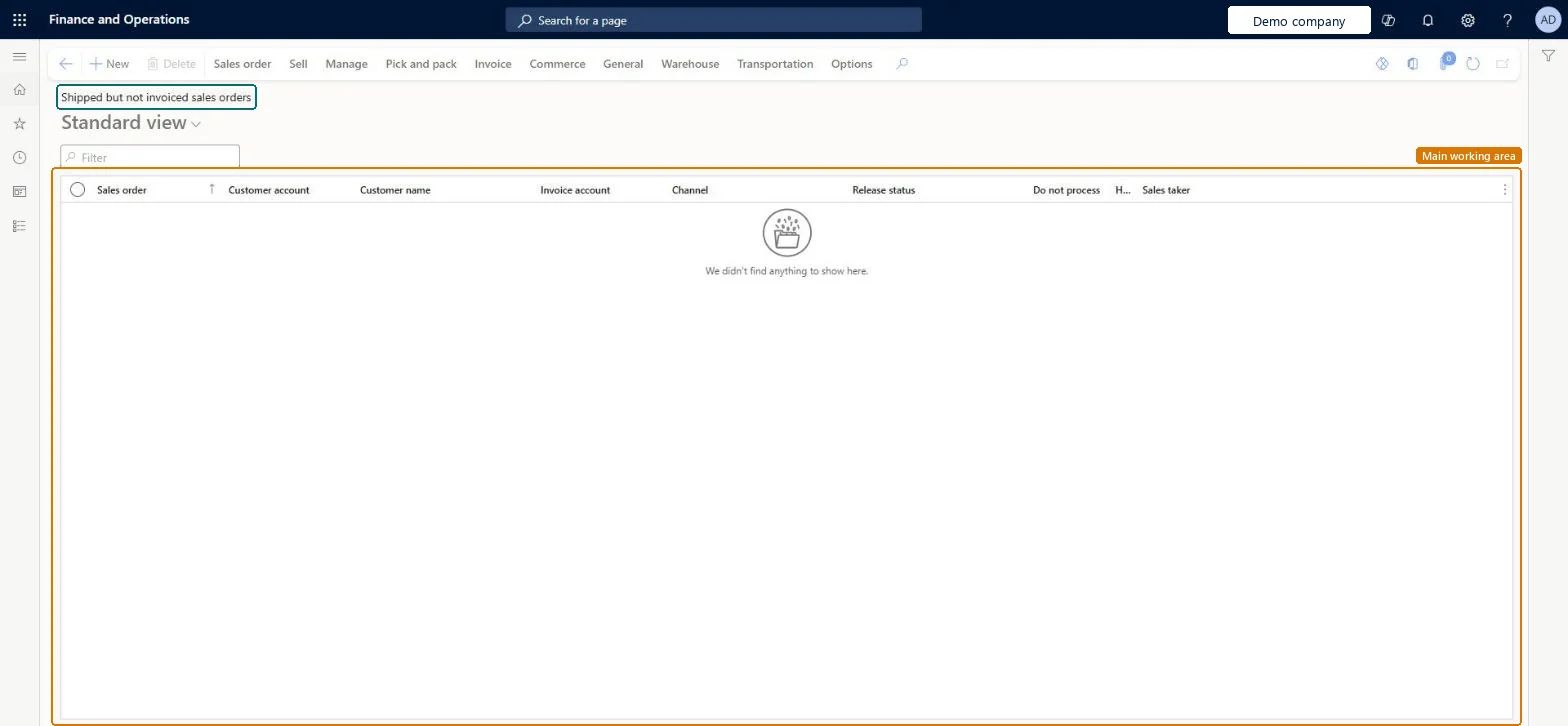
Shipped but not invoiced sales orders
A list of sales orders that the Learn procedure uses as the starting point for invoicing a sales order.
- Used by
- Accounts receivable clerk, Accounts receivable manager, Collections agent and 8 more roles
- Business process
- —
- Menu item
SalesTableListPageShippedNotInvoiced- Main table
SalesTable- Data entity
ReturnOrderHeaderEntity- Setup steps
- —
Show what matters for
Everyone
1What it is and why
| What it is | A list of sales orders that the Learn procedure uses as the starting point for invoicing a sales order. |
|---|---|
| What you do here | Select a sales order in the list and use Invoice > Generate > Invoice to create and post its invoice. |
| Example | Invoicing a sales order that has several packing slips; the posting page shows Multiple instead of a single packing slip number. |
Functional consultant · Solution architect
2Where it fits
| Business process | — |
|---|---|
| Menu path | Accounts receivable › Orders › Shipped but not invoiced sales orders |
| Set up first | Packing slips posted for the sales order Microsoft Learn ↗ |
| Used next by | Open customer invoices Microsoft Learn ↗ |
| Related pages | Invoice (batch invoicing) Microsoft Learn ↗All sales orders Microsoft Learn ↗ |
End user · Functional consultant
3How to do it
Microsoft's steps
- Go to Accounts receivable > Orders > Shipped but not invoiced sales orders.
- Select a sales order in the list.
- On the Action Pane, select Invoice > Generate > Invoice.
- Expand the Parameters section and make sure Posting is set to Yes.
- In the Print field, select when to print, for example After.
- Set Print invoice to Yes if the invoice should be printed.
- In the Print charges field, select Summarize.
- In the Check credit limit field, select Balance.
- Select OK to post the invoice.
Source: Microsoft Learn ↗
Field guide
| Field | What it means | Worked example | Table column |
|---|---|---|---|
| Quantity | Which quantities the invoice is based on, such as All, Picked or Packing slip.Microsoft Learn ↗ | — | — |
| Posting | Turn on to post the invoice; turn off to print a pro forma document instead.Microsoft Learn ↗ | — | — |
| Print invoice | Prints the invoice; turn off to post without printing.Microsoft Learn ↗ | — | — |
| Prints after each invoice is updated (Current) or after all invoices are updated (After).Microsoft Learn ↗ | — | — | |
| Check credit limit | What the credit limit check looks at: nothing, the balance, or the balance plus deliveries and open orders.Microsoft Learn ↗ | — | — |
| Summary update for | How several sales orders are combined into invoices, for example by invoice account.Microsoft Learn ↗ | — | — |
| Late selection | Runs the selection query when the batch job runs instead of now.Microsoft Learn ↗ | — | — |
Functional consultant
4Setup decisions
| Setup step | Recommended value and why | Decision · common mistake · test |
|---|---|---|
| — No setup is made on this page. | ||
Solution architect
5Design impact
| Shared or per company | Per company: each legal entity has its own records. Microsoft data model ↗ |
|---|---|
| Can it be undone | — |
| Feature or country | — |
| If you change it later | Posting the invoice updates the invoice remainder from the packing slips; the order becomes Invoiced only when nothing is left to deliver or invoice. Microsoft Learn ↗ |
Technical architect
6Technical
| Menu item | SalesTableListPageShippedNotInvoiced Checked in Dynamics 365 |
|---|---|
| Form | SalesTableListPage Checked in Dynamics 365 |
| Table | SalesTableShown as “Sales orders” in Record infoKey field: SalesIdChecked in Dynamics 365 |
| Data entities | ReturnOrderHeaderEntityReturn order headers Microsoft data model ↗SalesOrderHeaderV2EntitySales order headers V2 Microsoft data model ↗SalesOrderHeaderV2ExistAddrReadOnlyEntitySales order headers V2 readonly with the delivery address Microsoft data model ↗CustCollectionsBISalesOnHoldSales orders on hold for customers Microsoft data model ↗ |
| Who can open it | PrivilegesView shipped but not invoiced sales orders SalesTableListPageShippedNotInvoiViewDutiesInquire into customer invoice status CustInvoiceCustomerInvoiceStatusInquireMaintain customer invoice transactions CustInvoiceCustomerInvoiceTransMaintain11 security rolesCollections agentCollectionLetterCollectionsAgentCollections manager CollectionLetterCollectionsManagerChief financial officer CompanyChiefFinancialOfficerAccounts receivable clerk CustInvoiceAccountsReceivableClerkAccounts receivable manager CustInvoiceAccountsReceivableManagerAccountant LedgerAccountantAccounting manager LedgerAccountingManagerAccounting supervisor LedgerAccountingSupervisorFinancial controller LedgerFinancialControllerAccounts receivable centralized payments clerk PaymAccountsReceivableCentralPaymClerkAccounts receivable payments clerk PaymAccountsReceivablePaymentsClerk |
| Actions on the page | Sales order: Payments, Copy, View, Functions, Attachments, Clean up, Engineering change requestSell: Charges, Tax, Calculate, Actions, Process, Journals, PrepaymentManage: Intercompany tracing, Coupons, Revenue recognitionPick and pack: JournalsInvoice: Generate, Bill, Settle, DeductionsCommerce: Attributes, Inquiries, AffiliationsGeneral: Set up, Customer, Maintain, Related information, CAPAWarehouse: Related information, Loads, ActionsTransportation: Rating, InvoiceChecked in Dynamics 365 |
Developer
7Developer
| Open it directly | https://<your-environment>/?mi=SalesTableListPageShippedNotInvoiced |
|---|---|
| Integrate with | ReturnOrderHeaderEntity data entity Microsoft data model ↗ |
| Table definition | SalesTable columns and relations Microsoft data model ↗ |
Everyone
8Sources and checks
- learn.microsoft.com/dynamics365/finance/accounts-receivable/tasks/create-sales-order-invoices
- learn.microsoft.com/dynamics365/finance/accounts-receivable/tasks/create-sales-order-invoices
- learn.microsoft.com/common-data-model/schema/core/operationscommon/tables/supplychain/salesandmarketing/worksheetheader/salestable
- learn.microsoft.com/dynamics365/finance/accounts-receivable/configure-customer-invoices
- Checked in a working Dynamics 365 system, version 10.0.49: the menu item, form, table and security, the page.