About the examples: Examples and screenshots in this guide use BEAT, a demo company in a Dynamics 365 test environment. Use your own company's codes and values instead of copying them.
When to run it
When to run it
When free text invoices are approved and ready to post, for example at the end of a billing cycle or before you close the period.
How often
On demand, or as a recurring batch when many free text invoices are created; Learn gives no fixed cadence.
Batch settings
Run it in batch for large volumes. With Stop posting of free text invoices on first error set in Accounts receivable parameters, one error stops the whole batch.
What the output shows
Posted free text invoices and a detailed posting process report in batch job history. Invoices that are still Not posted after the run usually hit a posting error and were skipped.
Go to Accounts receivable > Invoices > Batch invoicing > Free text invoice.
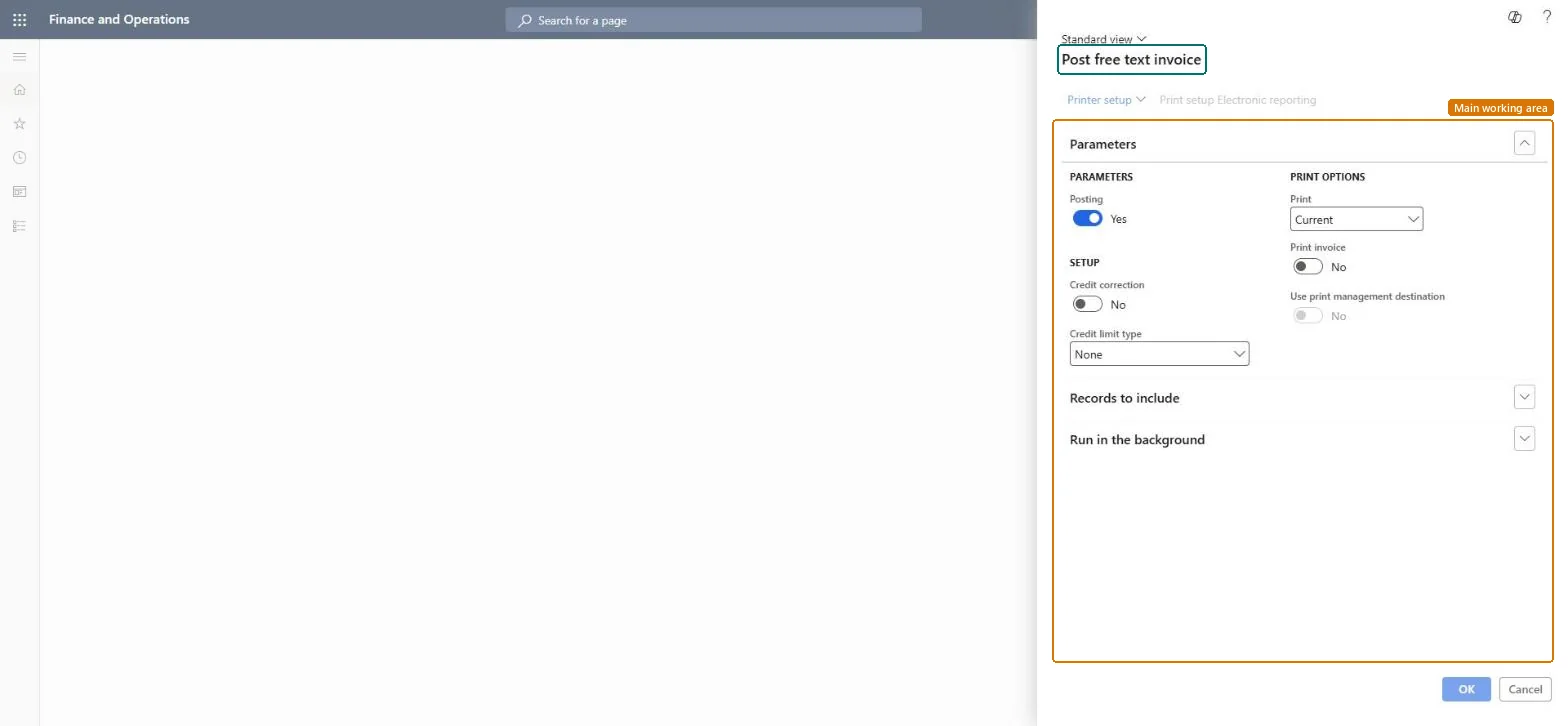
Under Parameters, set Posting to Yes to post the free text invoices; with Posting off you can print without posting.
Set Credit limit type to choose how each customer's credit limit is checked before posting, and Credit correction if credit notes should show as a debit in the voucher.
Under Print options, set Print invoice and choose Print: Current prints each invoice as it is updated, After prints once all invoices are updated.
Filter the free text invoices to post, for example by customer or invoice date, then run the job and open the batch job history for the posting report.
No: Posted free text invoices can't be deleted. Use Correct invoice or a credit note to fix them. Microsoft Learn
If you change it later
With Stop posting of free text invoices on first error turned on, an error stops the batch and sets its status to Error; otherwise failing invoices are skipped and the batch ends normally. Microsoft Learn
Technical architect
5Technical
Menu item
Action:CustPostInvoiceJobChecked in Dynamics 365
Form
CustPostInvoiceJobChecked in Dynamics 365
Roles to set it up and use it
To use itAccounts receivable clerk CustInvoiceAccountsReceivableClerkGive people one of these roles. On this system, 1 role can run this page.Checked in Dynamics 365