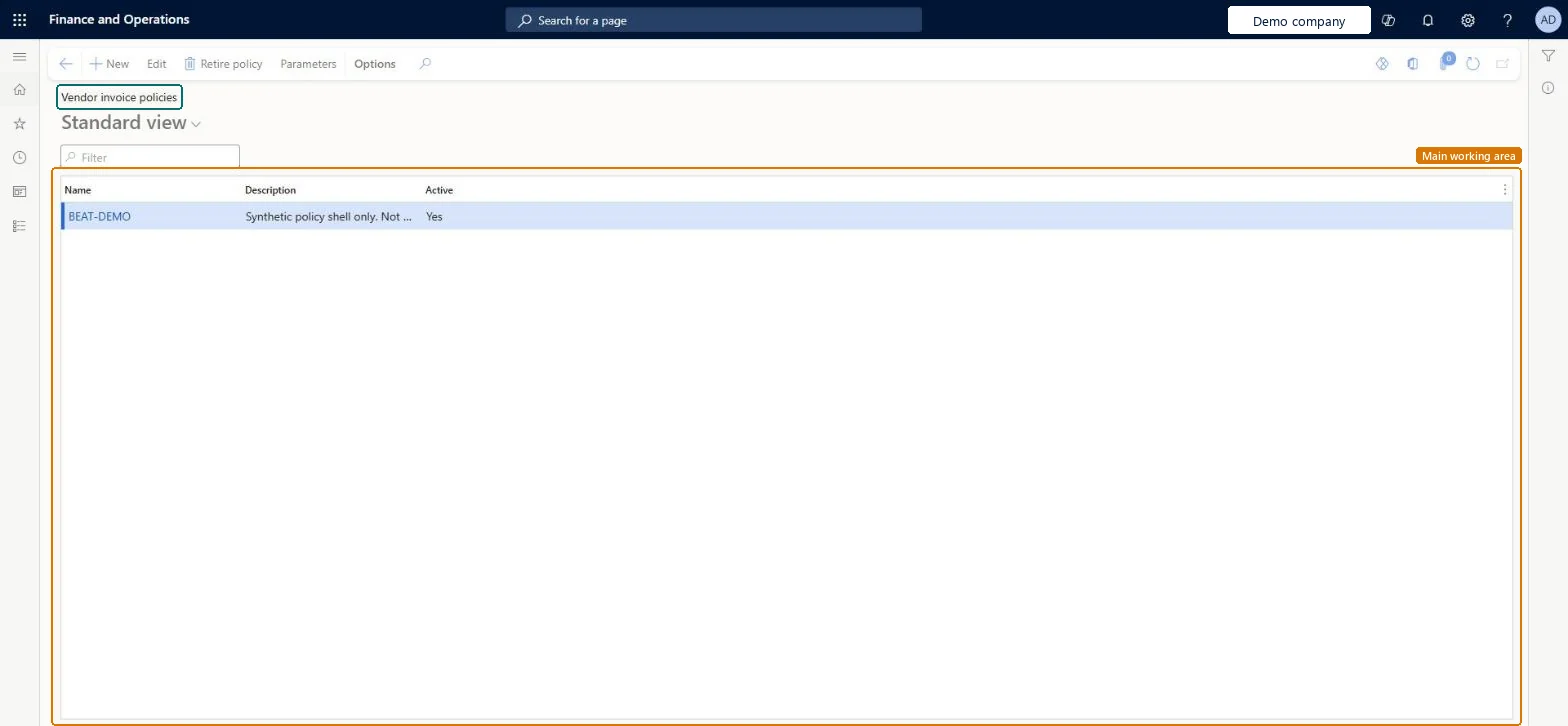
A setup page for vendor invoice policies, which are checked when a vendor invoice is posted from the Vendor invoice page or when the Policy violations page is opened.
Accounts payable clerk, Accounts payable manager, Auditor and 2 more roles
Business process
Define invoicing policies in Dynamics 365 Finance
Menu item
Action:VendInvoicePolicies
Main table
SysPolicy
Data entity
PurchPurchasingPolicyEntity
Setup steps
1 on this page
Show what matters for
PAGE GUIDEWhat the page does and how to use it8 sections. Choose a role to highlight what matters to you.
Everyone
1What it is and why
What it is
A setup page for vendor invoice policies, which are checked when a vendor invoice is posted from the Vendor invoice page or when the Policy violations page is opened.
What you do here
Use this page to define policies that validate vendor invoices; they don't apply to invoices created in the invoice register or invoice journal.
Example
You configure the vendor invoice workflow to run vendor invoice policies every time an invoice is submitted to workflow.
The page in Dynamics 365. page title tab to open what to set or check
About the examples: Examples and screenshots in this guide use BEAT, a demo company in a Dynamics 365 test environment. Use your own company's codes and values instead of copying them.
Step by step, with screenshots
Set up Vendor invoice policies1 screen
Set up the vendor invoice policies that are applied to vendor invoices.
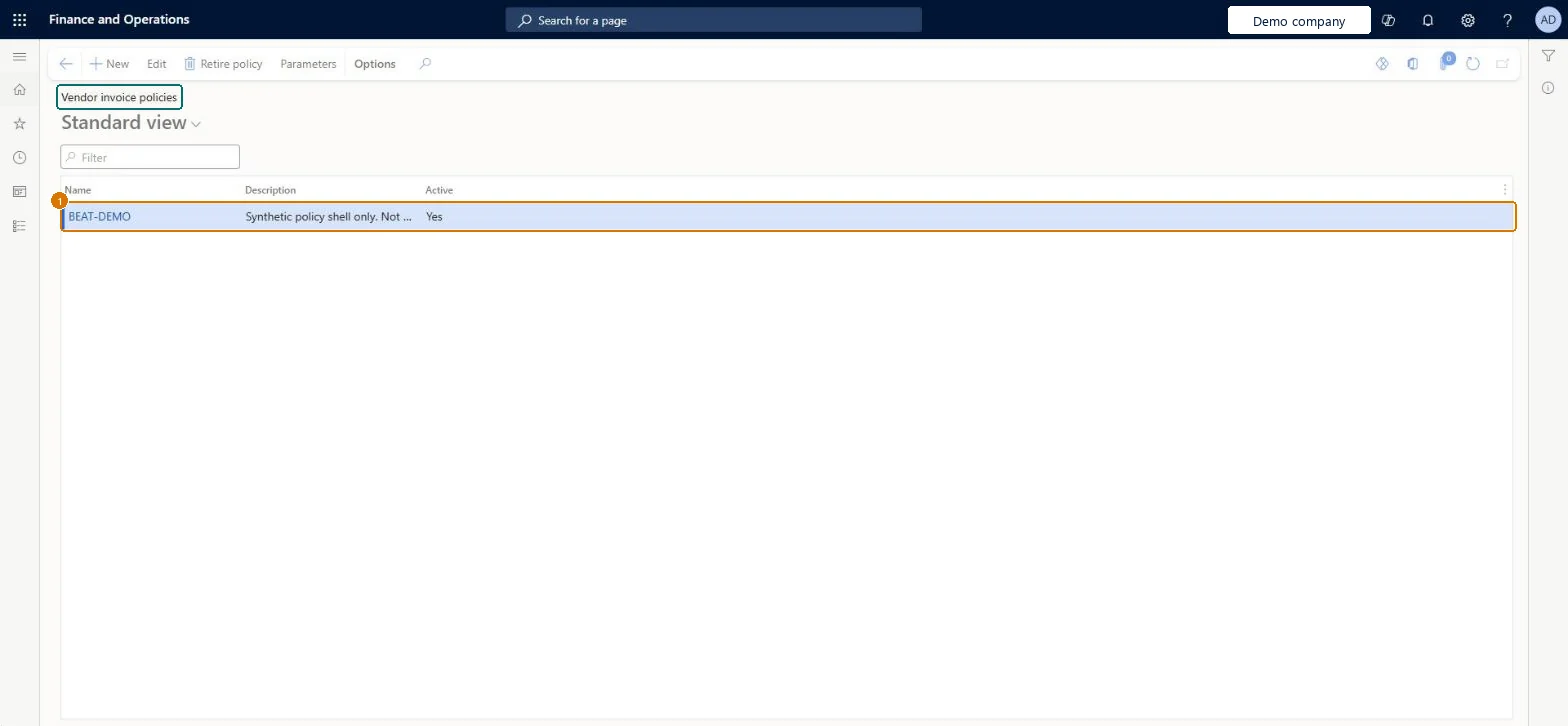
Screen 1
Create the vendor invoice policy
Go to Accounts payable > Policy setup > Vendor invoice policies
Select New
Create the BEAT-DEMO policy and enter its Description
Make sure Active shows Yes
Active
Yes
Show the full screen page title tab to open what to set or check
Steps from Microsoft
In Accounts payable parameters, on the Invoice validation tab, set Automatically update invoice header status and Post invoice with discrepancies.
Go to Accounts payable > Policy setup > Vendor invoice policies, select Parameters, and add the rule types to use.
Select New and enter a Name and Description.
In the Policy organizations section, select the organization and select Add.
In the Policy rules section, select Create policy rule and enter a Policy rule description.
Select Filter and choose the Table, Derived table and Field, then enter the Criteria.
Add the policy to the right Policy organizations, define its rules, and set the vendor invoice workflow to run policies on submit when invoices are approved by workflowPolicies run at posting from the Vendor invoice page and when Policy violations opens, and the workflow can be configured to run them every time an invoice is submitted.
Relying on policies for invoice matching: matching validation is set up in Accounts payable parameters, not through vendor invoice policies.Test: Policy blocks or flags an invoice
Reversible: Policies can be changed or deactivated at any time and apply from the next evaluation. Microsoft Learn
If you change it later
Policies are checked when an invoice is posted from the Vendor invoice page or when its policy violations are opened. They don't apply to invoices entered in the invoice register or the invoice journal. Microsoft Learn
Technical architect
6Technical
Menu item
Action:VendInvoicePoliciesChecked in Dynamics 365
Form
SysPolicyListPageChecked in Dynamics 365
Table
SysPolicyShown as “Policy” in Record infoChecked in Dynamics 365
PrivilegesMaintain vendor invoice policies VendInvoicePoliciesMaintainView vendor invoice policies VendInvoicePoliciesViewDutiesInquire into invoice and payment policies VendInvoiceInvoicePaymentPoliciesInquirEnable invoice and payment process VendInvoiceInvoicePaymentProcessEnableInquire into vendor invoice policies from role center VendInvoicePoliciesRoleCenterInquire5 security rolesAuditor AuditPolicyManagerAccounting manager LedgerAccountingManagerAccounting supervisor LedgerAccountingSupervisorAccounts payable clerk VendInvoiceAccountsPayableClerkAccounts payable manager VendInvoiceAccountsPayableManagerChecked in Dynamics 365
Roles to set it up and use it
To use itAccounts payable manager VendInvoiceAccountsPayableManagerAccounting supervisor LedgerAccountingSupervisorAccounting manager LedgerAccountingManagerAccounts payable clerk VendInvoiceAccountsPayableClerkAuditor AuditPolicyManagerGive people one of these roles. On this system, 5 roles can run this page.Checked in Dynamics 365
Actions on the page
Buttons: Edit, Retire policy, ParametersChecked in Dynamics 365
Checked in a working Dynamics 365 system, version 10.0.49: the menu item, form, table and security, the page, the demo records and the values in the screenshots.