About the examples: Examples and screenshots in this guide use BEAT, a demo company in a Dynamics 365 test environment. Use your own company's codes and values instead of copying them.
Step by step, with screenshots
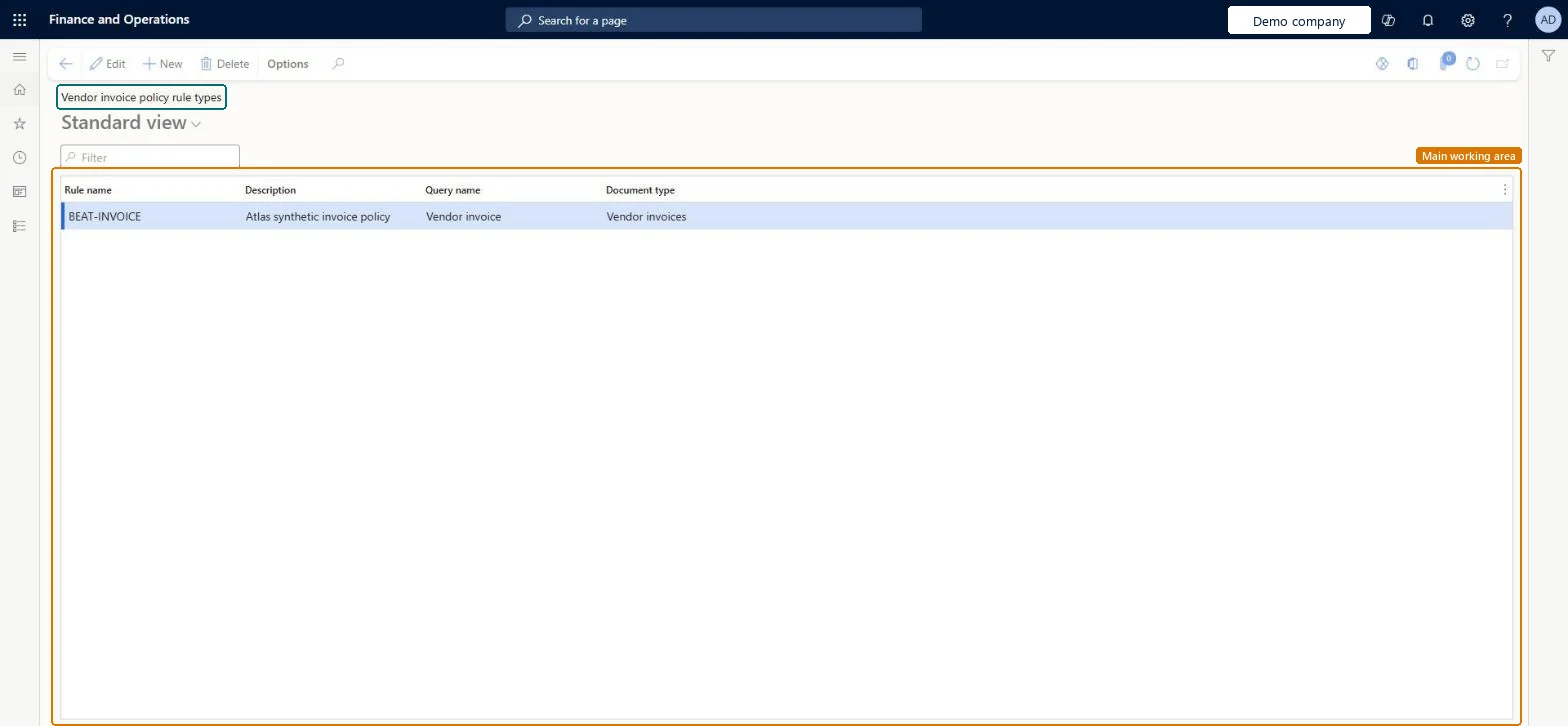
Set up Vendor invoice policy rule types1 screen
Defines the rule types, each tied to a query, that vendor invoice policies use when invoices are posted or submitted to workflow.
Screen 1
Create the vendor invoice policy rule type
Go to Accounts payable > Policy setup > Vendor invoice policy rule types
Select New
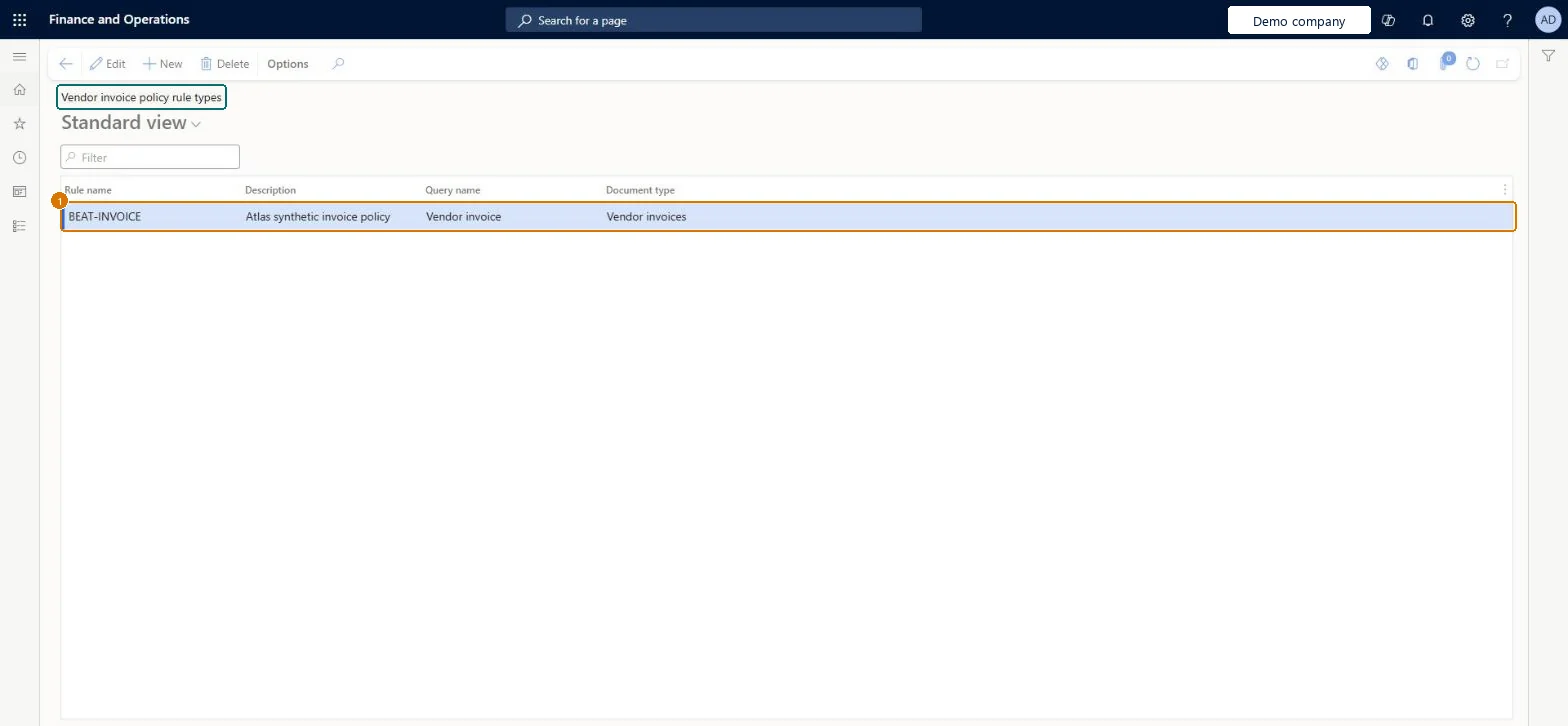
Enter BEAT-INVOICE as the rule type
Enter the Description, Query name and Document type
Description
Invoice policy
Query name
Vendor invoice
Document type
Vendor invoices
Show the full screen page title tab to open what to set or check
Steps from Microsoft
Go to Accounts payable > Policy setup > Vendor invoice policy rule types.
Select New.
Enter a Rule name and a Description.
In the Query name field, select the query the rule is based on.
One rule type per check, each tied to the query it needs; include a charges-based rule type when charges codes use Maximum amountPolicies are built from rule types, and validating charges against a charges code's Maximum amount needs a policy rule type based on charges in the vendor invoice policy.
Expecting these rules to check invoice journals: vendor invoice policies don't apply to invoices created in the invoice register or invoice journal.
Reversible: Rule types can be changed; policies use them the next time an invoice is posted or its policy violations are opened. Microsoft Learn
Technical architect
6Technical
Menu item
VendInvoicePolicyRuleTypeChecked in Dynamics 365
Form
SysPolicySourceDocumentRuleTypeChecked in Dynamics 365
Table
SysPolicySourceDocumentRuleTypeShown as “Policy source document rule type” in Record infoKey field: RecIdChecked in Dynamics 365
Data entities
VendInvoicePolicyRuleTypeEntityVendor invoice policy rule types Microsoft data model PayrollPremiumEarningPolicyRuleTypeEntityPayroll premium earning policy rule type Microsoft data model
Who can open it
PrivilegesMaintain policy rules for vendor invoices VendInvoicePolicyRuleTypeMaintainView policy rules for vendor invoices VendInvoicePolicyRuleTypeViewDutiesInquire into invoice and payment policies VendInvoiceInvoicePaymentPoliciesInquirEnable invoice and payment process VendInvoiceInvoicePaymentProcessEnable4 security rolesAuditor AuditPolicyManagerAccounting manager LedgerAccountingManagerAccounting supervisor LedgerAccountingSupervisorAccounts payable manager VendInvoiceAccountsPayableManagerChecked in Dynamics 365
Roles to set it up and use it
To set it up or change itAccounts payable manager VendInvoiceAccountsPayableManagerAccounting supervisor LedgerAccountingSupervisorTo use itAccounting manager LedgerAccountingManagerAuditor AuditPolicyManagerGive people one of these roles. On this system, 4 roles can open this page.Checked in Dynamics 365
Actions on the page
Options: Personalize, Page options, ShareChecked in Dynamics 365
VendInvoicePolicyRuleTypeEntity (Vendor invoice policy rule types): shared by all companies, in Microsoft's default template 120 - Accounts payable.PayrollPremiumEarningPolicyRuleTypeEntity (Payroll premium earning policy rule type): shared by all companies.Load order: Microsoft's default template 120 - Accounts payable loads Vendor invoice policy rule types at execution unit 1, level 30, sequence 10. Lower levels load first, and entities at the same level load in sequence order.Load first: the default templates at lower levels (System setup to General ledger)Microsoft Learn
Checked in a working Dynamics 365 system, version 10.0.49: the menu item, form, table and security, the page, the demo records and the values in the screenshots.