Calculate and pay royalty commissions in Dynamics 365 Supply Chain Management
Menu item
MCRRoyaltyVendTableEdit
Main table
MCRRoyaltyVendTable
Show what matters for
PAGE GUIDEWhat the page does and how to use it7 sections. Choose a role to highlight what matters to you.
Everyone
1What it is and why
What it is
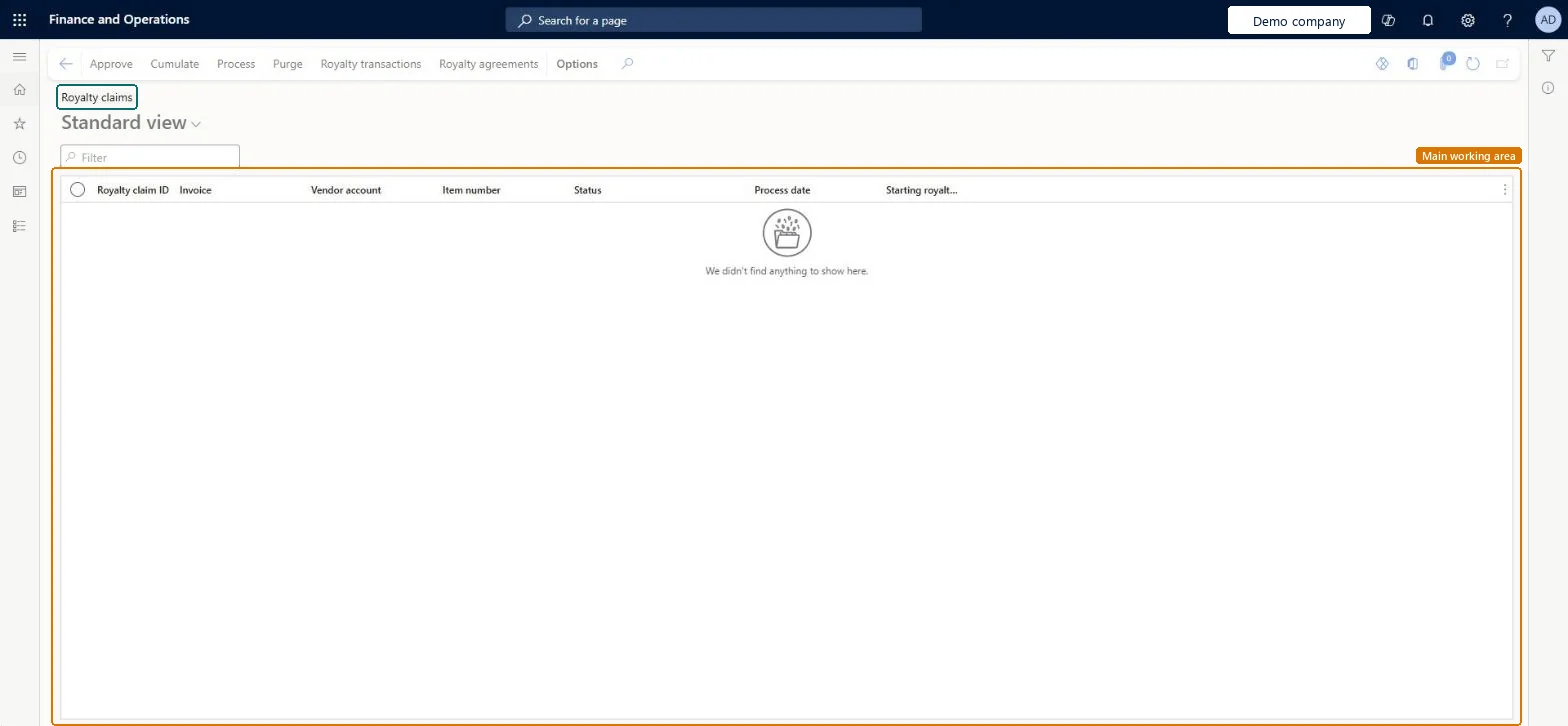
A page that lists the generated royalty claims, which represent future payments to the licensor.
What you do here
Use this page to cumulate, approve, and process royalty claims; processing reverses the accruals and creates and posts a vendor invoice for the royalty amount.
Example
When there are multiple sales orders for the same vendor, select Cumulate so the claims are recalculated with any cumulative effect.
The page in Dynamics 365. page title tab to open what to set or check
About the examples: Examples and screenshots in this guide use BEAT, a demo company in a Dynamics 365 test environment. Use your own company's codes and values instead of copying them.
Steps from Microsoft
Go to Accounts payable > Broker and royalties > Royalty claims.
Review the claims and their Starting royalty amount.
If several sales orders exist for the same vendor, select Cumulate to recalculate the claims.
Select Royalty transactions to see the accrual journal that was posted.
Select Process to complete the claim and create the vendor invoice.
Cumulate posts an accrual journal; Process reverses the accrual, creates and posts the vendor invoice, and sets the claim to Completed. Microsoft Learn
Technical architect
5Technical
Menu item
MCRRoyaltyVendTableEditChecked in Dynamics 365
Form
MCRRoyaltyVendTableChecked in Dynamics 365
Table
MCRRoyaltyVendTableShown as “Royalty” in Record infoKey field: RoyaltyClaimIdChecked in Dynamics 365
Who can open it
PrivilegesMaintain royalties MCRRoyaltyVendTableMaintainView royalties MCRRoyaltyVendTableViewDutiesInquire into royalty information MCRRoyaltyVendTableInquireMaintain royalty information MCRRoyaltyVendTableMaintain3 security rolesMCRTestUserRoleSales clerk TradeSalesClerkSales manager TradeSalesManagerChecked in Dynamics 365
Roles to set it up and use it
To set it up or change itSales manager TradeSalesManagerTo use itSales clerk TradeSalesClerkGive people one of these roles. On this system, 2 roles can open this page.Checked in Dynamics 365
Actions on the page
Options: Personalize, Page options, ShareChecked in Dynamics 365