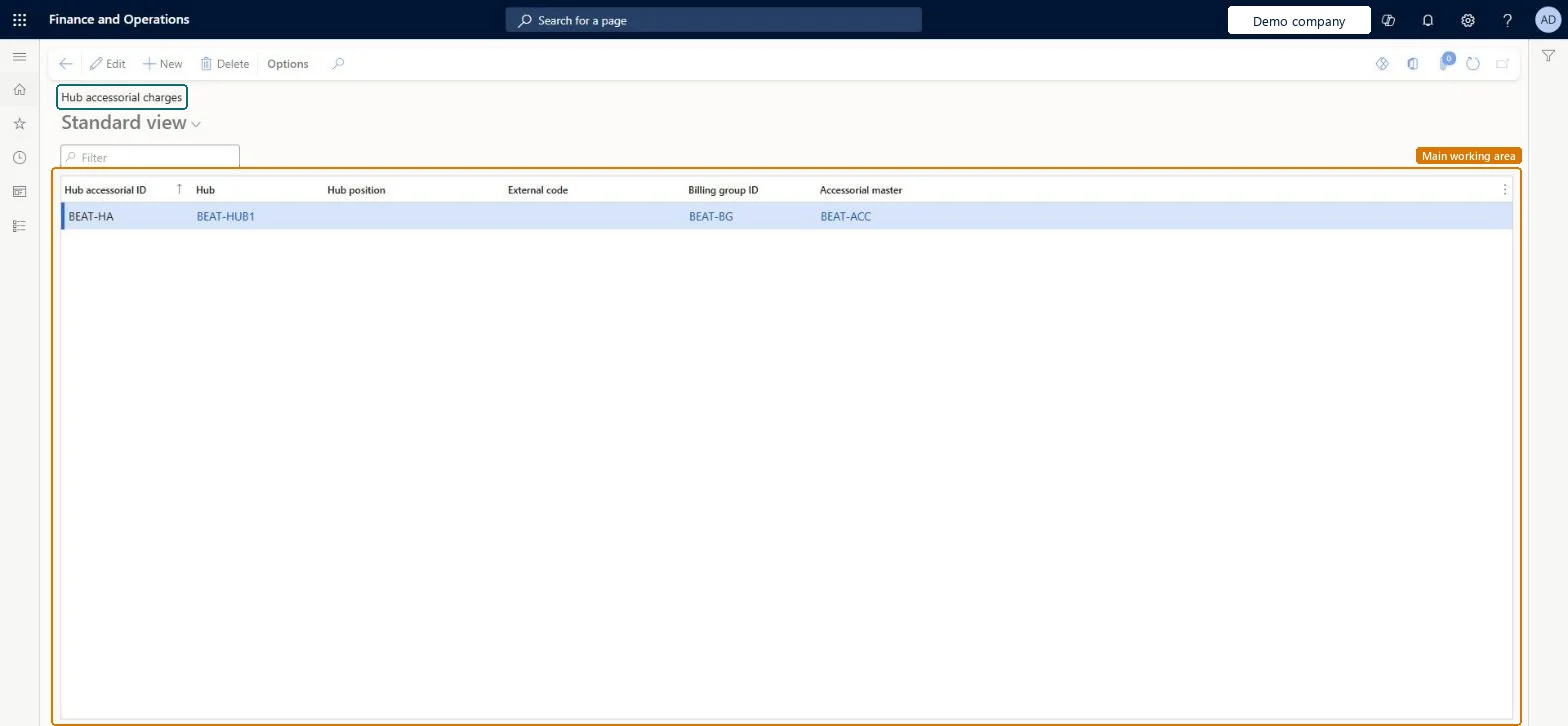
About the examples: Examples and screenshots in this guide use BEAT, a demo company in a Dynamics 365 test environment. Use your own company's codes and values instead of copying them.
Setup steps on this page
Set up Hub accessorial charges
Use this page to set up charges that apply at a hub as a pickup or drop-off on the corresponding transportation segment of a route.
Steps from Microsoft
Go to Transportation management > Setup > Rating > Hub accessorial charges.
Select New.
In the Hub accessorial ID field, enter a value.
In the Hub field, select the hub.
In the Hub position field, select whether the charge is a pickup or drop-off.
In the Accessorial master field, select the accessorial master for the hub.
One hub accessorial charge per hub and position (pickup or drop-off), using an accessorial master of type HubThe hub position decides which transportation segment on the route the charge applies to.
Picking the wrong Hub position, so the charge lands on the wrong segment of the route.
Reversible: Applies to loads routed and rated after the change.
Technical architect
6Technical
Menu item
TMSHubAccessorialChecked in Dynamics 365
Form
TMSHubAccessorialChecked in Dynamics 365
Table
TMSHubAccessorialShown as “HUB ACCESSORIAL CHARGES” in Record infoKey field: HubAccessorialIdChecked in Dynamics 365
Data entities
TMSTransportationHubAccessorialChargeEntityTransportation hub accessorial charges Microsoft data model
Who can open it
PrivilegesMaintain hub accessorial charges TMSHubAccessorialMaintainView hub accessorial charges TMSHubAccessorialViewDutiesInquire into carrier master and network planning information TMSCarrierMasterInquireMaintain carrier and network planning master TMSCarrierMasterMaintain2 security rolesLogistics manager TMSLogisticsManagerTransportation coordinator TMSTransportationCoordinatorChecked in Dynamics 365
Roles to set it up and use it
To set it up or change itLogistics manager TMSLogisticsManagerTo use itTransportation coordinator TMSTransportationCoordinatorGive people one of these roles. On this system, 2 roles can open this page.Checked in Dynamics 365
TMSTransportationHubAccessorialChargeEntity (Transportation hub accessorial charges): loaded for each company, in Microsoft's default template 405 - Transportation management.Load order: Microsoft's default template 405 - Transportation management loads Transportation hub accessorial charges at execution unit 1, level 405, sequence 20. Lower levels load first, and entities at the same level load in sequence order.Load first: the default templates at lower levels (System setup to Warehouse management)Microsoft Learn