SETUP GUIDEHow to set it up8 sections. Choose a role to highlight what matters to you.
Everyone
1What it is and why
What it is
A batch process that generates the monthly recurring revenue (MRR) data used by the Subscription billing Power BI analytical reports.
What you do here
Use this page to generate, and optionally refresh on a recurring schedule, the MRR reporting data for a date range before viewing the MRR reports.
Example
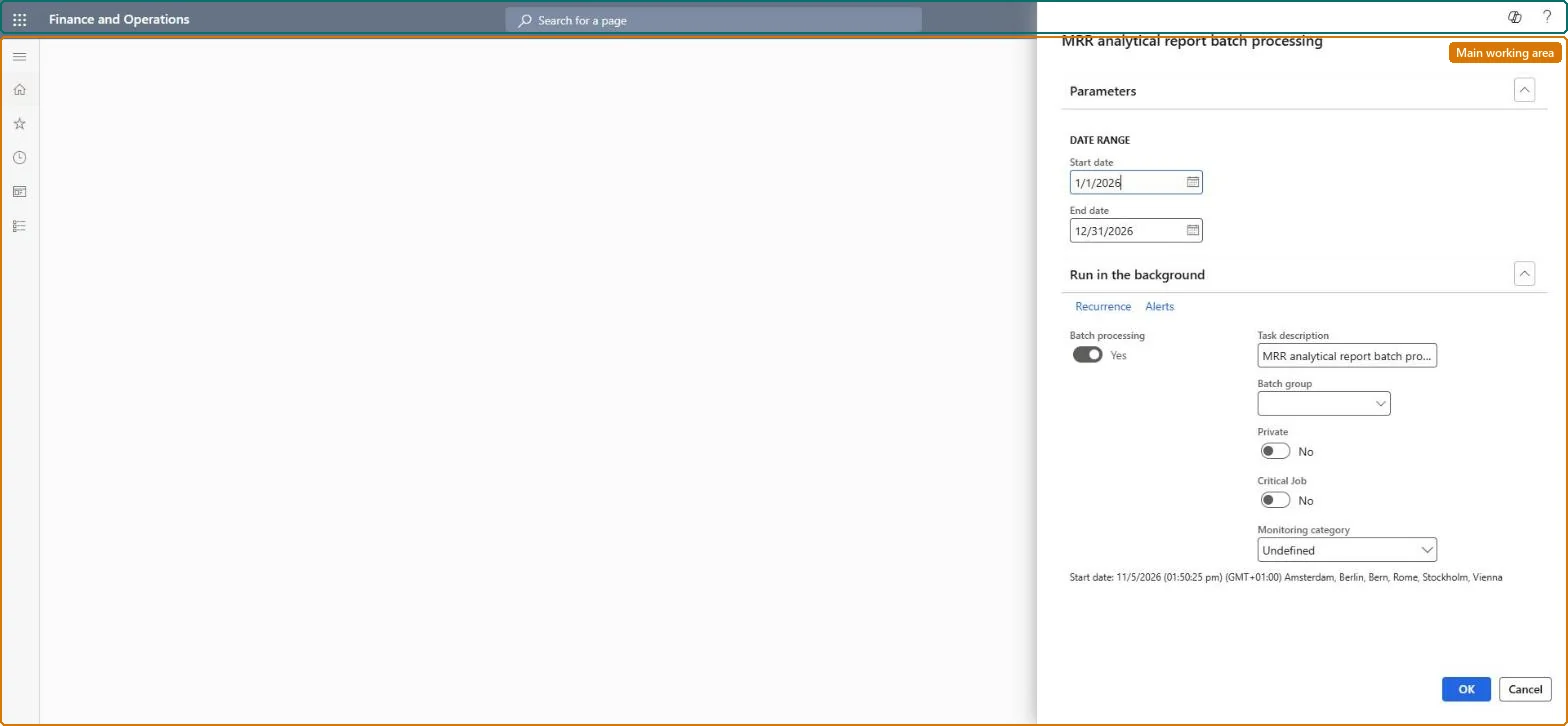
For example, BEAT schedules it every night for January 2024 to December 2026 (three years) and refreshes the MRR report measurement after it, so the workspace shows the latest month.
The page in Dynamics 365. page title tab to open what to set or check
About the examples: Examples and screenshots in this guide use BEAT, a demo company in a Dynamics 365 test environment. Use your own company's codes and values instead of copying them.
When to run it
When to run it
Before you view the MRR analytical reports, because the reports don't store this data directly.
How often
On demand before reporting, or as a recurring batch job so the reports stay current.
Batch settings
Schedule it as a recurring batch job, followed by a refresh of the MRR report aggregate measurement in the Entity Store.
What the output shows
MRR reporting data for the date range, shown on the Monthly recurring billing and Billing schedule details reports after the Entity Store refresh. Old figures on the reports usually mean the aggregate measurement wasn't refreshed after the batch job.
The period to generate MRR data for, up to three years.Microsoft Learn
1 January 2024 to 31 December 2026
Common errors and fixes
Message
What to do
The MRR reports in the workspace show no data or old data
Run MRR analytical report batch processing for the date range, then refresh the MRR report aggregate measurement in System administration > Setup > Entity Store. Microsoft Learn
The date range isn't accepted
The range can't be longer than three years. Shorten it. Microsoft Learn
Test checklist
Run the job for the last 12 months.
Refresh the MRR report aggregate measurement in Entity Store.
Open Analytics - MRR in the workspace.
Check the latest month matches the recurring invoices of that month.
A recurring batch job after each invoice run, with a range of up to three years, followed by the Entity Store refresh.The reports don't store data; they show what this job last built, and the range is limited to three years.
Subscription billing (Must be on)Recurring contract billing (Must be on)
Licence or add-in
Turn off the Revenue recognition feature first: Subscription billing can't be used while it is on. Then, in Feature management, turn on Subscription billing and after it Recurring contract billing. Revenue recognition was deprecated in January 2024 and replaced by Subscription billing. Subscription billing managers run this task.
The job rebuilds the MRR reporting data for the date range; the workspace reports show it after the MRR report measurement is refreshed in Entity Store. Microsoft Learn
Technical architect
6Technical
Menu item
SubBillMRRBIReportBatchProcessingChecked in Dynamics 365
Form
SysOperationTemplateFormChecked in Dynamics 365
Roles to set it up and use it
To use itSubscription billing manager SubBillBillingMaintainSubscription billing allocation, deferral, and billing manager SubBillMaintainGive people one of these roles. On this system, 2 roles can run this page.Checked in Dynamics 365
Load order: MRR analytical report batch processing has no data entity in Data management, so there is nothing to load from a file or a configuration template. Set up its recurring batch job in each environment.Microsoft Learn