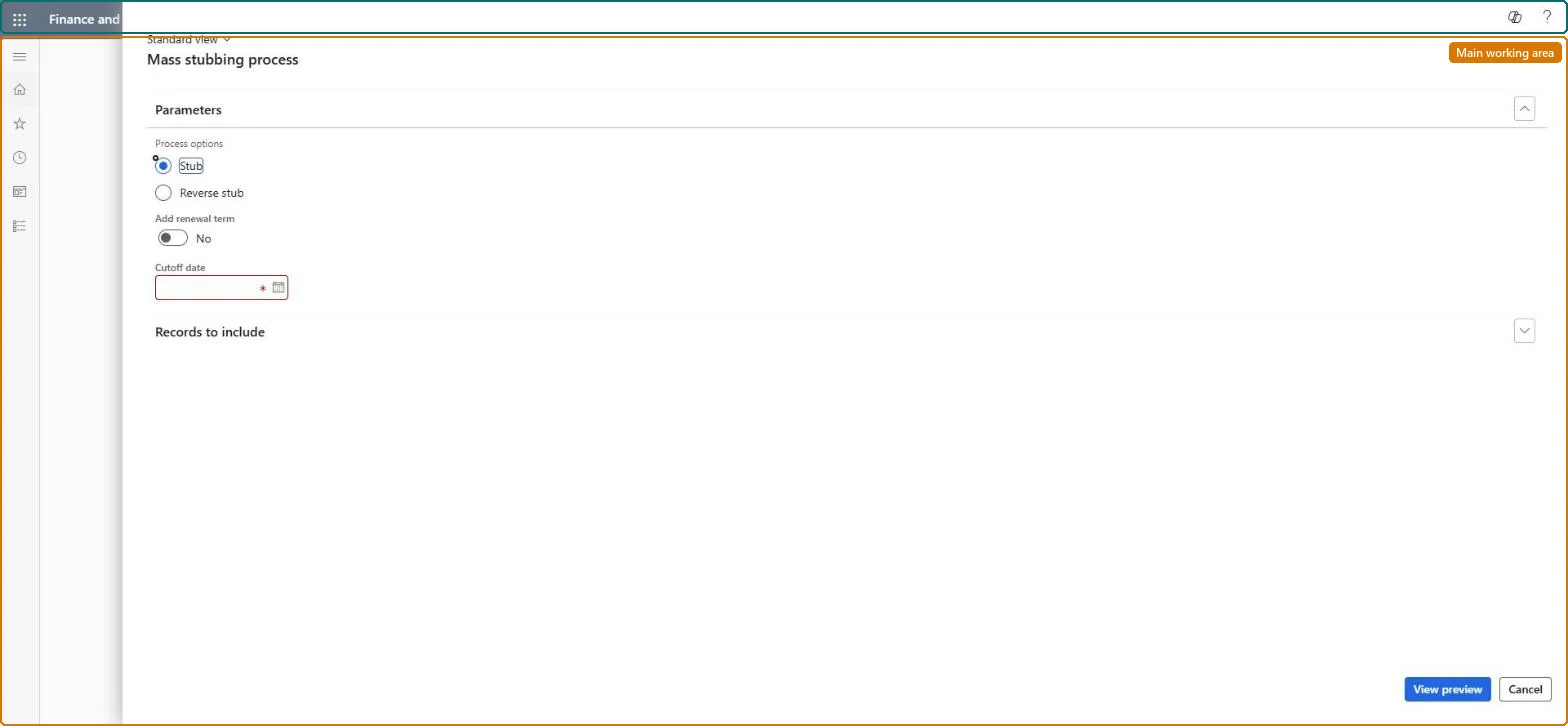
About the examples: Examples and screenshots in this guide use BEAT, a demo company in a Dynamics 365 test environment. Use your own company's codes and values instead of copying them.
When to run it
When to run it
After importing billing schedules whose earlier periods were already billed in another system.
How often
On demand, usually once per migration or import.
What the output shows
Billing schedule lines marked as stubbed, which create no customer invoice, or unmarked again with Reverse stub. A line that is still invoiced usually had a billing start date after the cutoff date.
Only lines with a billing start date on or before this date are shown.Microsoft Learn
31 October 2026
Common errors and fixes
Message
What to do
Imported billing schedule lines are invoiced a second time
Run Mass stubbing process with Stub and a cutoff date on the imported lines before the first Generate invoice run. Microsoft Learn
A line after the cutoff date wasn't stubbed
Only lines with a billing start date on or before the cutoff date are shown. Set the cutoff date to the last period billed in the old system. Microsoft Learn
Test checklist
Lines up to the cutoff date show as stubbed.
Generate invoice doesn't pick up the stubbed lines.
Right after loading billing schedules, stub every line up to the last period billed in the old system, before the first Generate invoice run.Stubbed lines show as billed and create no customer invoice.
Subscription billing (Must be on)Recurring contract billing (Must be on)
Licence or add-in
Turn off the Revenue recognition feature first: Subscription billing can't be used while it is on. Then, in Feature management, turn on Subscription billing and after it Recurring contract billing. Revenue recognition was deprecated in January 2024 and replaced by Subscription billing. Subscription billing managers run this task.
Reversible: Reverse stub marks the lines unbilled again.
If you change it later
Stubbed lines are shown as stubbed and no customer invoice is created for them. Microsoft Learn
Technical architect
6Technical
Menu item
SubBillMassStubProcessingChecked in Dynamics 365
Form
SubBillMassStubProcessingChecked in Dynamics 365
Roles to set it up and use it
To use itSubscription billing manager SubBillBillingMaintainSubscription billing allocation, deferral, and billing manager SubBillMaintainGive people one of these roles. On this system, 2 roles can run this page.Checked in Dynamics 365
Load order: Mass stubbing process has no data entity in Data management, so there is nothing to load from a file or a configuration template. Run it in the new environment right after the billing schedules are loaded and before the first invoice run.Microsoft Learn
Checked in a working Dynamics 365 system, version 10.0.49: the menu item, form, table and security, the page.
To cite this step: SB-PER-090, Stub lines billed in the old system. Beyond ERP Atlas Hub, 2026-11-11. https://www.beyonderp.cloud/atlas/step/SB-PER-090