BeyondERP.Newsletter
Menu

Setup step on the Discount claim posting page · Pricing management

Set up Discount claim posting

A setup page where you define the posting setup for discount claims.

Used by
Auditor, Chief financial officer, Inventory accountant and 7 more roles
Business process
Set product prices
Menu item
GUPDiscountPostingProfile
Main table
GUPDiscountVendorClaimPo
Data entity
GUPDiscountVendorClaimPostingProfileEntity
Setup steps
1 on this page
Show what matters for
SETUP GUIDEHow to set it up6 sections. Choose a role to highlight what matters to you.
Everyone

1What it is and why

What it isA setup page where you define the posting setup for discount claims.
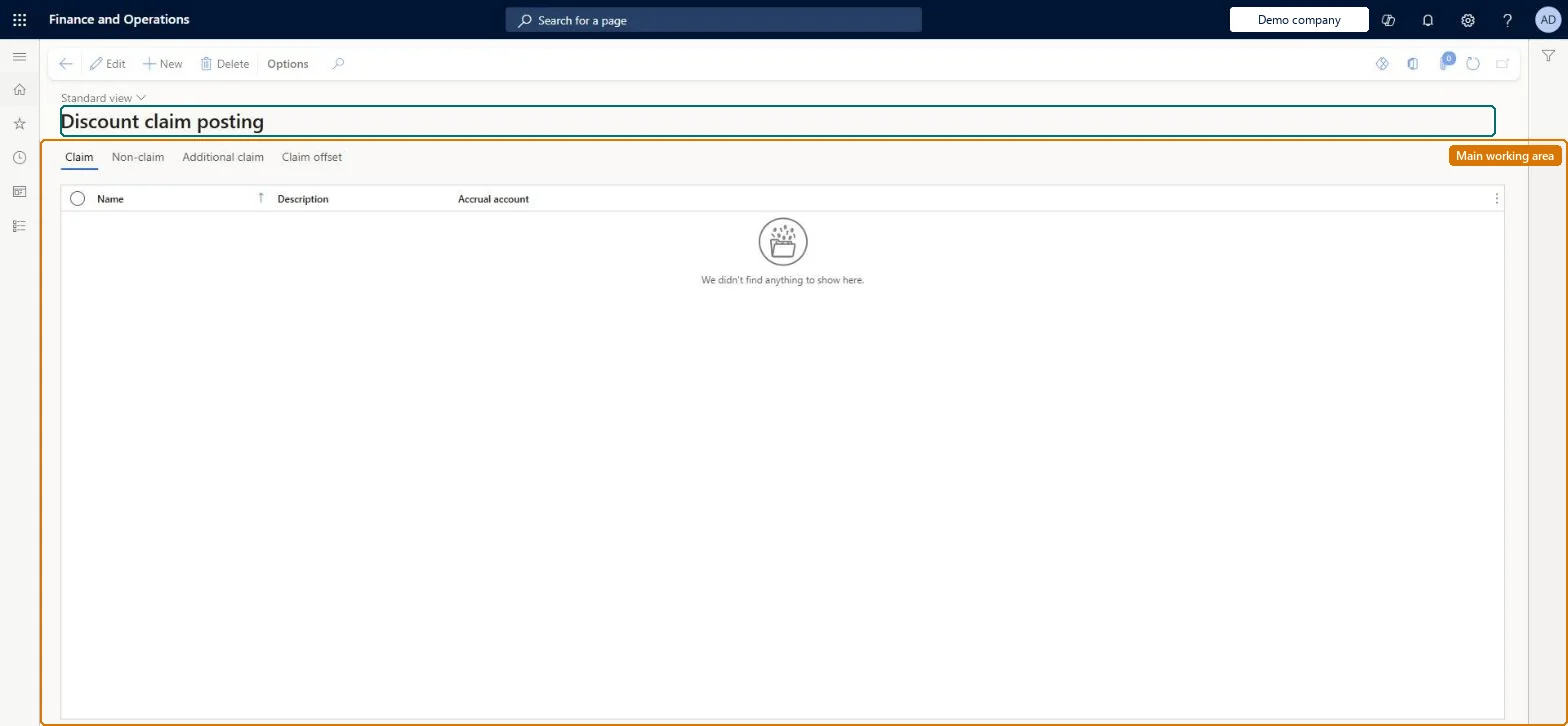
What you do hereUse this page to set up posting for claims, non-claims, additional claims and claim offsets.
ExampleFor example, you set the accrual account for claim postings.
Discount claim posting page in Dynamics 365
The page in Dynamics 365. page title tab to open what to set or check
Functional consultant · Solution architect

2Where it fits

Business processIntroduce products › Set product prices
Menu pathPricing management › Setup › Posting › Discount claim posting
In this process Set up Threshold discounts · Set up Free item
End user · Functional consultant

3How to do it

About the examples: Examples and screenshots in this guide use BEAT, a demo company in a Dynamics 365 test environment. Use your own company's codes and values instead of copying them.

Setup steps on this page

Set up Discount claim posting
Technical architect

4Technical

Menu itemGUPDiscountPostingProfile Checked in Dynamics 365
FormGUPDiscountPostingProfile Checked in Dynamics 365
TableGUPDiscountVendorClaimPoShown as “GUPDISCOUNTVENDORCLAIMPOSTINGPROFILE” in Record infoKey field: NameChecked in Dynamics 365
Data entitiesGUPDiscountVendorClaimPostingProfileEntityDiscount vendor claim posting profiles Checked in Dynamics 365
Who can open itPrivilegesMaintain discount claim posting GUPDiscountCodePostingProfilesMaintainInquiries into discount claim posting GUPDiscountCodePostingProfilesViewDutiesInquiries into discount claim posting GUPDiscountCodePostingProfilesInquiryMaintain discount claim posting GUPDiscountCodePostingProfilesMaintain
11 security rolesAuditor AuditPolicyManagerChief financial officer CompanyChiefFinancialOfficerInventory accountant InventCostAccountantInventory accountant clerk InventCostCostClerkAccountant LedgerAccountantAccounting manager LedgerAccountingManagerAccounting supervisor LedgerAccountingSupervisorFinancial controller LedgerFinancialController MCRTestUserRoleSales clerk TradeSalesClerkSales manager TradeSalesManager
Checked in Dynamics 365
Roles to set it up and use itTo set it up or change itAccounting supervisor LedgerAccountingSupervisorAccounting manager LedgerAccountingManagerTo use itSales manager TradeSalesManagerSales clerk TradeSalesClerkAccountant LedgerAccountantInventory accountant InventCostAccountantInventory accountant clerk InventCostCostClerkGive people one of these roles. On this system, 10 roles can open this page.Checked in Dynamics 365
Developer

5Developer

Open it by URLhttps://<your-environment>/?mi=GUPDiscountPostingProfile
Integrate withGUPDiscountVendorClaimPostingProfileEntity data entity Checked in Dynamics 365
Everyone

6Sources

To cite this step: PRM-SETUP-090, Set up Discount claim posting. Beyond ERP Atlas Hub, 2026-11-11. https://www.beyonderp.cloud/atlas/step/PRM-SETUP-090