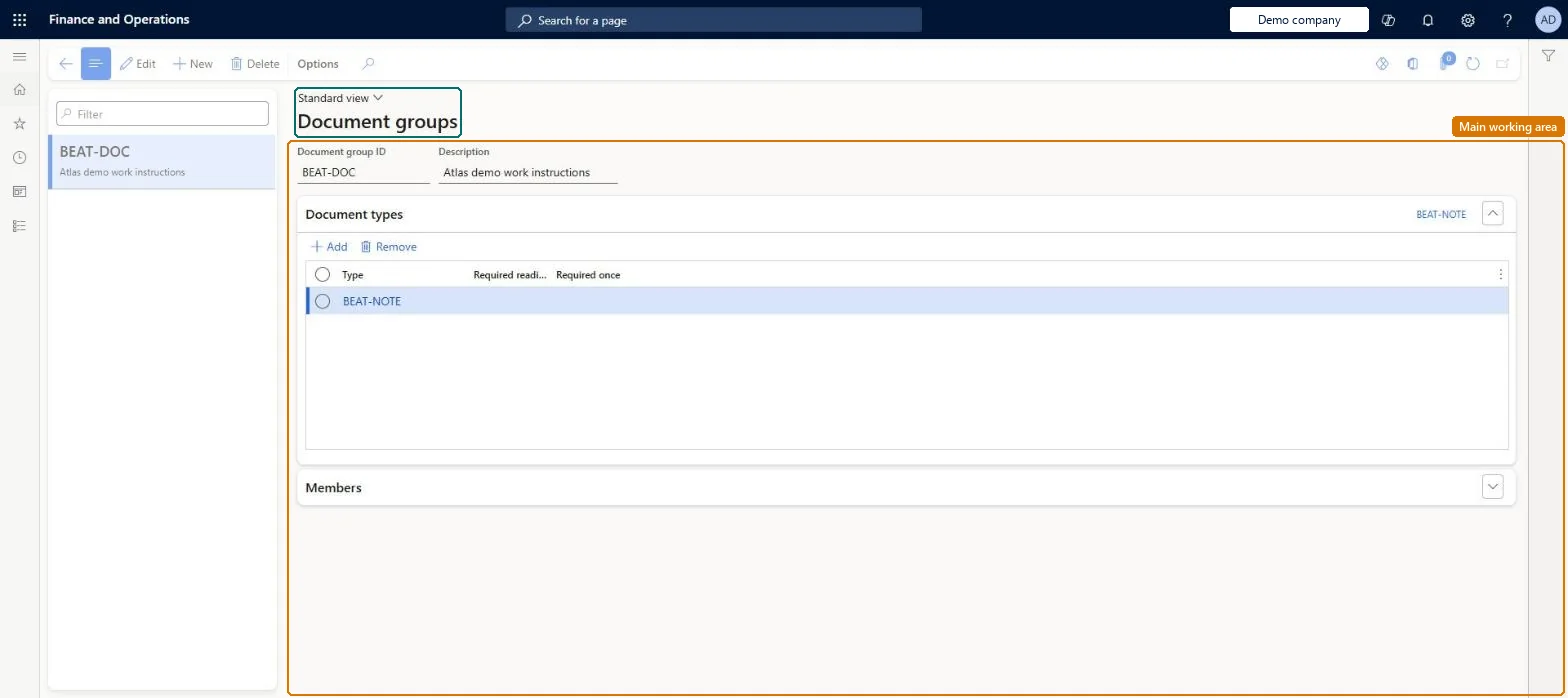
Setup step on the Document groups page · Production control
Set up Document groups
Use this page to define which workers can read which document types, and whether a document must be read every time or only the first time a job it is attached to is started.
SETUP GUIDEHow to set it up7 sections. Choose a role to highlight what matters to you.
Everyone
1What it is and why
What it is
A setup page where you group document types and decide which workers may read documents of those types when they register on production jobs.
What you do here
Use this page to define which workers can read which document types, and whether a document must be read every time or only the first time a job it is attached to is started.
Example
For example, attach work instructions to production jobs and require workers in the group to read them the first time they start such a job.
The page in Dynamics 365. page title tab to open what to set or check
About the examples: Examples and screenshots in this guide use BEAT, a demo company in a Dynamics 365 test environment. Use your own company's codes and values instead of copying them.
Setup steps on this page
Set up Document groups
Use this page to define which workers can read which document types, and whether a document must be read every time or only the first time a job it is attached to is started.
Steps from Microsoft
Go to Production control > Setup > Document groups.
Select New and enter a Document group ID and Description.
Select Add to add a document type to the group.
Set Required reading or Required once for the document type if needed.
Select Add to add the workers who may read the documents.
Marking a document type as required reading forces workers in the group to open the document before they can start a job it is attached to. Microsoft Learn
Technical architect
5Technical
Menu item
JmgDocumentGroupChecked in Dynamics 365
Form
JmgDocumentGroupChecked in Dynamics 365
Table
JmgDocumentGroupShown as “DOCUMENT GROUPS” in Record infoKey field: DocumentGroupIdChecked in Dynamics 365
PrivilegesMaintain document groups JmgDocumentGroupMaintainDutiesEnable manufacturing execution process JmgManufacturingExecutionProcessEnable1 security roleProduction manager ProdProductionManagerChecked in Dynamics 365
Roles to set it up and use it
To set it up or change itProduction manager ProdProductionManagerGive people one of these roles. On this system, 1 role can open this page.Checked in Dynamics 365