SETUP GUIDEHow to set it up6 sections. Choose a role to highlight what matters to you.
Everyone
1What it is and why
What it is
A setup page where you add your own types of relationships between parties.
What you do here
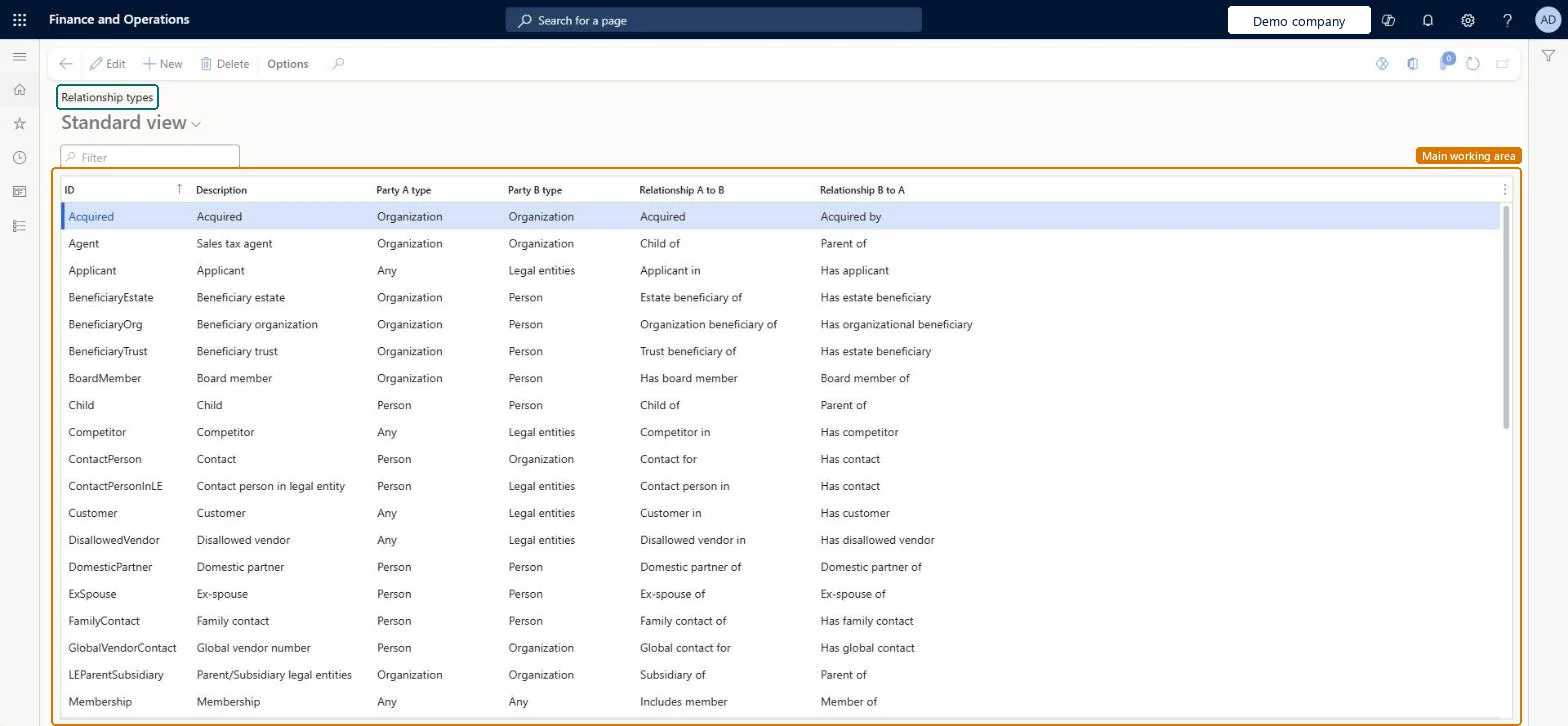
Use this page to review the types of relationships that can link two parties and to add your own, with the party type on each side and the wording for each direction.
Example
For example, the Child type links two persons and reads as Child of from one side and Parent of from the other.
The page in Dynamics 365. page title tab to open what to set or check
About the examples: Examples and screenshots in this guide use BEAT, a demo company in a Dynamics 365 test environment. Use your own company's codes and values instead of copying them.
Step by step, with screenshots
Set up Relationship types1 screen
Screen 1
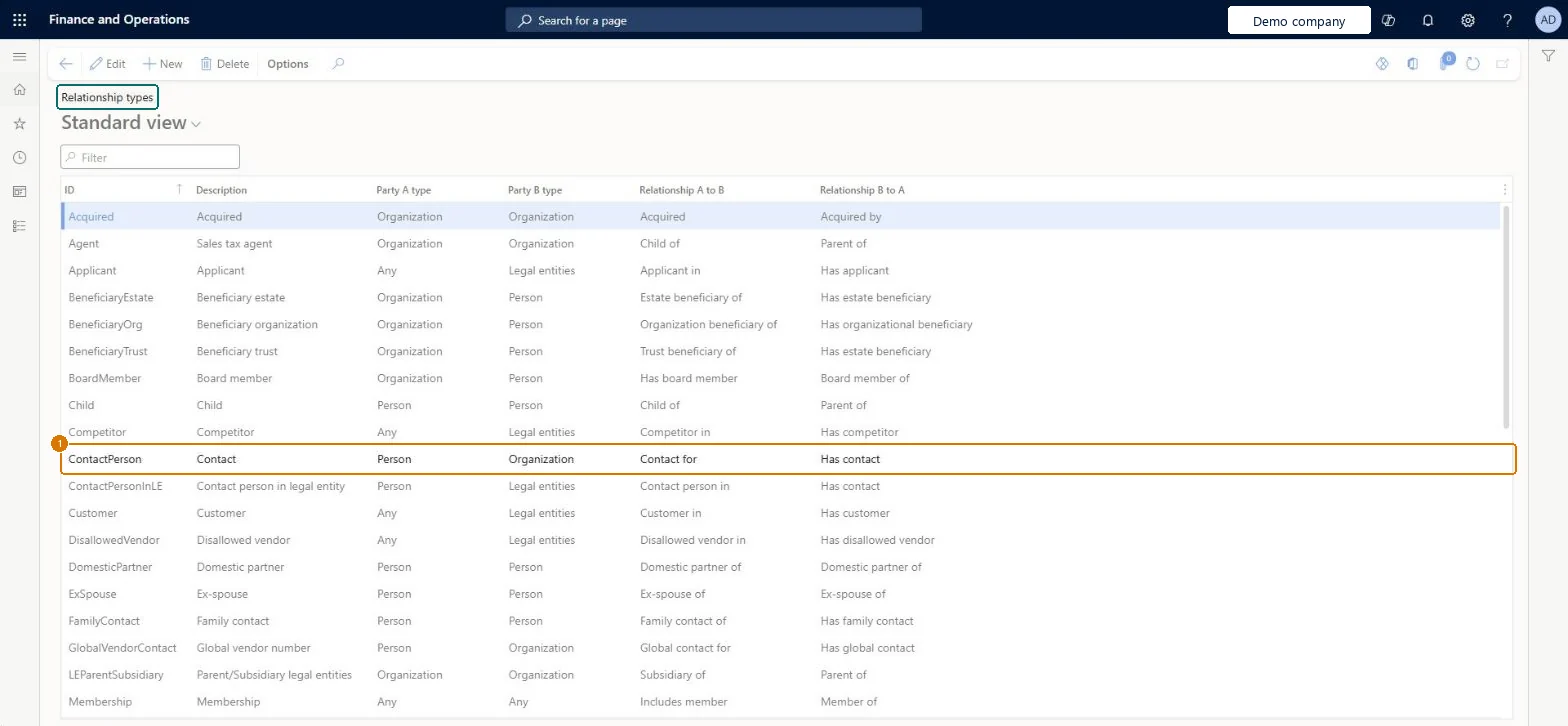
Check a relationship type
Go to Organization administration > Global address book > Relationship types
Find the relationship type in the list
Read which party types it links and how it reads in each direction
1ID
ContactPerson
Description
Contact
Party A type
Person
Party B type
Organization
Relationship A to B
Contact for
Relationship B to A
Has contact
Show the full screen page title tab to open what to set or check
How to use it
Go to Organization administration > Global address book > Relationship types.
Select New to add a relationship type.
Enter the ID and a Description.
Choose the Party A type and the Party B type.
Enter the wording for Relationship A to B and Relationship B to A.
Select Edit to change an existing line, or Delete to remove one.
Source: Checked in Dynamics 365
Fields on the page
Field
What it means
Example
Table column
ID
The unique code for the relationship type.Checked in Dynamics 365
ContactPerson
RelationshipTypeId
Description
A short description of the relationship type.Checked in Dynamics 365
Contact
Description
Party A type
Person
ChildPartyType
Party B type
Organization
ParentPartyType
Relationship A to B
Contact for
ChildParentName
Relationship B to A
Has contact
ParentChildName
Test checklist
Add a relationship type on this page with Party A type, Party B type and the wording for each direction.
Check it is saved as a user-defined type next to the system types.
Link two parties with the new relationship type and check both directions show the right wording.
DirRelationshipTypeEntityRelationship types Checked in Dynamics 365
Roles to set it up and use it
To set it up or change itInformation technology manager SysServerITManagerAccounting manager LedgerAccountingManagerHuman resource manager HcmHumanResourceManagerTo use itAccounts payable manager VendInvoiceAccountsPayableManagerAccounts receivable manager CustInvoiceAccountsReceivableManagerGive people one of these roles. On this system, 5 roles can open this page.Checked in Dynamics 365
Checked in a working Dynamics 365 system, version 10.0.49: the menu item, form, table and security, the page, the demo records and the values in the screenshots.
To cite this step: OA-GAB-050, Set up Relationship types. Beyond ERP Atlas Hub, 2026-11-11. https://www.beyonderp.cloud/atlas/step/OA-GAB-050