SETUP GUIDEHow to set it up8 sections. Choose a role to highlight what matters to you.
Everyone
1What it is and why
What it is
A report that lists workers hired between two dates.
What you do here
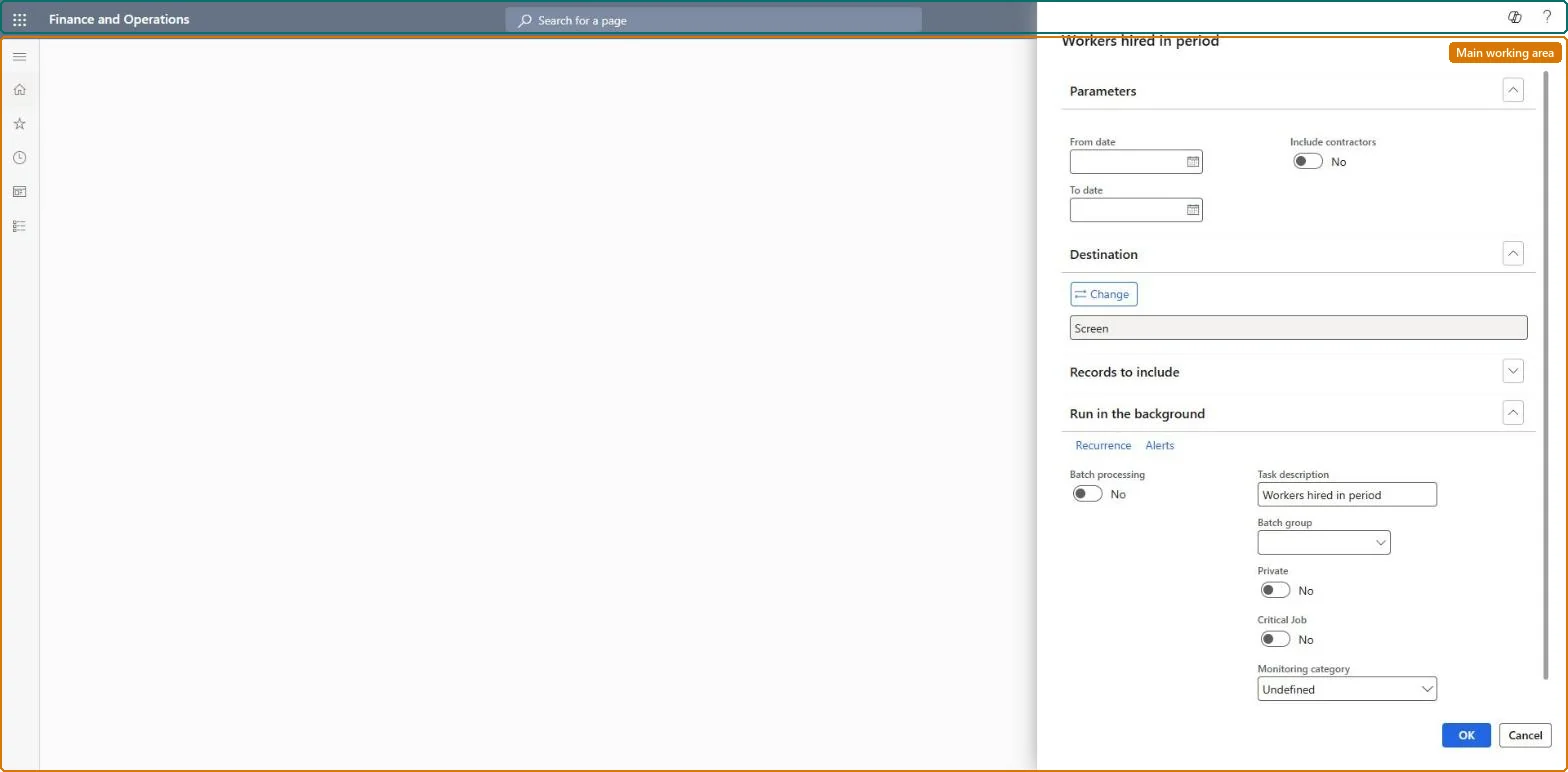
Use this page to create a list of recently hired workers for a date range, with or without contractors.
Example
For example, BEAT runs the report for 1 July to 30 September 2026 with Include contractors on and gets 14 hires, 11 employees and 3 contractors, which HR checks against the onboarding checklists applied in the quarter.
The page in Dynamics 365. page title tab to open what to set or check
About the examples: Examples and screenshots in this guide use BEAT, a demo company in a Dynamics 365 test environment. Use your own company's codes and values instead of copying them.
When to run it
When to run it
When you need a list of recent hires for a date range, for example for onboarding follow-up or headcount reporting.
How often
On demand, for the hiring period you need.
What the output shows
Workers whose hire date falls between the From date and To date. A hire that is missing usually has a different start date on the employment, or is a contractor while Include contractors is off.
The count differs from the Recent hires list of the workspace
The workspace list covers the number of days set in Human resources parameters. Set From date and To date to the same days and turn Include contractors on before you compare. Microsoft Learn
Test checklist
Note the hires of the last 7 days in the Recent hires section of the Personnel management workspace.
Run the report for the same 7 days with Include contractors on.
Run it at the end of each month or quarter for that period with Include contractors on, and check each hire has a position and an onboarding checklist.Learn recommends assigning a position before applying a checklist; a hire without a position has no manager, so manager tasks go to the checklist owner.
Shared worker data: Data management lists the Worker, Employment V2 and Person details entities as shared, so the report reads the same worker records from any legal entity; narrow it with Records to include. Checked in Dynamics 365
Can it be undone
Nothing to undo: The report only lists hired workers.
If you change it later
Hires are picked by employment start date, the date the Recent hires list of the Personnel management workspace uses; correcting a start date changes the next run. The report changes nothing. Microsoft Learn
Technical architect
6Technical
Menu item
HRMWorkersHiredInPeriodChecked in Dynamics 365
Form
SysOperationTemplateFormChecked in Dynamics 365
Roles to set it up and use it
To use itHuman resource manager HcmHumanResourceManagerHuman resource assistant HcmHumanResourceAssistantCompensation and benefits manager HcmCompensationAndBenefitsManagerRecruiter HcmRecruiterPayroll administrator HcmPayrollAdministratorGive people one of these roles. On this system, 9 roles can run this page.Checked in Dynamics 365
Load order: The Workers hired in period report has no data entity in Data management, so it can't be loaded from a file or a configuration template. It reads the worker and employment records; load them with the Worker data migration template and run the report in each environment.Microsoft Learn